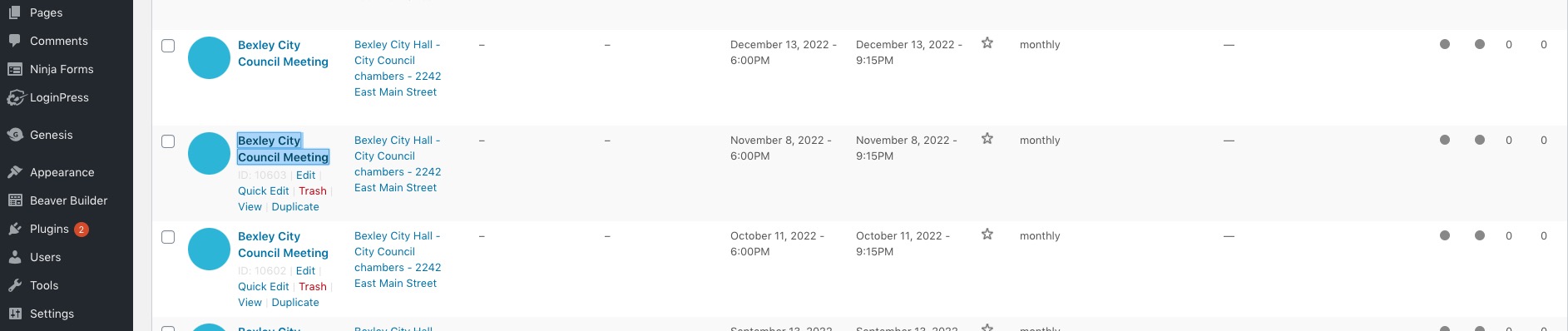
The default timezone issue we have identified and will be resolved in version 3.0.7 which we are working to get out soon.
Hello stephengarratt,
Also the date-picker is not working.
Could you create a separate ticket with included login info so we can check this?
Great! If you have any further questions or concerns please create a new ticket.
Please use Search Box shortcode for this:
[add_eventon_search search_all=”yes”]
…Enable jQuery Migrate Helper…
Usually themes themes require this plugin. Could you please try the instructions mentioned in this documentation to make sure your issue is indeed coming from eventon. It seems that the issue can be in the theme or one of your third-party plugins.
Also your toolbar looks quite different from the default one:

and friends, some “healthy” icons don’t appear. (attached. for example disenfection and other.. icons)
Please add this CSS code to EventON > Styles (If you don’t see any change, EventON > Scripts & Styling > turn off Write styles to header > save settings > turn on Write styles to header):
.evo_card_health_boxes .evo_health_b i.fa { font-family: ‘evo_FontAwesomeS’,’evo_FontAwesome’,’evo_FontAwesomeB’ !important; }
It seems that your theme’s or one of your plugins’ FontAwesome overwrites EventON’s icons.
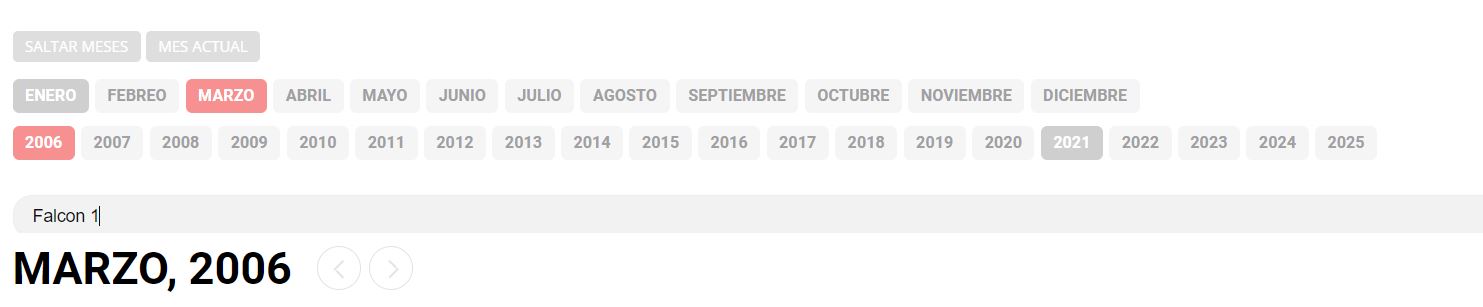
Is there any way to configure the calendar, so that when I search for events by their names, I get all the events with that name regardless of the year or month that is selected?
When I search for an event, I only search in the month and year that are selected but the rest of other years that are not selected do not appear
Hello,
Could you try EventON Settings > ICS Import > Import Method: Manual import from ICS file URL? It seems that your file also contains repeating rules. That’s why there is an event on Jan 26th:

Second, some of the events upload in the wrong time zone
Could you give us an example? Is this correct:

The same time on your website:
Hye Sonam,
That is possible, would cost for you $75.
Does that work for you?
Well i installed plugin, it broke major parts of the site, support was very quick but ended up breaking the site even more… when i uninstalled plugin site was still broken, this worries me about the plugin- usually if you deactivate a plugin, it stops causing problems.
But willing to give it one more chance. i’ll re-install on site with proper backup tomorrow and reach back out if i have new issues.
Appreciate your help,
a
It seems that there is not enough memory available on your server:
[12-Jan-2021 16:48:20 UTC] PHP Fatal error: Allowed memory size of 268435456 bytes exhausted (tried to allocate 20480 bytes) in /var/www/wp-includes/wp-db.php on line 2721
Could you try following this guide: https://docs.myeventon.com/documentations/increasing-wordpress-memory-limit/?
The best solution is to contact your hosting provider.
Hey Kimberley,
Thank you for your great suggestion, at the moment it is not supported. However please create a new ticket and select Feature Request as category so others can vote on your idea and get it moved into development faster.