Reply to: 217137
As I previously said, I confused ICS Importer settings with Sync ones. Sorry about that.
You need to go to EventON Settings > Sync https://stfrancispotomac.org/wp-admin/admin.php?page=evosy#evosy_gg > set Import Method to Manual Import.
Unfortunately, you cannot go to EventON Settings > ICS Import since you are using Sync add-on.
Hey Karen,
Can you supply us with WordPress access and your file, so we can give it a go, please?
Appreciate your help and patience
Hey Tami,
On which part of the calendar you want to do this?
Hey Kelley,
Glad we could help!
If you have a moment, we would greatly appreciate if you could kindly leave us a review at codecanyon! from your account > downloads. Cheers!
Hey Dan,
Asked Ashan to take a look here also 🙂
Hello,
Please go to Edit Event > disable Event Completed.
It seems that all of your past events like this because of enabled EventON Settings > Set all past events as completed. I think you should disable it as well.
Please check and let me know.
Hello,
Could you apply this patch fix:

https://codeshare.io/an9ZlX
Add this to wp_admin.css as well as to eventon_styles.css and clean you cache.
We will get this resolved in next version update to eventon.
Hey Carmen,
I have almost everything ready, need to connect the dots, will finish tomorrow.
Could you also update EventON to 3.0.7 and add-ons as well?
To update eventon to latest version: If you are unable to do autoupdate, you can go to codecanyon your account > download and get the latest eventon version as zip file. Then you can go to your website, deactivate old eventon, activate (Do not delete eventon settings & data when EventON is uninstalled) from eventon settings, delete old eventon, install new one and activate. This link will further explain the process it. Also you can follow us on twitter to get real-time announcements on updates!
To update eventon addons: You can download latest eventon addons from myeventon > my account. Then you can go to your website, deactivate old addon and install new one and activate then delete the old addon. This link will further explain the process. Also you can follow us on twitter to get real-time announcements on updates!
Please go to https://pmyv.net/wp-admin/admin.php?page=eventon#evcal_005 > add Google maps API Key (Required).
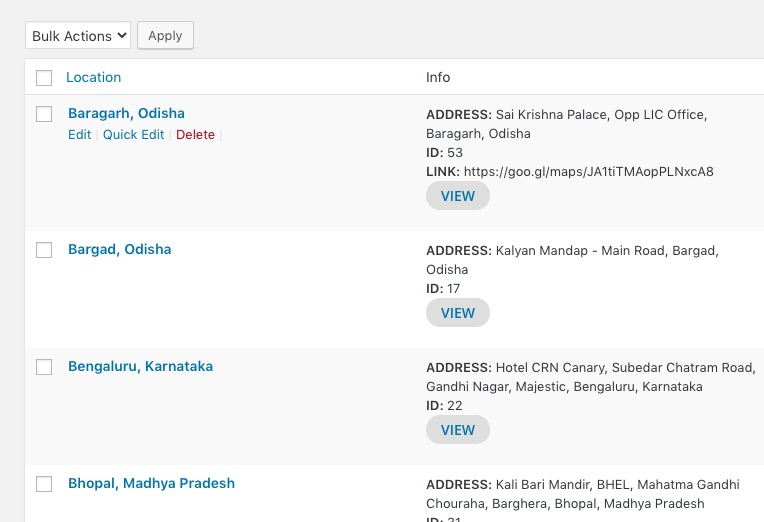
It seems that none of your locations have Lat/Long values filled in:
Please make sure that Location Address is full and contains Street, City, Country, Postal Code.