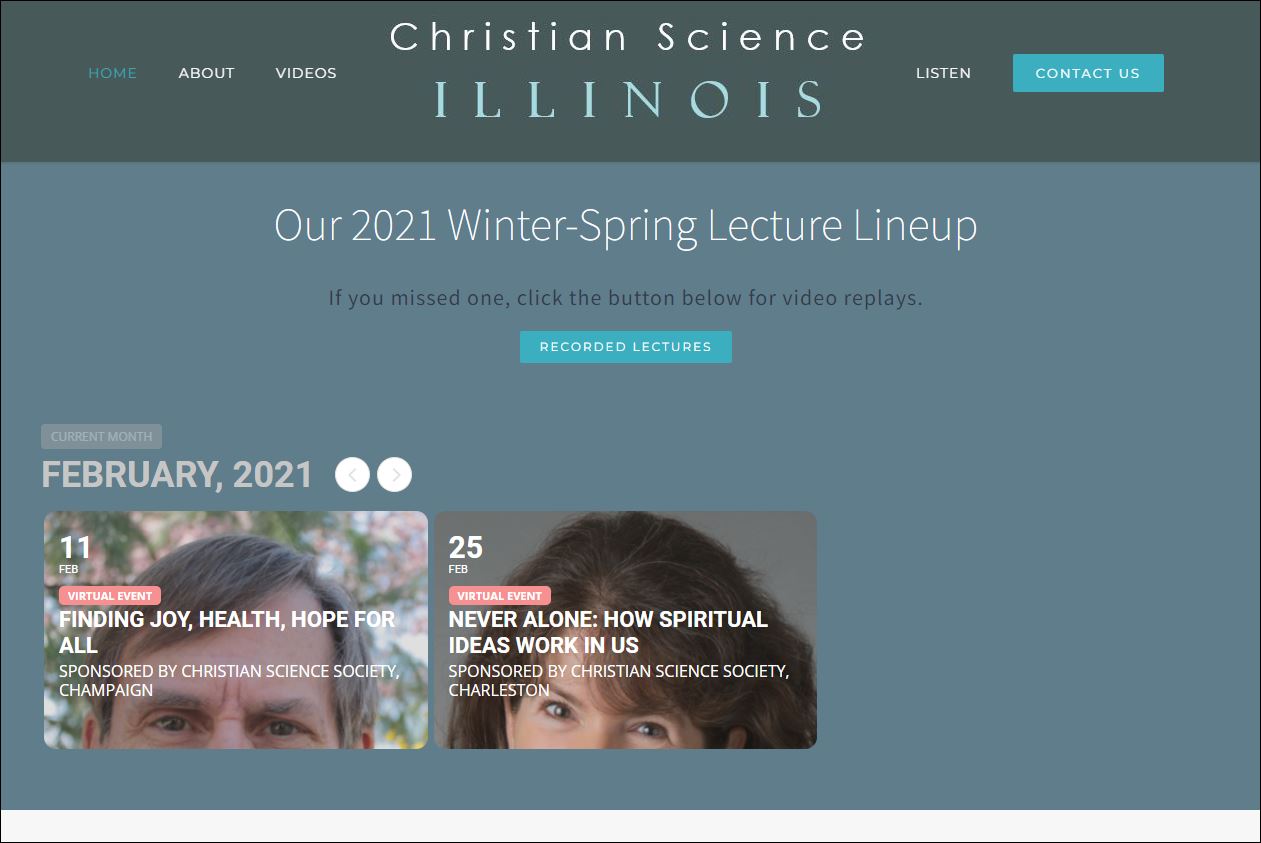
That’s what I’ve done, but it still only renders a slice of the top 1/3 of the pic. See sample:
Replies for tickets on suppota
That’s what I’ve done, but it still only renders a slice of the top 1/3 of the pic. See sample:
THANK YOU! That worked!! <HUGE hug!>
THANK YOU!!
[add_eventon_list number_of_months=”24″ hide_empty_months=”yes” show_et_ft_img=”yes” tiles=”yes” tile_count=”3″ tile_height=”300″ tile_bg=”1″]
Please see the video below:
Make sure that in myeventon>>>>settings>>>single events
they are all activated and also Show social media share icons only on single events is deactivated
Hi Ashish,
thank you for the response. I will try to fix the configuration.
Can you please send me the customization code and steps because I need to customize my live website and change the back ground color.
thanks again
romany
The shortcode above the calendar will achieve that- you just need to give each event a featured image or event image located on the right hand side of the edit event section
USA, Nepal, Africa
Australia
try adding this to appearance>>>customize>>>>additional CSS
.eventon_list_event .event_description p, .evcal_list_a .event_description li, .evo_pop_body .evcal_evdata_row .evcal_evdata_cell p {
font-size: 20px;
}