Thank you for the message. I am going to contact Ashan about this issue.
Archives: Replies
Replies for tickets on suppota
Reply to: tickets(213987)
Ashan,
The same on dev2: https://dev2.myeventon.com/events/tick/
Once you have enabled “Show location information over location image (If location image exist)”, you can no longer disable it.
Reply to: tickets(214227)
Perfect.
It works. Thanks a lot 🙂
Reply to: tickets(214176)
Please check now. It seems that your quotes around 2 in number_of_months were incorrect:

I would think you wouldnt need to set a repeat amount if you were telling it to repeat the same event every single week on the same day.
In WordPress this can lead to performance issues, so specifying Number of Repeats is necessary.
Reply to: tickets(214244)
EventON loads custom google fonts with evcal_google_fonts-css style:
And I don’t see it on your website:

Could you check and let me know?
Reply to: tickets(214069)
OK. We will do it. Email address journeypuremurf@gmail.com.
Only 18 out of 67 RSVPs showed up to our first event, so we need it.
Thanks!
Michelle
Reply to: tickets(214377)
Hello,
In order to test our product you don’t need to activate it. Just go to your live website with activated version and then proceed to EventON Settings > ShortCodes > [ ] GENERATE SHORTCODE. Use this shortcode generator to create shortcodes you can use on your test site.
Reply to: tickets(214381)
Hello,
Please add this CSS code to EventON > Styles (If you don’t see any change, EventON > Scripts & Styling > turn off Write styles to header > save settings > turn on Write styles to header):
.single-ajde_events .container > .row > .col-md-9.col-sm-8 { width: 100% !important; }
.evo_page_body { max-width: none !important; }

Reply to: tickets(214227)
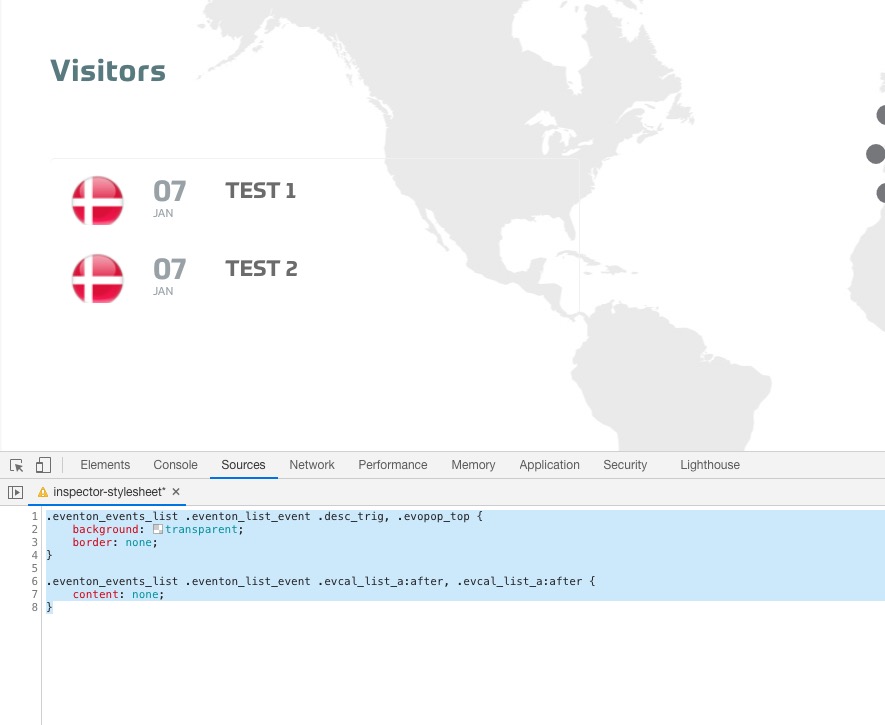
Please add this CSS code to EventON > Styles (If you don’t see any change, EventON > Scripts & Styling > turn off Write styles to header > save settings > turn on Write styles to header):
.eventon_events_list .eventon_list_event .desc_trig, .evopop_top { background: transparent; border: none; }
.eventon_events_list .eventon_list_event .evcal_list_a:after, .evcal_list_a:after { content: none; }
Reply to: tickets(205534)
Great news!
Thanks!