try clearing browser cache. And make sure in your website HTML those styles are visible
Archives: Replies
Replies for tickets on suppota
Reply to: tickets(215385)
Really hoping for release today 🙂
Reply to: tickets(209346)
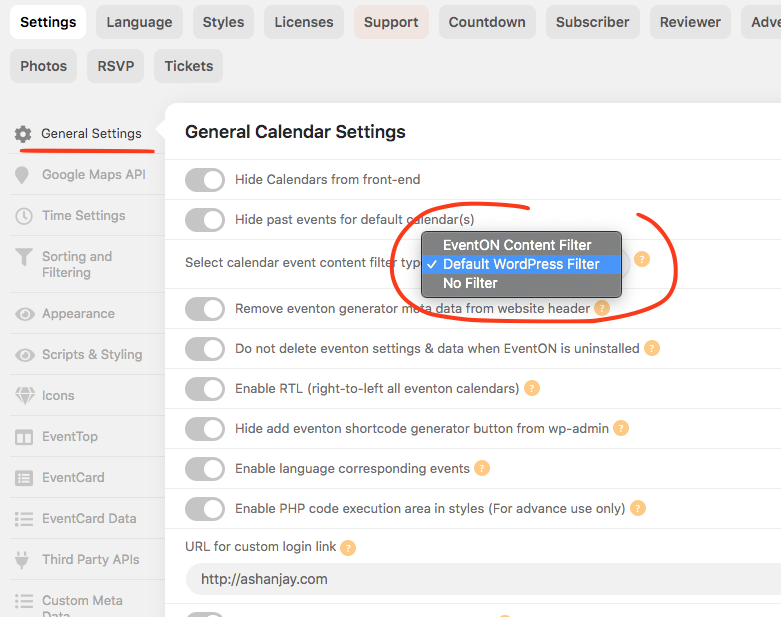
have you tried using wordpress default filter for event details?
Reply to: tickets(215381)
If you go to https://www.myeventon.com/my-account/edit-address/billing/ you can edit the address and add VAT number under company name. And then apply it to all the active subscriptions and see if generating invoice make correctly with vat. if not send us the VAT number and we can include in the invoice for you.
Reply to: tickets(211959)
Raquel I was able to replicate this issue on my end and i have found a fix for this. I will be releasing eventON 3.0.7 which will have this fix.
Reply to: tickets(215389)
The default timezone issue we have identified and will be resolved in version 3.0.7 which we are working to get out soon.
Hello stephengarratt,
Also the date-picker is not working.
Could you create a separate ticket with included login info so we can check this?
Reply to: tickets(215555)
Great! If you have any further questions or concerns please create a new ticket.
Reply to: tickets(214901)
Please use Search Box shortcode for this:
[add_eventon_search search_all=”yes”]
Reply to: tickets(215433)
…Enable jQuery Migrate Helper…
Usually themes themes require this plugin. Could you please try the instructions mentioned in this documentation to make sure your issue is indeed coming from eventon. It seems that the issue can be in the theme or one of your third-party plugins.
Also your toolbar looks quite different from the default one:

and friends, some “healthy” icons don’t appear. (attached. for example disenfection and other.. icons)
Please add this CSS code to EventON > Styles (If you don’t see any change, EventON > Scripts & Styling > turn off Write styles to header > save settings > turn on Write styles to header):
.evo_card_health_boxes .evo_health_b i.fa { font-family: ‘evo_FontAwesomeS’,’evo_FontAwesome’,’evo_FontAwesomeB’ !important; }
It seems that your theme’s or one of your plugins’ FontAwesome overwrites EventON’s icons.
Reply to: tickets(214901)
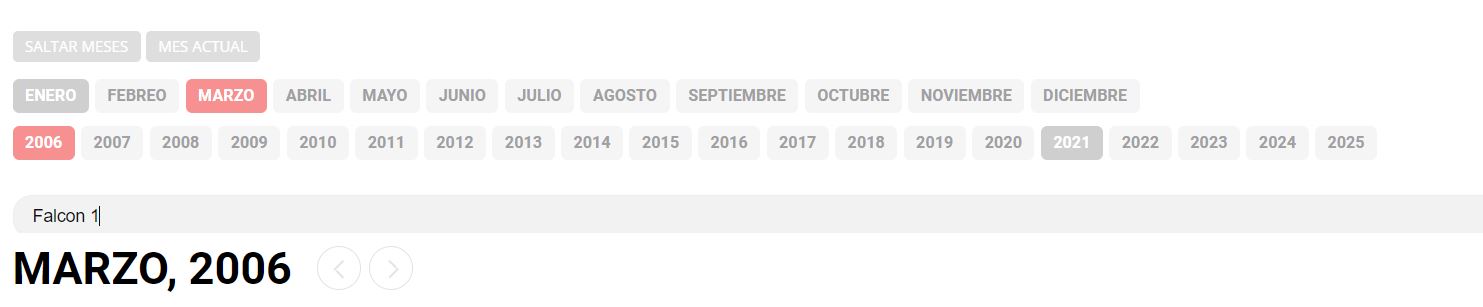
Is there any way to configure the calendar, so that when I search for events by their names, I get all the events with that name regardless of the year or month that is selected?
When I search for an event, I only search in the month and year that are selected but the rest of other years that are not selected do not appear