Om Hy Ashish
Thanks for you reply
The credentials of mieux-ere.tv are the following
wp-admin
user : simplelogin
pas : simplelogin***
ftp
host : mieux-etre.tv
user : simplelogin@mieux-etre.tv
pas : simplelogin***
Thank you Ashish
Marc.
Replies for tickets on suppota
Om Hy Ashish
Thanks for you reply
The credentials of mieux-ere.tv are the following
wp-admin
user : simplelogin
pas : simplelogin***
ftp
host : mieux-etre.tv
user : simplelogin@mieux-etre.tv
pas : simplelogin***
Thank you Ashish
Marc.
Awesome Thank you.
Its all working the way we want now.
Thanks, I will try…
however, it’s not a big deal, now I know where to check if the category has been updated
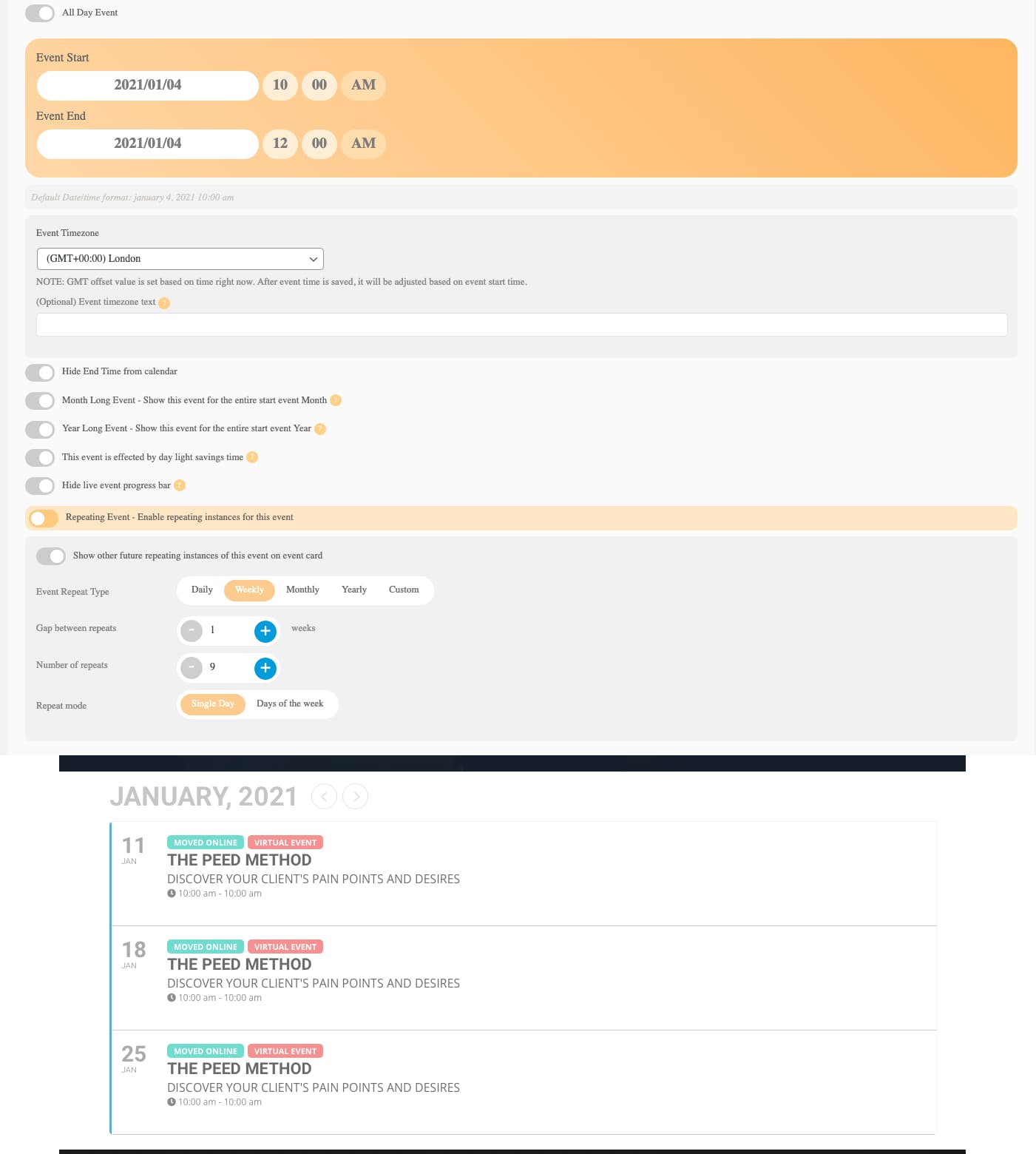
Hi Artem
Thanks got the date and time showing but on repeat events it show the time incorrectly.
The time is set 10 – 12 but it shows 10 – 10
Ashan,
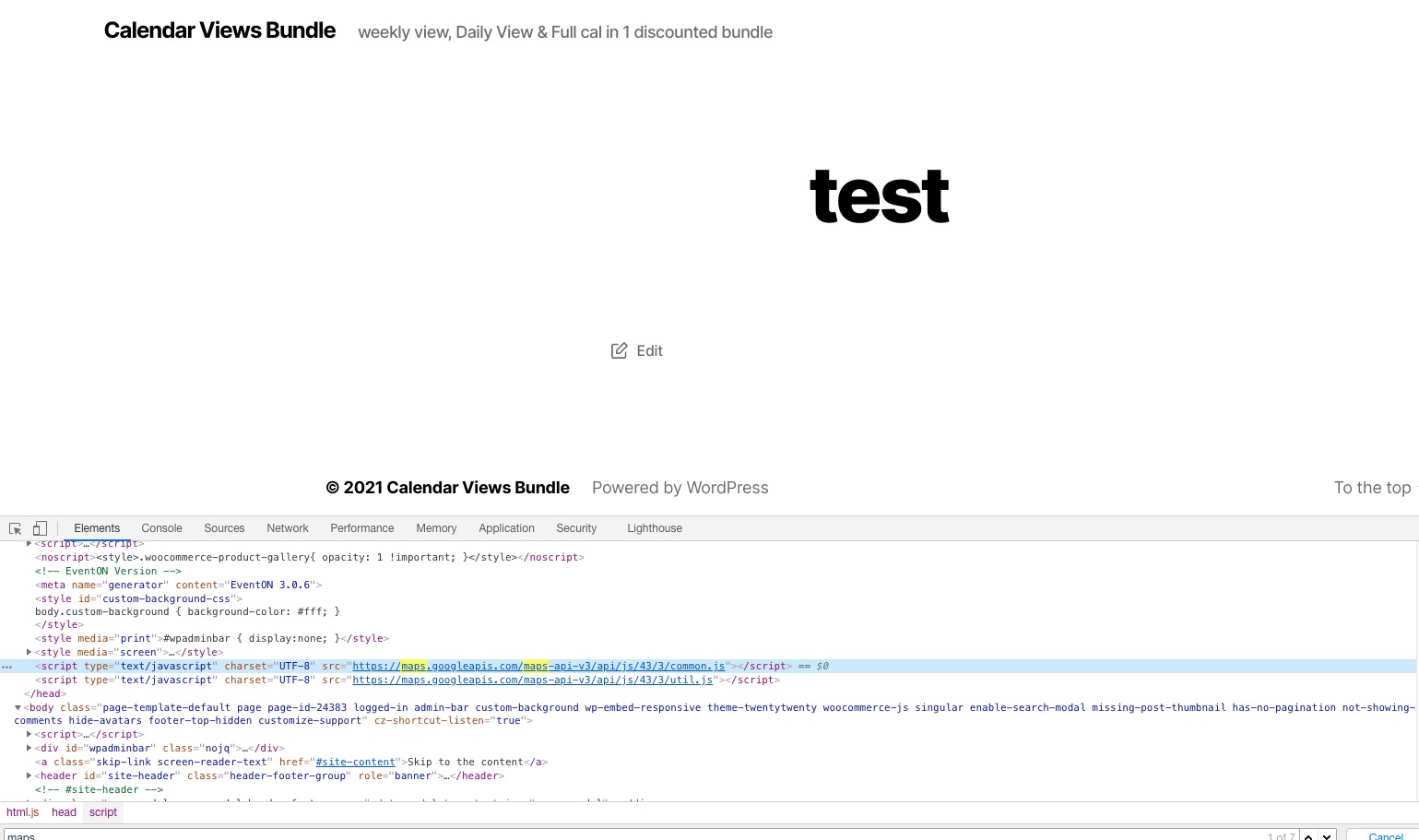
The same on dev2:
Empty page https://dev2.myeventon.com/test/
But you still can see loaded maps api:
Hello,
Thank you for your messages, I am going to assign this ticket to Ashan and he will be able to take it from here and find you a solution. Please allow some time for him to get back to you, we greatly appreciate your patience and thank you for being a eventon customer! Also please disable any IP blocking on your site if there are any.
(I didn’t know that it was necessary to translate from Italian to Italian)
We are sorry about this. This is necessary because Event Types are dynamically created content.
However the plugin doesn’t like the apostrophe
Could you try putting a backslash before the apostrophe?
Hello,
1. Please make sure that you shortcode doesn’t have evc_open=”yes”.
2. There was an issue with the handlebars.js file. I added it so it should work now. Please check and let me know.
3. You cannot change Single Event Page with Elementor since EventON uses it’s own template for this. You can customize Single Event Page template by following https://docs.myeventon.com/documentations/customize-single-events-page/
Just do the same as with 1 tile. Add cal_id=”cal1″ to the shortcode and add this CSS code to EventON > Styles (If you don’t see any change, EventON > Scripts & Styling > turn off Write styles to header > save settings > turn on Write styles to header):
#evcal_calendar_cal1.ajde_evcal_calendar .calendar_header p.evo_month_title { display: none !important; }
This way the code works for this particular calendar only.
Hello,
You need to use Event Lists: Ext add-on https://www.myeventon.com/addons/event-lists-extended/ with this shortcode:
[add_eventon_el el_title=”12″ event_count=”6″ event_count_list=”yes” tiles=”yes” tile_count=”4″ tile_bg=”1″]