I see the issue. thank you Robert and artem. Here is the patch fix for this.

Replies for tickets on suppota
I see the issue. thank you Robert and artem. Here is the patch fix for this.
Ashan,
Everything should work fine (Enable language corresponding events is enabled and shortcodes are correct), but every time you update an event, it rewrites both languages:
https://neu.lorfeo.com/wp-admin/post.php?post=6913&action=edit
https://neu.lorfeo.com/wp-admin/post.php?post=6914&action=edit
And because I saved L1 last, it shows Event Subtitle from L1 on both calendars:
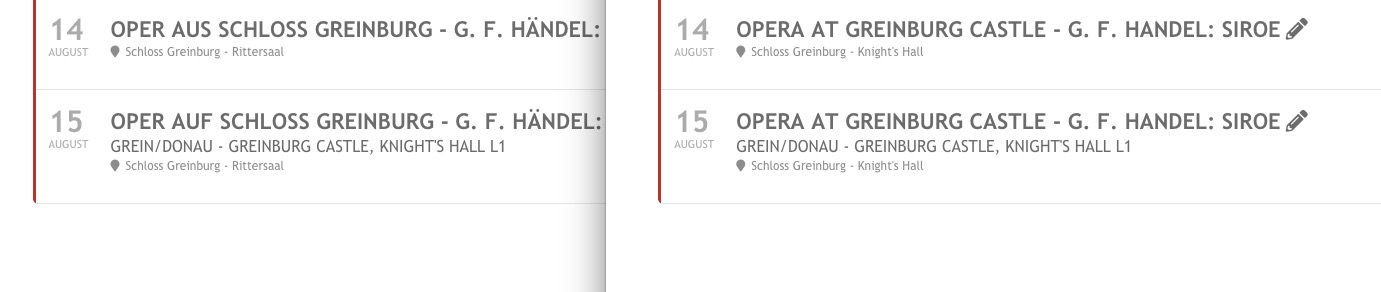
On dev2 everything works fine, so it seems that the issue is in Polylang but can we do something from our side.
Dev2: https://dev2.myeventon.com/24651-2/ (check test l1 and test l2)
Thank you for your messages, I am going to assign this ticket to Ashan and he will be able to take it from here and find you a solution. Please allow some time for him to get back to you, we greatly appreciate your patience and thank you for being a eventon customer! Also please disable any IP blocking on your site if there are any.
This is not yet possible. However, you could use Organizer for this. You can disable from showing it on Event Card and then use links from wp-admin > Events > Event Organizer to allow users to show their events.
Please check this video guide: https://www.youtube.com/watch?v=G59-HICy1XQ
Hello,
We need to activate WP_DEBUG. Please send us FTP access to your site as a private message, so we can perform several tests from our end and resolve your issue fast!
Hello,
Please go to EventON Settings > Time Settings > enable Allow universal event time format on eventCard > use this guide https://www.php.net/manual/en/datetime.format.php (Part: “The following characters are recognized in the format parameter”) to get the right format > add it to Date/Time Format.
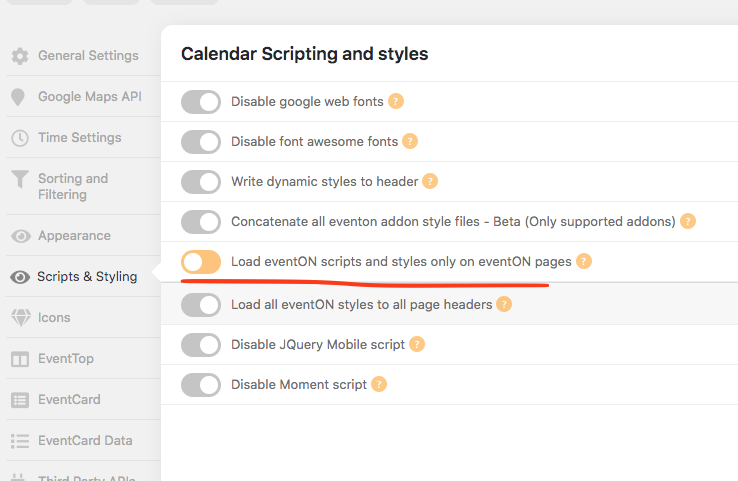
so we have this option currently. So let me see how we can add the google api to also be applicable with this settings.
Hello,
EventON has no control over the payment process. Since switching the theme helped, it means that this is the problem. Please contact the theme developer.
Hello,
Please add this CSS code to EventON > Styles (If you don’t see any change, EventON > Scripts & Styling > turn off Write styles to header > save settings > turn on Write styles to header):
.ajde_evcal_calendar.boxy.boxstyle1 #evcal_list .eventon_list_event .evcal_desc span.evcal_event_title, .ajde_evcal_calendar.boxy.boxstyle1 #evcal_list .eventon_list_event .evcal_desc span.evcal_event_subtitle { white-space: normal; }
