If you decided to enable “Show location information over location image (If location image exist)”, Location Image becomes a background image, so it needs to be a little more darker then usual since it becomes a container for text. We could add a constant dark background overlay but decided not to and give users to decide for themselves which overlay they want (or maybe nothing at all).
I can change this with custom CSS code. Just let me know how do you want this to look like.
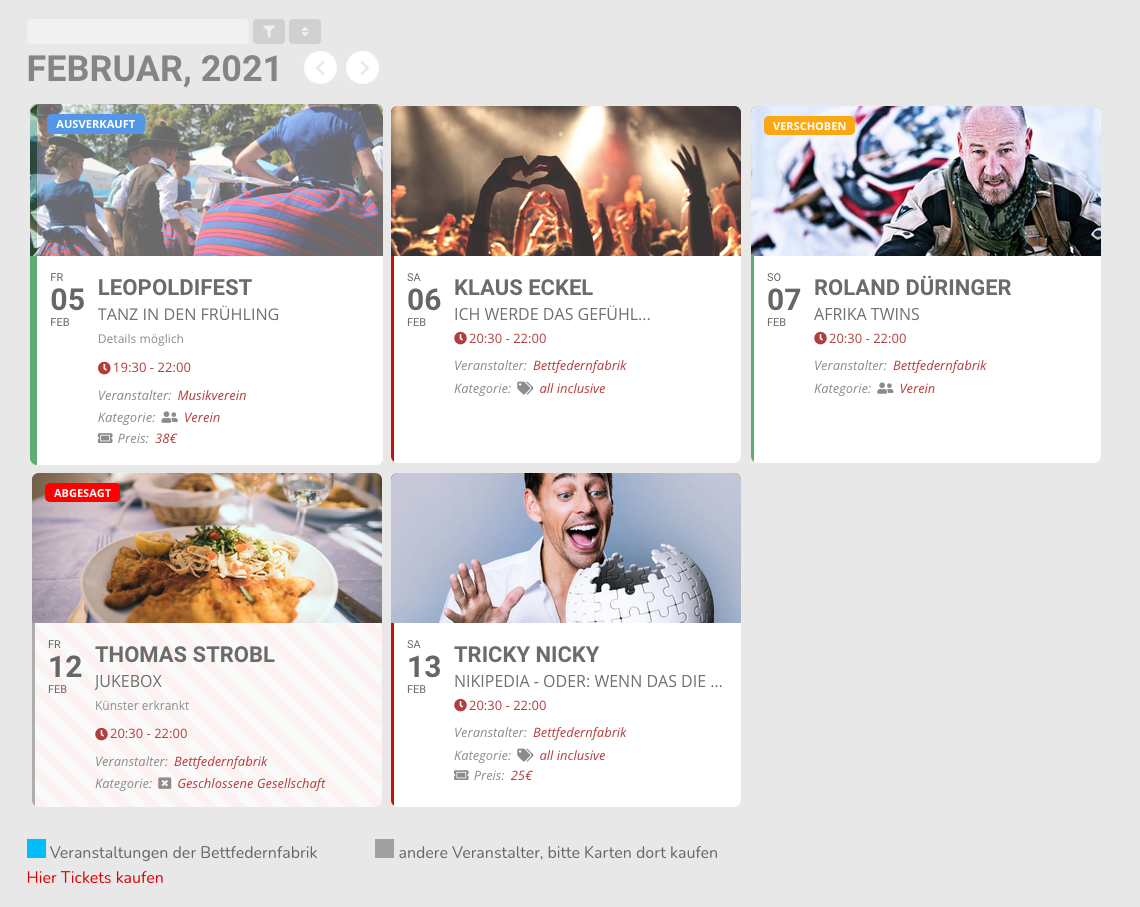
Thank you so much for answering quickly.
This is my page: https://bff.expose.at/start-alleevents/
This is the shortcode i used here:
[add_eventon_list number_of_months=”12″ cal_id=”cal-01″ event_count=”6″ event_count_list=”yes” show_limit=”no” ux_val=”4″ event_past_future=”future” hide_so=”yes” filter_type=”select” tiles=”yes” etc_override=”yes” show_et_ft_img=”yes” tile_style=”1″ hide_month_headers=”yes” hide_empty_months=”yes” show_year=”yes” tile_count=”3″ tile_bg=”1″ ]
I added the code in addition to the one i created, but it does not seam to work, though. I hilghly appreciate your help.
3. You cannot apply it on Event Card for sure since EventON doesn’t have such functionality, so yes.
7. EventON only allows your customers to purchase tickets. The rest (cancelation in particular) is on WooCommerce. Users cannot really cancel anything by themselves. After the purchase if they don’t want to go they can only contact you about the cancelation and refund.
Thank you Artem for your reply. It looks the same for me. I really wonder if you can read the location description easily and if you think that the text floating right looks fine?
I really like this plugin, but at some point it looks to me the developers were lazy or had no clue about design.
Sorry, but in my opinion the plugin is too expensive to afford something like this…
So I have two options now right? Disable the location image or put a lot of work in it to make it usable?
All custom work will be in a separate plugin which will work in similar way to child-theme. This means it will not be affected by future updates of the main plugin normally.
We will add similar function as event color in the backend which will then show the same in the calendar as circle when set.
We will start work when you make the payment.
Thank You
Dear Artem,
Thank you so much for your replied.
3. We can only apply the store credit as coupon code?
7. I can handle by setting the date to disabled cancellatin? and in default, customer can cancel to join the event by themselves?
Thanks again!
Hello,
Everything is exactly the way it should look like:


Maybe it’s different from your side? Could you send us a screenshot?
BTW: do you have more shortcodes to view at?
Could you elaborate more?
Please add this to the shortcode:
event_count=”6″ event_count_list=”yes”
Hi,
Have you made progress on the ticket problem ?

