Thank you for your messages, I am going to assign this ticket to Ashan and he will be able to take it from here and find you a solution. Please allow some time for him to get back to you, we greatly appreciate your patience and thank you for being a eventon customer! Also please disable any IP blocking on your site if there are any.
Archives: Replies
Replies for tickets on suppota
Reply to: tickets(213708)
Great! Thank you!
Unfortunately, your theme handles the breadcrumps so we cannot do much about it. Please contact the theme developers about this issue.
Reply to: tickets(213699)
1. Please use this code:
#evcal_list .eventon_list_event .evcal_desc span.evcal_event_title, .eventon_events_list .evcal_event_subtitle { color: red !important; }
Use !important otherwise it may not work.
You can also follow the css customization guide to edit style changes.
2. Unfortunately, we unable to help with customizations. You can send us a customization job request by creating a new ticket in here and selecting Customization Request as the category.
3. Please use this code instead:
#evcal_list .eventon_list_event a.desc_trig, #evcal_list p { border-left: 1px solid #f3f3f3 !important; }
Reply to: tickets(213707)
Please add this CSS code to EventON > Styles (If you don’t see any change, EventON > Scripts & Styling > turn off Write styles to header > save settings > turn on Write styles to header):
#evcal_list .eventon_list_event a.desc_trig, #evcal_list p { border-color: red !important; }
Reply to: tickets(213730)
Hello,
We are sorry about this issue. Could you try applying this patch and check once with clean cache:

Please also note that we can apply this if you send us login info.
Reply to: tickets(213725)
Hello,
Action User is exactly what you need.
Please try Action User Event Manager [evo_event_manager] on http://dev.myeventon.com/wp-admin/.
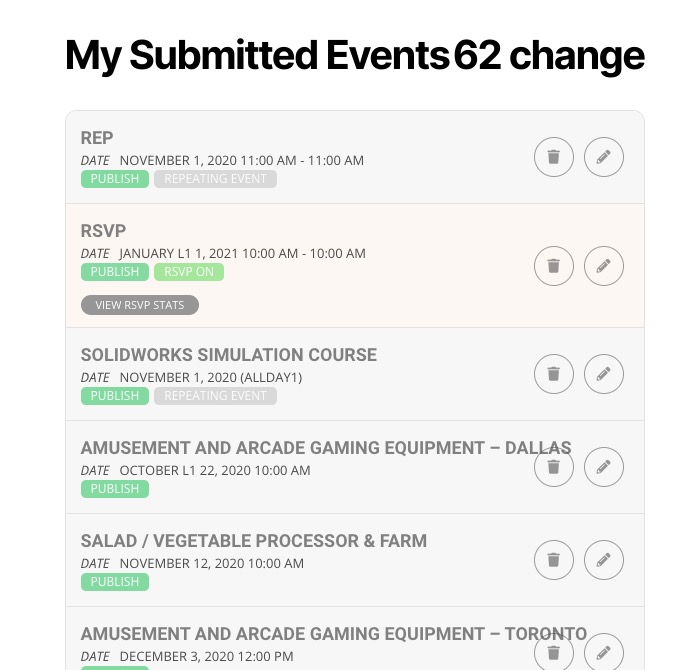
How submitted events looks like:
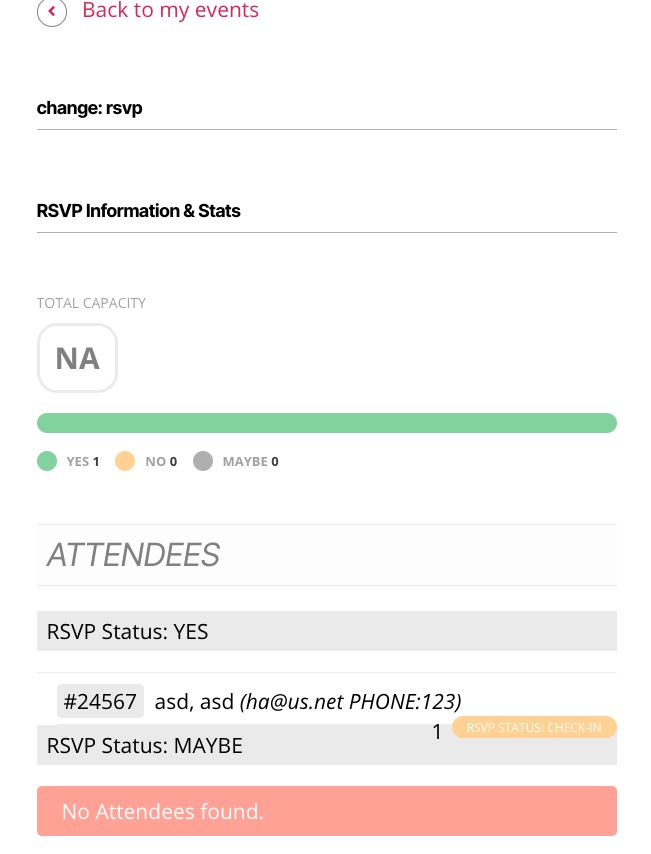
How they can check RSVP info:
Reply to: tickets(213369)
Hi Infotainerdave!
We have had some problems loosing CSS access on the website. That’s why you couldn’t see anything but red text on a white page. Please look at it again; it should be a fully-structured website.
Thanks,
Bill
Reply to: tickets(213707)
Sorry, I thought the screenshot was of the Settings > Appearance. I want a site wide colour setting, not a setting per event.
Reply to: tickets(213707)
I know, but that does not work. It doesn’t change the color.
Reply to: tickets(213708)
You can enter the site with eeec and 2021.2cv