Hi Nicolas,
Please send us wp-admin access to your site as a private message for us to further assist your situation.
Replies for tickets on suppota
Hi Nicolas,
Please send us wp-admin access to your site as a private message for us to further assist your situation.
You would have to use the event types
and that way the languages would show up as categories
Hi Dyke,
Hope the CSS code worked for you. If you have any further questions or concerns please feel free to create a new ticket.
Hi Yannick,
You can add the custom CSS code below to myEventON > Styles to display the full event names
/*display full event names*/
.ajde_evcal_calendar.boxy.boxstyle1 #evcal_list .eventon_list_event .evcal_desc span.evcal_event_title{white-space:normal; text-overflow:inherit;}
Hi Daniel,
We are glad your issue is resolved, if you have any further questions or concerns please feel free to create a new ticket.
Hi Romany,
It seems your website has javascript errors caused by your theme. You can find and resolve them by following this guide. Please contact the theme developer for a solution. Once these javascript errors are fixed, eventon scripts will be able to run properly and will resolve your issue.
Hello,
Yes. But tell me later what plugins have you disable/change.
Thanks.
Hi Tim,
Yes, you can remove the date, time and register from the posts of a certain page using custom CSS, and the other page where you want those details to show will not be affected.
Ok, thanks for the support!
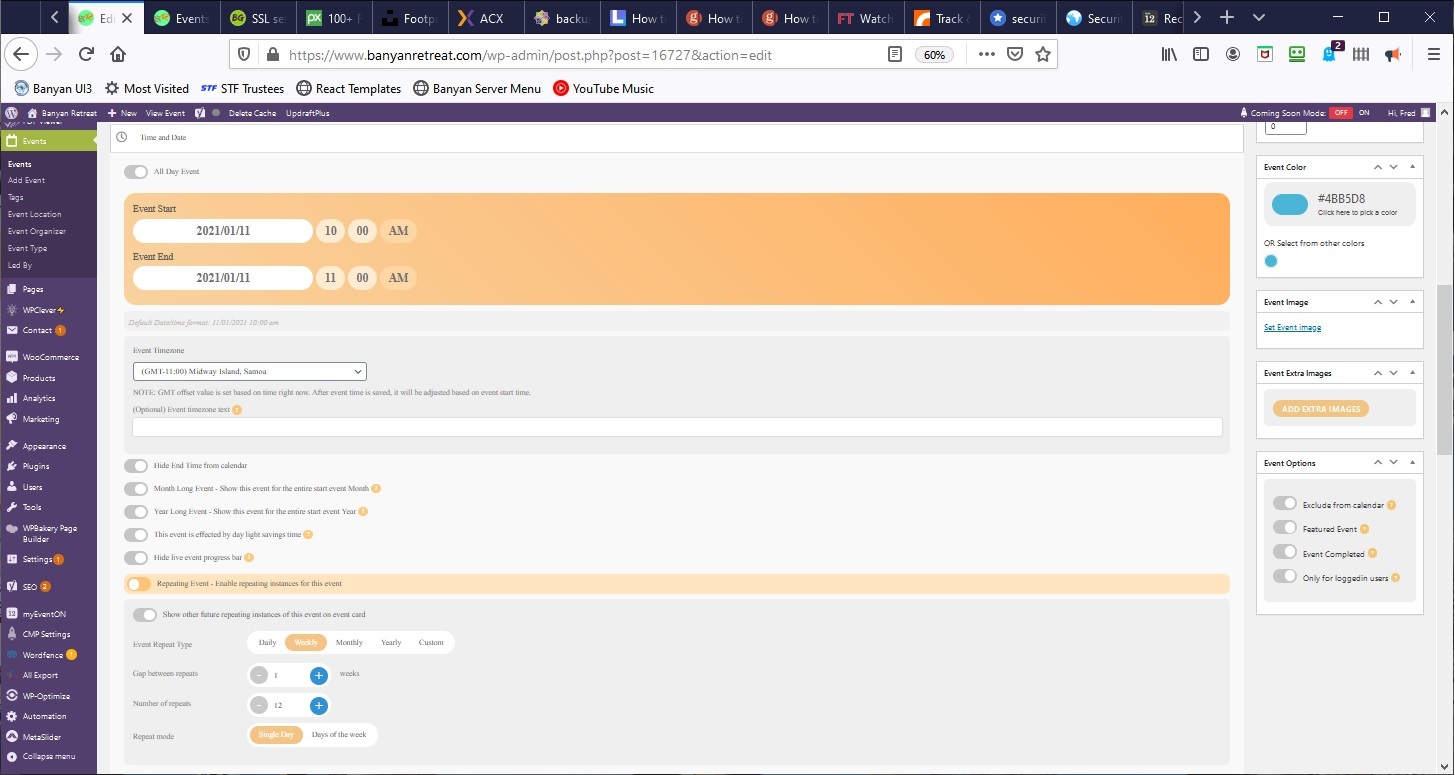
I am working on weeks not months and as far as I know all weeks have the same number of days. I shouldn’t need to calculate anything to do with months. If my event runs for twelve consecutive weeks on the same day of the week – it runs for twelve weeks. So if I set the initial date 11-Jan-21 and set 12 weekly repeats the last date should be 05-Apr-21 but it is still listed on 12-Apr-21 which is the initial date plus 13 repeats.