yes for the #1 :
Currently if the user want to send an event they go to the submit form and they need turn on the ticket sell on the form ( the button that enable sell ticket on the front end form )
So basically is remove the Sell on/off button on the form (and make sell tickets by default) and this will make the events show always on the Dokan dashboard ( because it creates a product )
I found the problem.
This plugin:
WP Google Analytics Events Pro
that we need to monitor what happens during the purchase conflicts with the EventON ‘ticket’ module.
Is it possible to understand what conflict it generates and resolve it?
Grazie
Davide
Ah, ok. I was checking the virtual box and putting the Zoom in the event, but I understand now how each works. Thanks!
Will add a customization request now.
Hi Please advise on cost I don’t know what budget to suggest. The client wants the feature urgently.
We need this urgent, please.
Thank you so much! I really appreciate the time and help. This is by far the best calendar option out there.
http://www.azioneunlimited.com/wp-login.php
user: laurakoster
pw: MarketingGuru!2017
Yes, I’ve confirmed the correct version of EventON.
Thank you so much for your help! Kindly, Laura
Hey Caroline,
You can pay from here:
https://www.paypal.me/Basilakis/380usd
Then, I need WordPress & FTP Access so I can start working 🙂
Hey Daniel,
I am facing problems with the new version, to apply the update.
I either need more time to fix it, or we have to refund you, please let me know what u prefer.
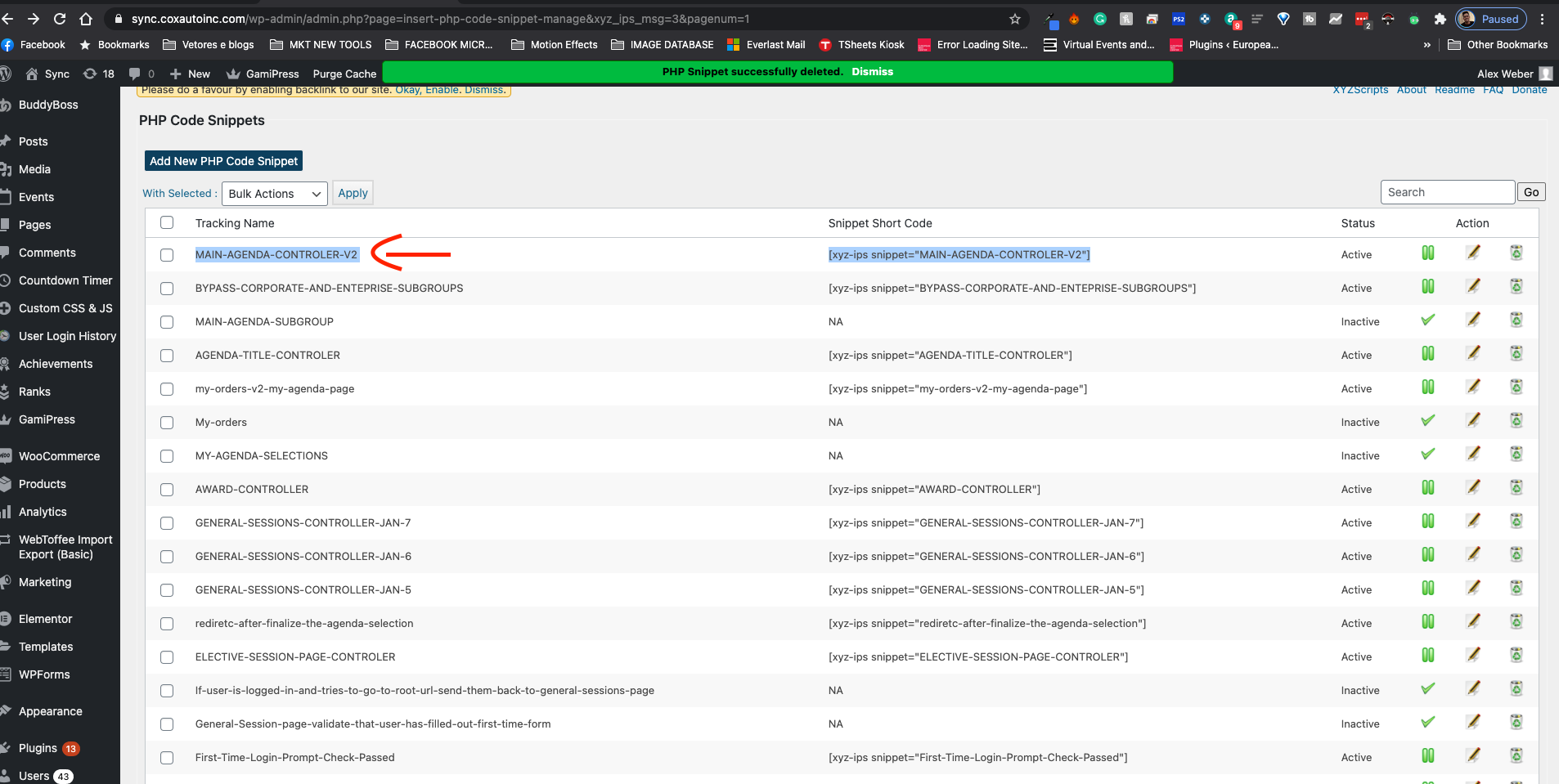
Forget to tell you, Please just be very careful with the weekly shortcode inside of MAIN-AGENDA-CONTROLER-V2 Because I have some conditions there to show specific events to specific user roles.
Thank you.
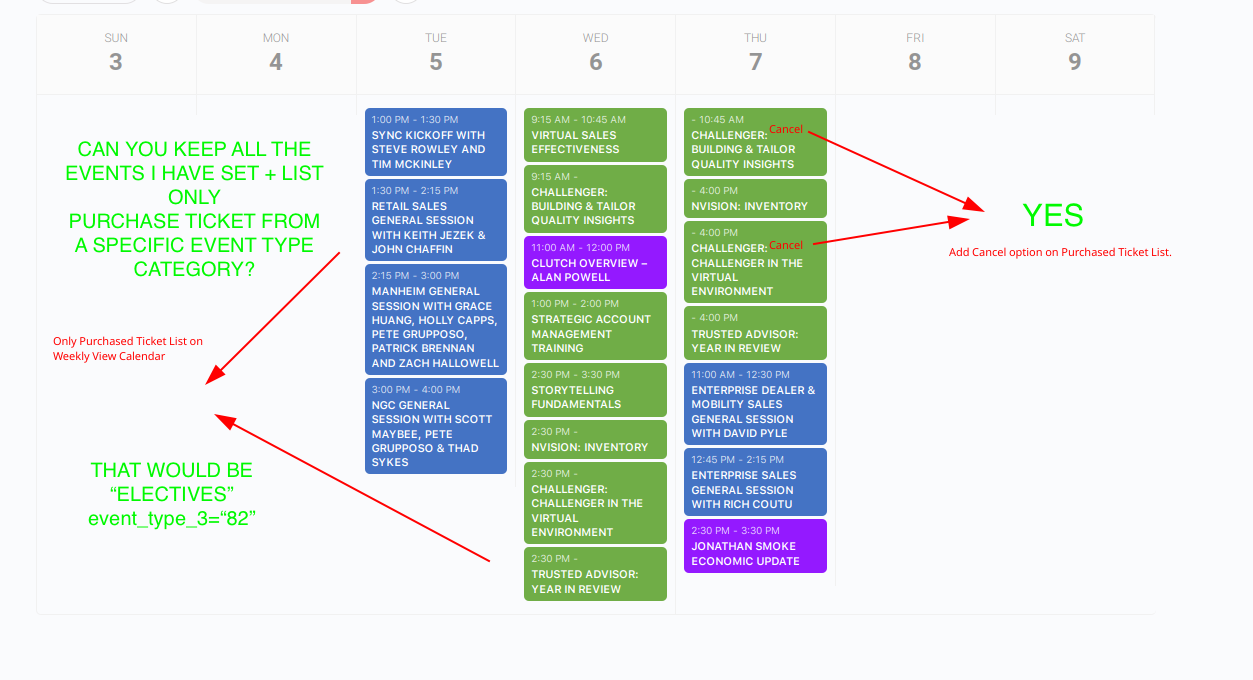
please see the image attached.
For my selected session, I am already showing the sessions that the user purchased. If you can please just add the cancel/modifi button there would be great.