Hello Artem,
Yes, just save EventON settings.
Empty cache.
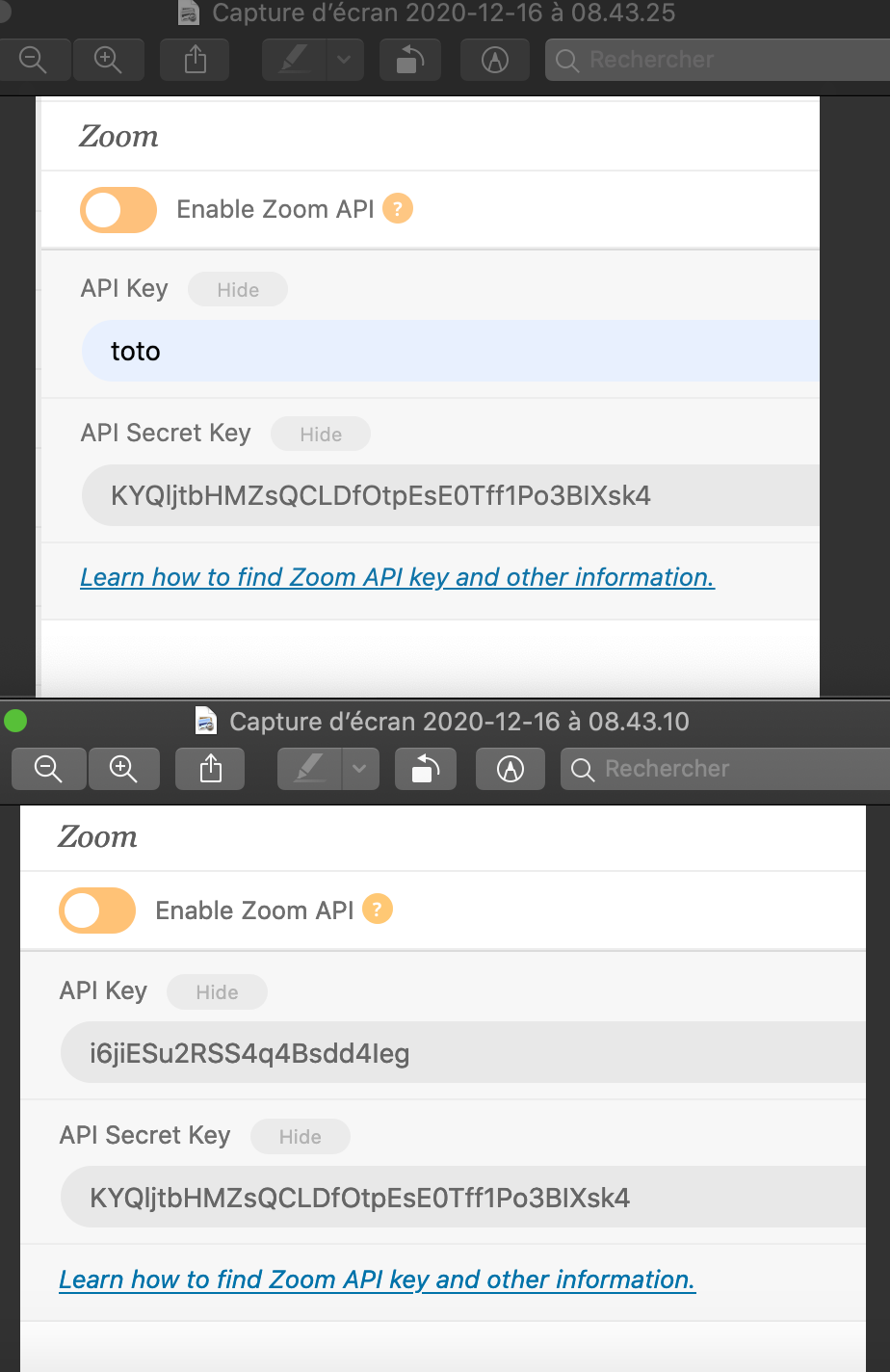
Just tried 2 different browsers and indeed it make a difference :
Chrome not OK (toto in screenshot)
Firefox : OK
But the point is that to store the correct value but shows “toto”, as by simply changing the browser I see different values without re-saving.
Hi Mark,
In order to request a refund, please create a new ticket under Billing & Accounts and be sure to include the order ID for which you need a refund for and the reason for requesting a refund.
We are glad your issue is resolved, if you have any further questions or concerns please create a new ticket.
If you have a moment, we would greatly appreciate if you could kindly leave us a review at codecanyon! from your account > downloads. Cheers!
OK Check now on choosing minutes
Ok , So I will close this one and I will start other or we can continue here with the next one ? but also I will kindly ask you please dont take too long for reply msg
waiting on your response to continue
have a good day
Hello Genevieve,
I have the same problem, so I’m leaving it here as well instead of opening a new ticket.
When I set up a recurring event for the 4th Friday of the same, it repeats the same month day instead of the day of the week. If I change to “custom”, the hour of the event doesn’t save and appears as undefined.
I tried both repeat modes, day of the week and the of the month. I’ve created new events to check it. I’ve cleaned the cache wherever and whenever I could.
Thanks for your help.
Hello, I tested the import file you sent. Here are the results I had.
- Tested updating event location data for 2 events. Import was ‘successful‘ but no update was made to the location records.
- Deleted 1 location record which was associated with 5 events, and performed the same import. Location was recreated but only associated itself with 1 event. The location_latitude & location_longitude columns did not import.
Here is my test file: https://www.dropbox.com/s/tzt86i83rn0rgi8/CSV-Import-Test-Sheet1-3-1%20%281%29.csv?dl=0
I did last week…all is working as it should now.
Kindly update to the latest version of tickets addon 1.8.8
https://docs.myeventon.com/documentations/changelog-event-tickets/
Thank you for reporting this to us nitzan we will get this resolved in the next version update to actionUser addon .