Yeah, go ahead and disable anything you need, the site isn’t that popular… yet. 😉
If anything goes wrong, I’ll just restore the backup. I just updated everything on the site.
Is there a way to stack events on the filter? such as ?event_type=18,19 or ?event_type=18&event_type_2=24
Hi Vincente,
We will need access to add this, there is no other way
hi – so I don’t have access to the debug file.
Some of the plugins didn’t look like they are in use, so I deactivated them.
There are parts of the website that are crucial and need to remain functioning during the troubleshooting the rest of the plugins.
Can you give me suggestions as to which plugins may be causing issues? This way, I can prioritize deactivating those first.
Thanks,
Milena “Mil”
I am on the system now trying to edit some dates. If you try now it shouldn’t come up.
It is still painfully slow though, is there anything we can do to make it work properly with out the delays or have we maxed it out? Is the actual issue the memory on the server?
My cutomer is desperate for us to resolve this as like us all doesn’t have enough hours in the day to sit and wait a minute for every change to happen.
I first updated QR Code and then Event Tickets when this happened. I will try the other way around.
Every time I go to https://www.reindeercentre.co.uk/wp-admin/post.php?post=7268&action=edit, it shows this message: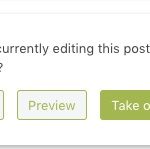
Do you edit it or is this can be part of the problem?
I tied to load Booking Manager and it seems to be working correctly. It still takes some time but I didn’t notice any admin-ajax.php errors anymore.
Hello,
1. I am sorry, the access information you have provided did not work for us. Please check them and post the correct login information as a private message, thank you!
2. Please add location_latitude,location_longitude column headers to the .csv file and then add values like this:
“36.1074489”,”-95.9751306″
Hello,
Could you update EventON to 3.0.6 and check once?
To update eventon to latest version: If you are unable to do autoupdate, you can go to codecanyon your account > download and get the latest eventon version as zip file. Then you can go to your website, deactivate old eventon, activate (Do not delete eventon settings & data when EventON is uninstalled) from eventon settings, delete old eventon, install new one and activate. This link will further explain the process it. Also you can follow us on twitter to get real-time announcements on updates!
This info stopped working: Reply to: 210378
Could you check?
If needed, may I please try the instructions mentioned in this documentation?
