Hi Save,
I have tried to login to your site but I am getting this error https://pasteboard.co/JDcKSaH.png
Please disable any IP blocking from your site if any.
Thanks.
Replies for tickets on suppota
Hi Save,
I have tried to login to your site but I am getting this error https://pasteboard.co/JDcKSaH.png
Please disable any IP blocking from your site if any.
Thanks.
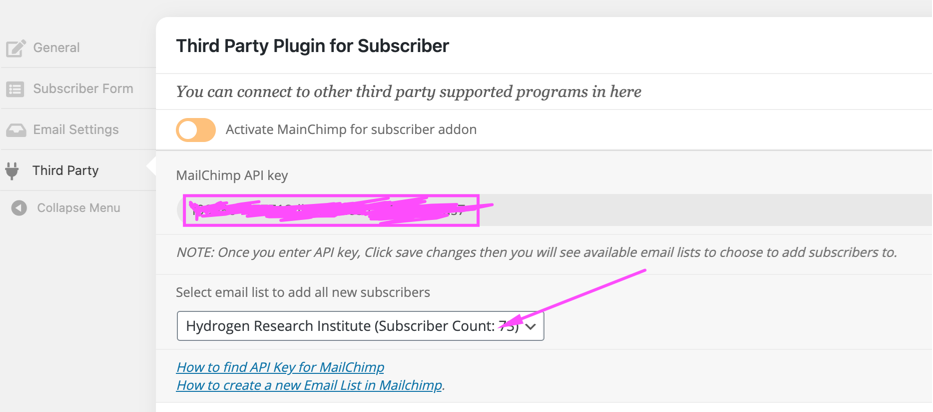
As you can see from the attachment, it shows 73 subscribers in the addon page, but only 2 (api) in the new Event page.
New event page: https://prnt.sc/vuyyp2
I also found a couple of bugs in the subscriber addon,
https://prnt.sc/vuywvy
2. In the New event window, it only shows 2 contacts instead of 74. Even if I disable Email to subscribers and hit publish, the addon notifies that email is sent to the audience.
Before: https://prnt.sc/vuyyp2
After: https://prnt.sc/vuz065
Would you kindly look into it? Thanks!
Sorry about that. It seems that I mistyped the code. Please check now: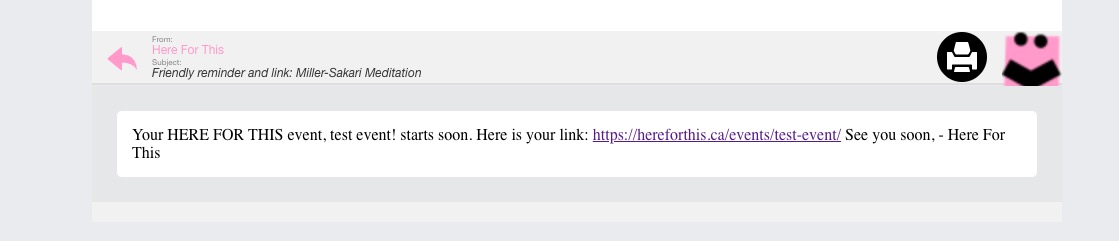
I have never tried this but it might be ????? possible to hide and show stuff based on language with css
https://wpml.org/forums/topic/can-i-show-hide-an-element-in-a-template-file-depending-on-the-current-language/
Thats not in the scope of this support
if each button had its own unique ID or class
you could create an event and then have both
Probably better to use the multi lines of text as your custom meta data instead of buttons- and then you can add ID’s for each language-
Go to EventON Settings > disable Enable language corresponding events. Now you can use codes below.
1. Please use:
[add_eventon_list number_of_months=”12″ hide_empty_months=”yes” tiles=”yes” tile_bg=”1″ show_year=”yes” wpml_l1=”es” wpml_l2=”fr” wpml_l3=”de”]
2. Please use:
[add_eventon_list number_of_months=”24″ hide_empty_months=”yes” tiles=”yes” tile_bg=”1″ month_incre=”-12″ show_year=”yes” wpml_l1=”es” wpml_l2=”fr” wpml_l3=”de”]
Please create two events: one in English and the other one in German. Only this way you can show translated button text for both languages. You cannot translate this button from EventON Settings > Language since you are using Button Text which is unique for each event.
Hello,
You can try following https://docs.myeventon.com/documentations/confused-event-type-categories/ and hide live events by using NOT-event_type_id:
[add_eventon event_type=”NOT-18″]
Or hide them manually with Edit Event > enable Exclude from calendar.
Hi Pasabon,
Thank you for your messages, I am going to assign this ticket to Ashan and he will be able to take it from here and find you a solution. Please allow some time for him to get back to you, we greatly appreciate your patience and thank you for being a eventon customer!
Thanks
Hi Alain,
We are happy to hear that 🙂
If you have any other questions please feel free to reach out again.
Cheers!