Yes you are right! Our bad- we need to update the reminders instructions
Archives: Replies
Replies for tickets on suppota
Reply to: tickets(206900)
OK so
initially when creating the event
1: create the event- save the date (and other options) except for the reminders
2: set the reminders to on and resave
Now- if you need to change a date
1: when editing the saved event- re-edit the date if you need to and deactivate the reminders- click save
2: then activate the reminders and re-save
Yeah I know- kind of weird but you need to “undo” the cron job save so you deactivate and then activate and save- the new reminders require and already saved time – (hope that made sense)
test that out and let us know how you go
Reply to: tickets(206900)
Also i notices that in my posts are creating various RSVP as shown in image.
https://ibb.co/pLJdbs7
What is this and how can i disable it?
Thank you again
Reply to: tickets(206900)
Hello,
Yes i changed the time as i was trying it for a different timezone.
I will try now with established timezones and reminders time.
Though what about the users checkin/elimination? Is that possible?
Thank you
Reply to: tickets(207720)
Thanks for the quick response, Dave. Here’s FTP information for both production and test:
Production FTP
Site Name: theputtytribe.com
Host / IP / URL: theputtytribe.com
Username: puttyweb
Password: r32wyf2r6zzAHHZdJW
Port: 22
Connection type: SSH/SFTP
Test FTP
Site Name: test.theputtytribe.com
Host / IP / URL: test.theputtytribe.com
Username: puttyweb
Password: r32wyf2r6zzAHHZdJW
Port: 22
Connection type: SSH/SFTP
Ashan – if you update from EventON 2.9.1 to 3.0.4 in production today, please avoid doing that between 16:30 – 18:00 UTC today. We have an event running during that time and I want to make sure our community members can access and see content at https://theputtytribe.com/events.
Reply to: tickets(206557)
Also if you want- happy to go in and see if I can tweak the heck out of the event titles and sub titles- so that the entire text appears
but this would require a smaller font size- see screenshot
(good for mobile)
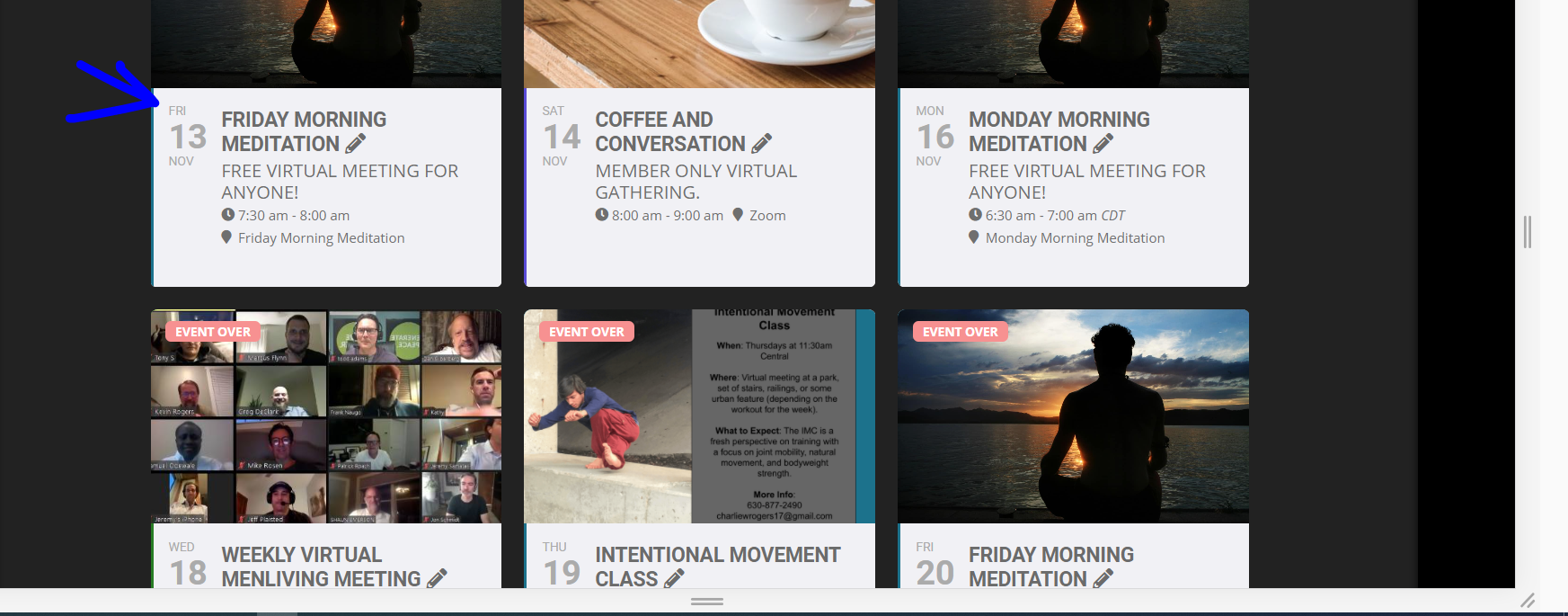
Reply to: tickets(205017)
The staging installation is in staging13 folder
Reply to: tickets(205017)
Try the backend hostname
FTP hostname: c56268.sgvps.net
Port: 21
Reply to: tickets(205017)
Hello,
I tried to connect to yeshinnorbu.se but it keeps showing “Status: Connecting to yeshinnorbu.se…” and then
Error: Connection timed out after 50 seconds of inactivity
Error: Could not connect to server
Could you also send us FTP Server Host?
Reply to: tickets(207720)
OK thats dam annoying that it works on the test server but not the live site gees – we love staging sites they allow us to test thing but in this case thats not an option because its working on the staging site but when moved to the live site- no
so with that in mind- could you provide FTP details (just in case they are needed) and I am going to assign this ticket to Ashan the creator and he will be able to take it from here and find you a solution. Please allow some time for him to get back to you, we greatly appreciate your patience and thank you for being a eventon customer! Also please disable any IP blocking on your site if there are any .
for me (personally) I can’t stand the ftp update- for me the old fashioned
go to myeventon>>>>settings and activate Do not delete eventon settings & data when EventON is uninstalled
then>>deactivate eventon and delete it- then upload the new version and activate it- that does the job
perhaps as you wait for ashan try it- (if you have the backup to try if the live site screws up)
for me- there are databases eventon is connected to and simply deleting a file doesn’t cut it- I tend to go into wordpress>>>plugins deactivate delete- upload to wordpress and activate- never fails for me
just make sure you have done: go to myeventon>>>>settings and activate Do not delete eventon settings & data when EventON is uninstalled
before deactivating and deleteing
Ashan should be on soon