Hello,
Please send us your order id.
Replies for tickets on suppota
Hello,
Please send us your order id.
Please take a look at this guide on how to use our shortcodes:
https://docs.myeventon.com/documentations/shortcode-generator/
Is this what you are trying to achieve?
https://nishexpo.com/test-3/
2. Also are you referring to the license you can purchase on
https://www.myeventon.com/full/
or CodeCanyon?
Hello,
1. Thank you for your great suggestion. Please create a new ticket and select Feature Request as category so others can vote on your idea and get it moved into development faster.
2. Does a multisite consist of completely different websites?
Thank you for your messages, I am going to assign this ticket to Ashan and he will be able to take it from here and find you a solution. Please allow some time for him to get back to you, we greatly appreciate your patience and thank you for being a eventon customer!
And can we access wp-admin of
https://www.pcrest.org/event-directory/
Because I only see the issue on pcrest website.
Offf…. show_et_ft_img=“yes”
Where and how will this code be added? There is already a shortcode on the event page!
[add_eventon_list number_of_months=”12″ hide_empty_months=”yes”]
Could you please add a demo? I couldn’t understand.
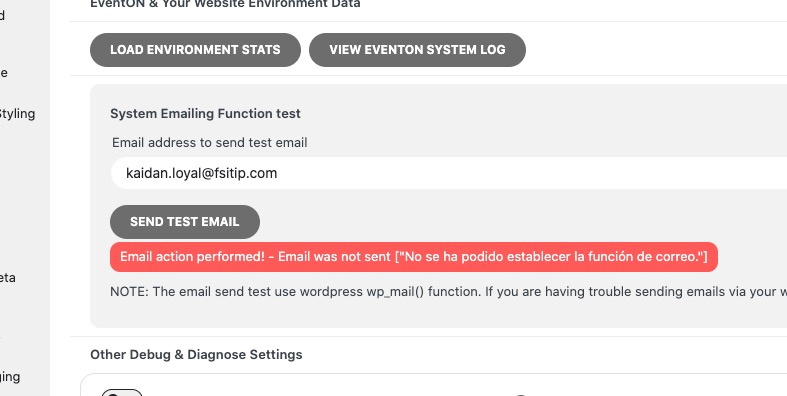
I just tried to send a test email and got this error:
On our test site:
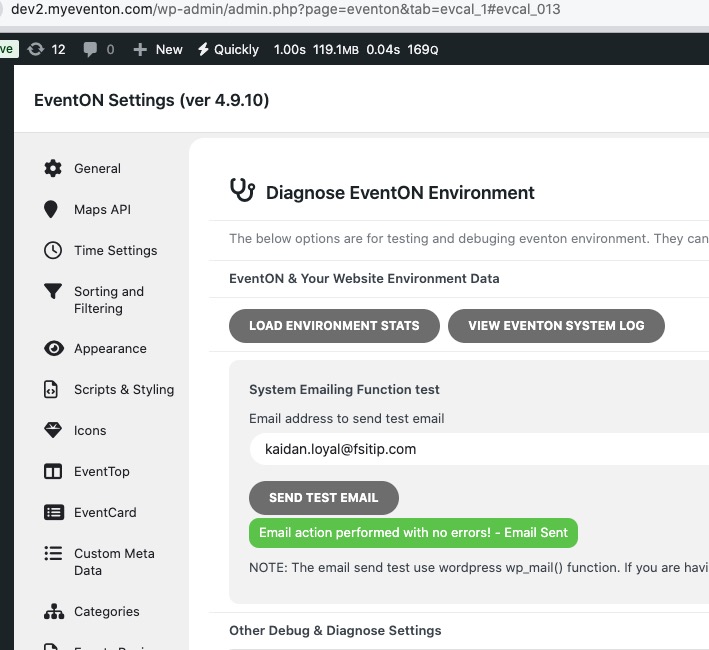
Could you try installing SMTP plugin?
Does emailing work when you purchase a regular WooCommerce product?
So with ICS importer I can add an even to the first site then whenever the ICS importer runs on schedule it would add the event to the second site?