Hi, thanks for your reply
it should work because is working everywhere on website except on single events page.
Single events page was done by following this procedure: https://docs.myeventon.com/documentations/customize-single-events-page/
This is the code on our page
https://codeshare.io/5oKKqr
Could you be so nice and just check is everything ok with that code? I don’t see any other reason to not have a sidebar there.
Thanks!
Hello,
Event Countdown – Single Site
As it does not work correctly with my theme (BuddyBoss)
I have just seen this issue documented within your tech support.
Could you send us the ticket you are referring to and tell us more about the issue? Maybe we can help resolve this.
Thank you for your messages, I am going to assign this ticket to Ashan and he will be able to take it from here and find you a solution. Please allow some time for him to get back to you, we greatly appreciate your patience and thank you for being a eventon customer!
OR If you are using Event Lists:
[add_eventon_list event_past_future=”future” hide_past_by=”ss”]
Please go to https://mflworld.com/events/lebe-deine-transformationskraft-2/?preview_id=23466&preview_nonce=60edf283ae&_thumbnail_id=21304&preview=true and put
event_past_future=”future” hide_past_by=”ss”
to the shortcode on the page. Similar to this:
[add_eventon event_past_future=”future” hide_past_by=”ss”]
We apologize for this. It seems there was an issue with EventON’s scripts. I’ve applied the fix to https://bethlehemchabad.com/wp-admin/plugin-editor.php?file=eventON%2Fassets%2Fjs%2Feventon_script.js&plugin=eventON%2Feventon.php
Could you clean your cache and check once?
Hello,
Could you update to EventON 3.0.4?
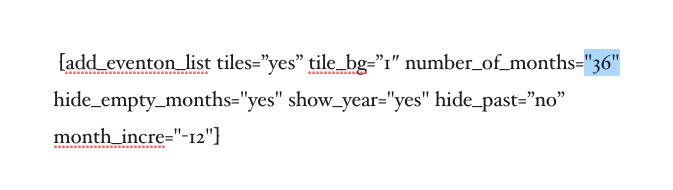
After the update please make sure that quotes in the shortcode are correct. number_of_months especially:
Your shortcode on our test server: http://dev2.myeventon.com/23965-2/
We are glad your issue is resolved, if you have any further questions or concerns please create a new ticket.
If you have a moment, we would greatly appreciate if you could kindly leave us a review at codecanyon! from your account > downloads. Cheers!
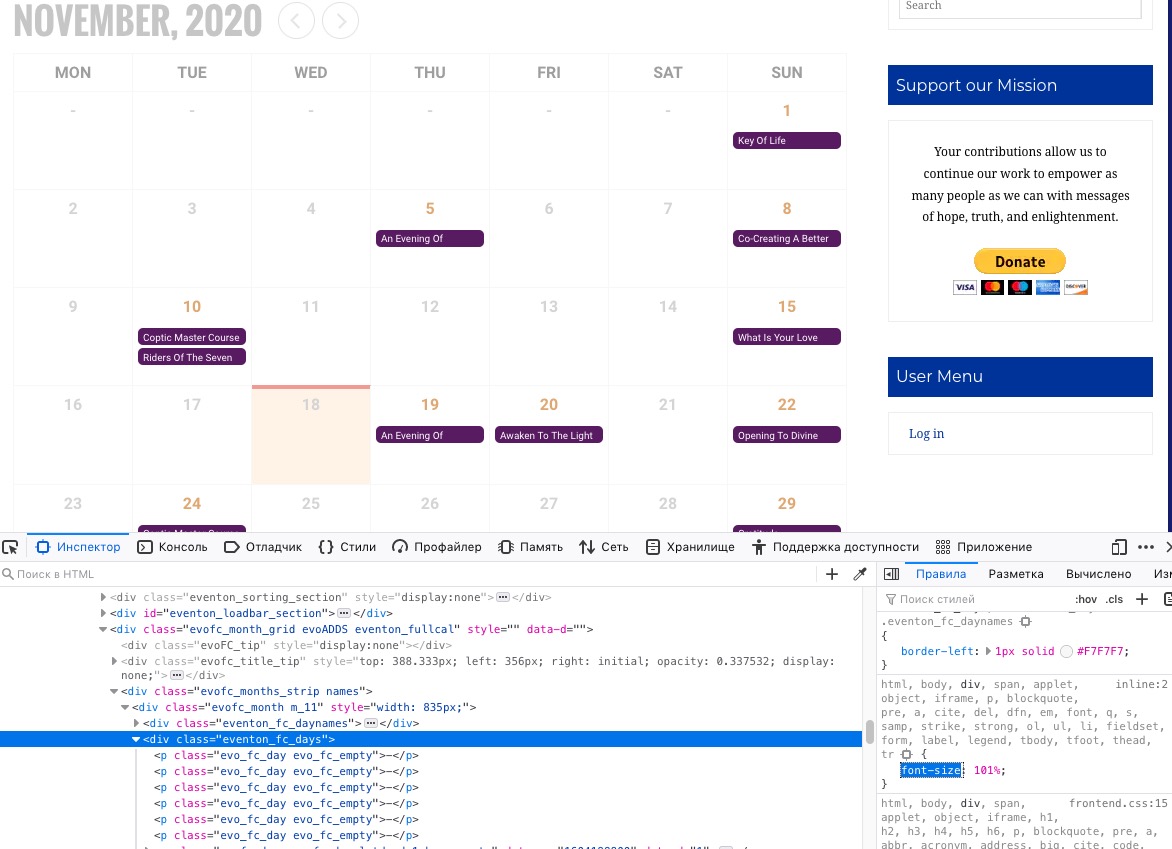
Please check it seems that the issue is in this style:
You should be able to fix the issue by adding this CSS code to EventON > Styles (If you don’t see any change, EventON > Scripts & Styling > turn off Write styles to header > save settings > turn on Write styles to header):
.ajde_evcal_calendar span, .ajde_evcal_calendar div, .ajde_evcal_calendar p { font-size: 100% !important; }
Thank you!
Now it works, the issue was “hide past events..”, I had to uncheck it.
Best regards,
Bettina
Ok, thanks!! I’ve done it!
Let’s see in the next hours…
See you!
Vic