Hello,
Could you try updating EventON to 3.0.5? This issue should be fixed in the newest version.
To update eventon to latest version: If you are unable to do autoupdate, you can go to codecanyon your account > download and get the latest eventon version as zip file. Then you can go to your website, deactivate old eventon, activate (Do not delete eventon settings & data when EventON is uninstalled) from eventon settings, delete old eventon, install new one and activate. This link will further explain the process it. Also you can follow us on twitter to get real-time announcements on updates!
Hi Dave, I copied Prod to Stage and gave you Super Admin access there. Here’s the link: https://menlivingstage.wpengine.com/
Hey Ramy,
It is supported, same way you defined yes, sorry for this Kenneth is new with us.
The direction you have good, do you think something else you are in need of?
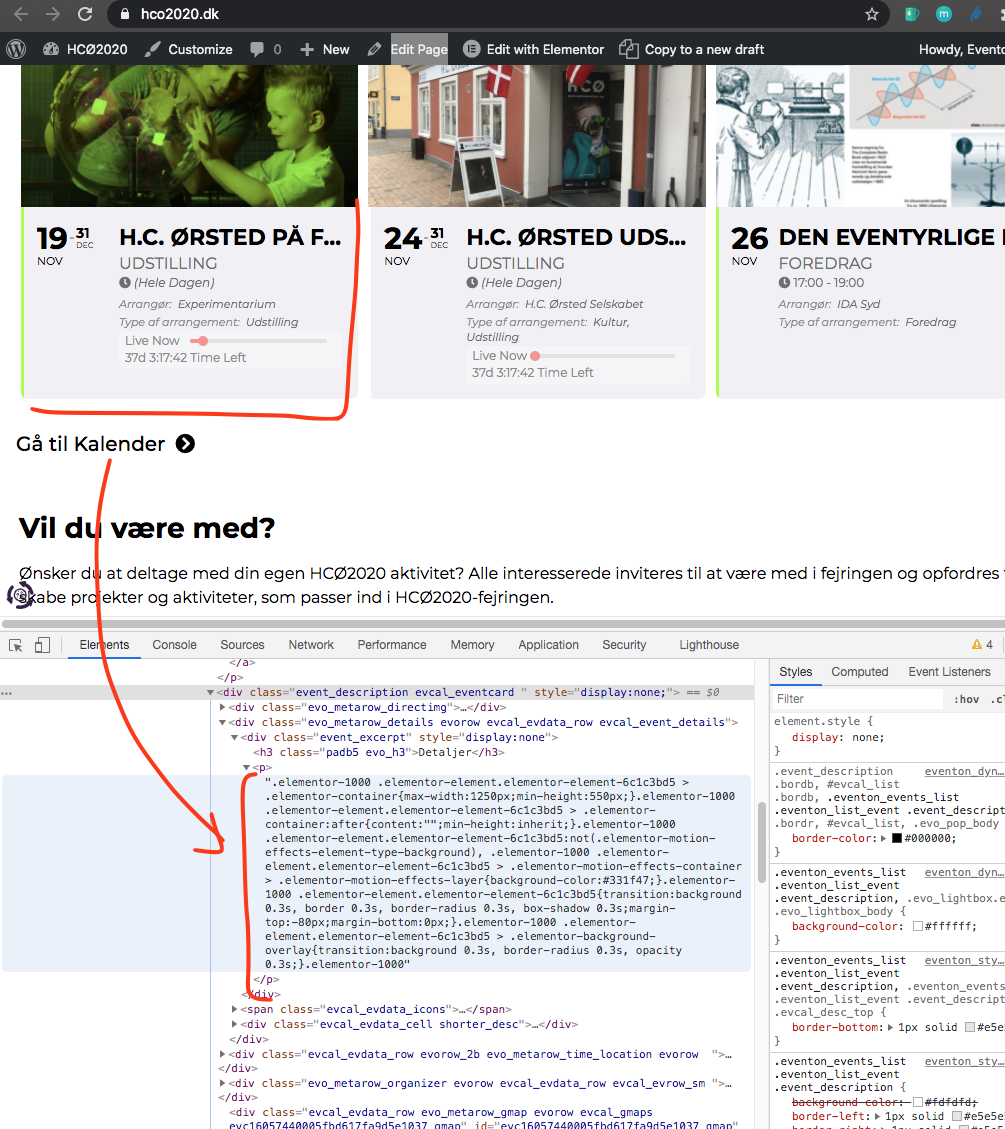
This is very strange. IF you look in the event description section have some elementor code instead of the actual content.
May be try adding the calendar without elementor and see if this happen? Also try turning off some of the SEO specific plugins and see if that also help
Hi Dave,
Here’s a video describing another issue I’m facing. Let’s label it as issue #6 (Event repeating settings not working). Video: https://a.cl.ly/4guODjKz
…but I don´t have the e-mail confirmation and don´t know the client has got it.
It seems that the issue is in Autocomplete WooCommerce Orders. Could you disable it and manually complete orders?
As for https://arsmagna.es/wp-admin/post.php?post=30429&action=edit. I can edit the event, the problem is that you need to wait quite a lot of time for the event to finish loading.
Plus Kenneth said to us that when no plugins except EventON + add-ons were activated he was able to load and save event without issues. It seems that the issue is in lack of server memory that causes server to load for this extensive amount of time.
No worries Daniel, all good!
If you have a moment, we would greatly appreciate if you could kindly leave us a review at codecanyon! from your account > downloads. Cheers!
Hi Simen,
This is happening to pages with many shortcodes, conflicts can happen yes.
Is there a specific need / reason that you want to load a lot of shortcodes into one page?
That would be also bad for your loading speed
You are welcome Danny!
If you have a moment, we would greatly appreciate if you could kindly leave us a review at codecanyon! from your account > downloads. Cheers!
That did the trick … installing the classic editor.
Thank you very much for your help.