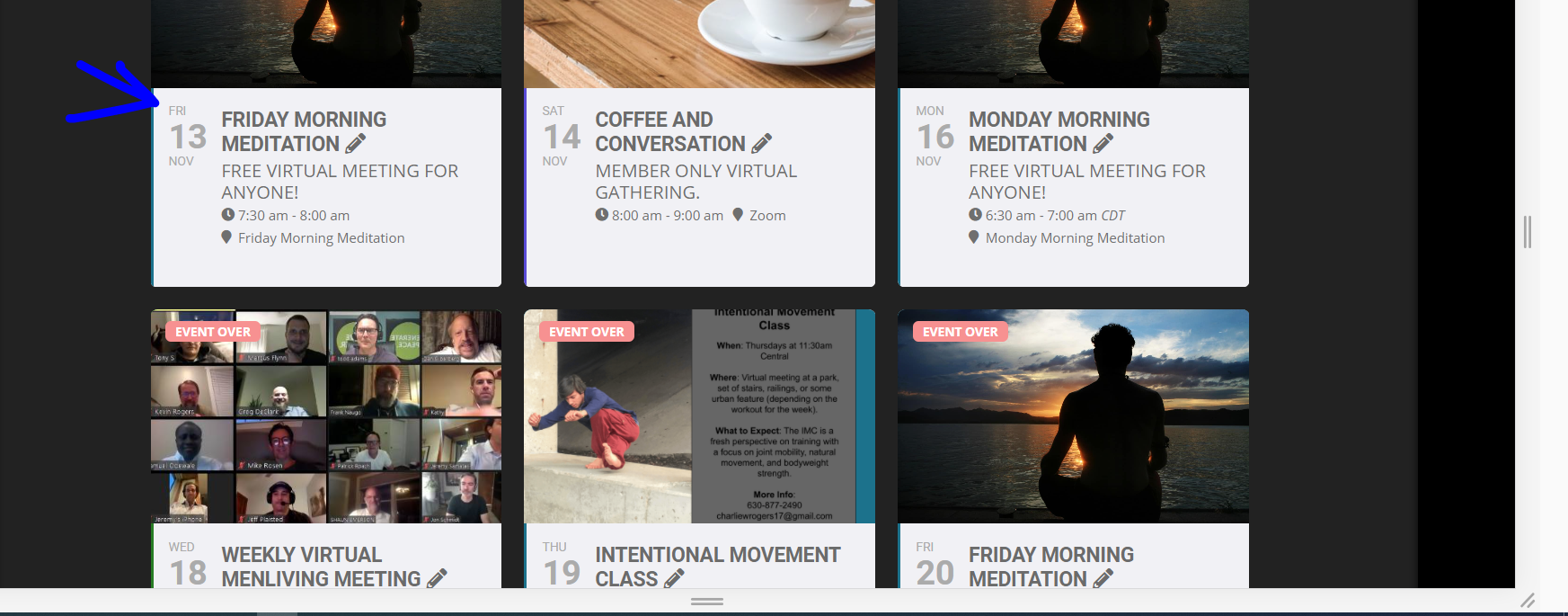
Also if you want- happy to go in and see if I can tweak the heck out of the event titles and sub titles- so that the entire text appears
but this would require a smaller font size- see screenshot
(good for mobile)
Replies for tickets on suppota
Also if you want- happy to go in and see if I can tweak the heck out of the event titles and sub titles- so that the entire text appears
but this would require a smaller font size- see screenshot
(good for mobile)
The staging installation is in staging13 folder
Try the backend hostname
FTP hostname: c56268.sgvps.net
Port: 21
Hello,
I tried to connect to yeshinnorbu.se but it keeps showing “Status: Connecting to yeshinnorbu.se…” and then
Error: Connection timed out after 50 seconds of inactivity
Error: Could not connect to server
Could you also send us FTP Server Host?
OK thats dam annoying that it works on the test server but not the live site gees – we love staging sites they allow us to test thing but in this case thats not an option because its working on the staging site but when moved to the live site- no
so with that in mind- could you provide FTP details (just in case they are needed) and I am going to assign this ticket to Ashan the creator and he will be able to take it from here and find you a solution. Please allow some time for him to get back to you, we greatly appreciate your patience and thank you for being a eventon customer! Also please disable any IP blocking on your site if there are any .
for me (personally) I can’t stand the ftp update- for me the old fashioned
go to myeventon>>>>settings and activate Do not delete eventon settings & data when EventON is uninstalled
then>>deactivate eventon and delete it- then upload the new version and activate it- that does the job
perhaps as you wait for ashan try it- (if you have the backup to try if the live site screws up)
for me- there are databases eventon is connected to and simply deleting a file doesn’t cut it- I tend to go into wordpress>>>plugins deactivate delete- upload to wordpress and activate- never fails for me
just make sure you have done: go to myeventon>>>>settings and activate Do not delete eventon settings & data when EventON is uninstalled
before deactivating and deleteing
Ashan should be on soon
Hello Semih Akdeniz,
Please check Reply to: 207445. It seems that the problem is indeed in lack of memory on the server. The only solution is to increase it by contacting your hosting provider.
Hello,
Several customers have already reported the same issue. The problem was in Yoast plugin. Could you disabling it?
As I said in this message Reply to: 206404 the problem is gone when I disable other plugins.
The error from [Replyto/207248] tells us that your server doesn’t have enough memory for your theme, third-party plugins and EventON.
Later, based on your suggestion, I changed the calendar page to ux_val = 4. 9800ms result !!! So nothing has changed!
This was just a suggestion how to lower the amount of memory needed. Sometimes it doesn’t work.
I’m really bored. Could you please find out the cause of the problems please.
I already did. Please check Reply to: 206404.
I don’t see this error in debug log since yesterday. i updated to 1024 MB .
By contacting you hosting provider? Sometimes only they can do this.
Redis. Please check https://wordpress.org/plugins/redis-cache/
3. why plugin needs that much memory?
It’s not really a plugin but your theme, third-party plugins and EventON all in together.
It’s all the events here…
https://www.farnhambaptist.org.uk/calendar/
and it’s showing this post…
https://www.farnhambaptist.org.uk/materials-for-families-sunday-15-november/
This site (the sister church) isn’t having the issues…
https://www.gracechurchwrecclesham.org.uk/coming-up/
The only difference I can see is that the posts on here aren’t created with Elementor. However, this site… https://www.stphilipssheffield.org/get-involved/calendar/ is also having the issue. These are non-Elementor posts but are pulling in content from Blubrry Power Press (on this site I’ve manage to hide the content with CSS but it’s still there in the Inspector).
Sorry, can’t quite see the common factor with those with and those without issues.
Looking over your mailpoet settings it seems you have not set this up as yet- as a result – when wordpress sends 2 emails – normally they send the one to the customer but not the admin email (for example in woocommerce)
I’d recommend finalizing the mail poet settings- activating for woocommerce and then that will give you more access to the system
https://lavisenvert.fr/wp-admin/admin.php?page=mailpoet-woocommerce-setup#/woocommerce