Forgot to mention — all plugins are up-to-date. Eventon Ext List doesn’t update automatically through WordPress process.
Archives: Replies
Replies for tickets on suppota
Reply to: tickets(158051)
This is still a problem, although right now, there’s a bigger problem. The grid view doesn’t show up at all!
This has been the buggiest calendar plugin I’ve ever used, and the fact that a grid view isn’t included in the base plugin is ridiculous. Not planning to renew the license on this unless all this gets fixed.
And no, you don’t get admin access to the site. Just fix the damn code!!!
Reply to: tickets(205818)
btw i saw 3.04, and tried that, but did not resolve the issue
Reply to: tickets(204916)
Thanks for the update.
Reply to: tickets(206013)
It works perfect, you are a god!
Thanks
This is my shortcode:
[add_eventon_list show_limit=”no” show_limit_ajax=”yes” ux_val=”3″ hide_past_by=”ss” exp_so=”yes” filter_type=”select” etc_override=”no” number_of_months=”6″ hide_empty_months=”yes” eventtop_style=”2″ ]
Reply to: tickets(205868)
Marko, thank you for reporting this issue. Apparently this issue is not related to eventON it is a bug in actionUser. Let me see if I can get you a bug fix for this.
Reply to: tickets(205824)
Hey Omar,
I have replied at the ticket, for som reason notifictionas where not visible!
Reply to: tickets(205241)
It seems that your version of EventON has been customized: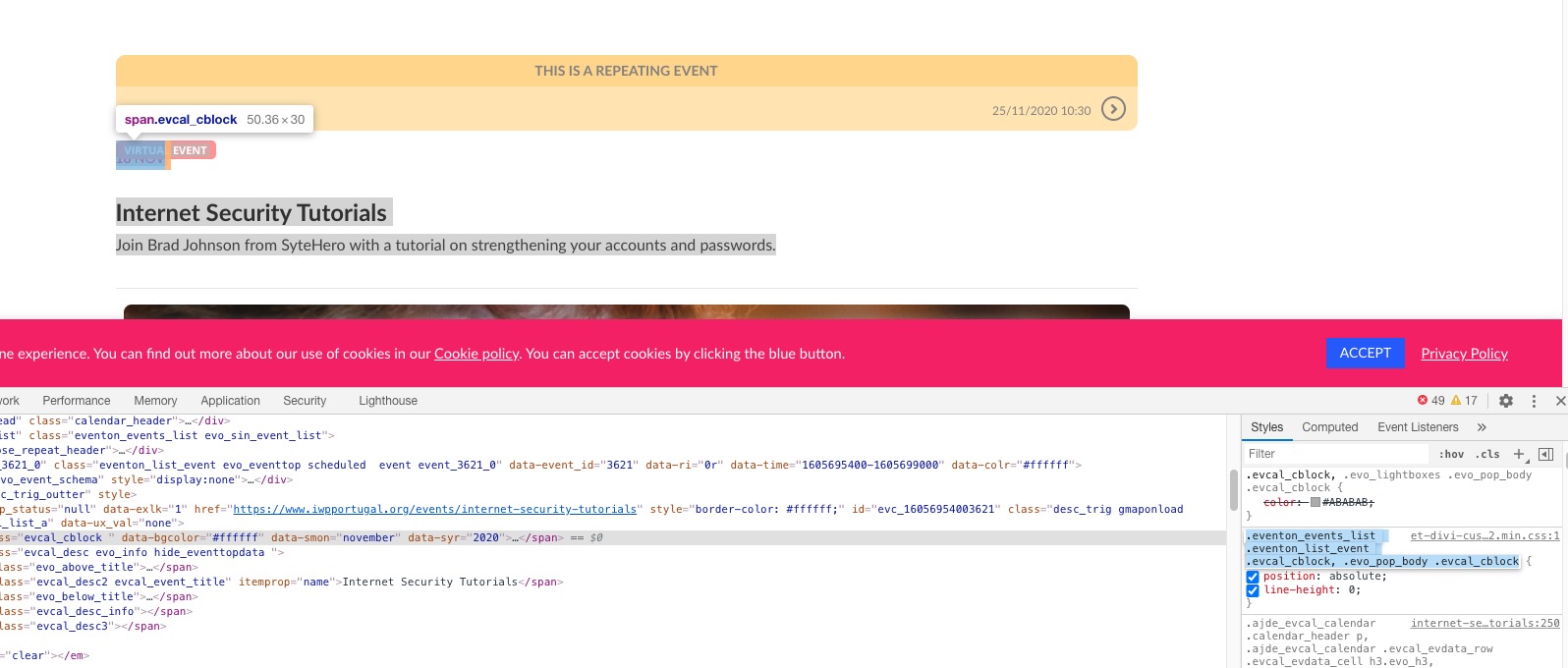
Could you comment/remove your customizations for us to check if everything is ok?
Reply to: tickets(205780)
You are welcome!
Can you also make our day? 😉
If you have a moment, we would greatly appreciate if you could kindly leave us a review at codecanyon! from your account > downloads. Cheers!
Reply to: tickets(206070)
Hello,
Could you update EventON to 3.0.4? Your shortcode on our test server: http://dev2.myeventon.com/23919-2/
To update eventon to latest version: If you are unable to do autoupdate, you can go to codecanyon your account > download and get the latest eventon version as zip file. Then you can go to your website, deactivate old eventon, activate (Do not delete eventon settings & data when EventON is uninstalled) from eventon settings, delete old eventon, install new one and activate. This link will further explain the process it. Also you can follow us on twitter to get real-time announcements on updates!