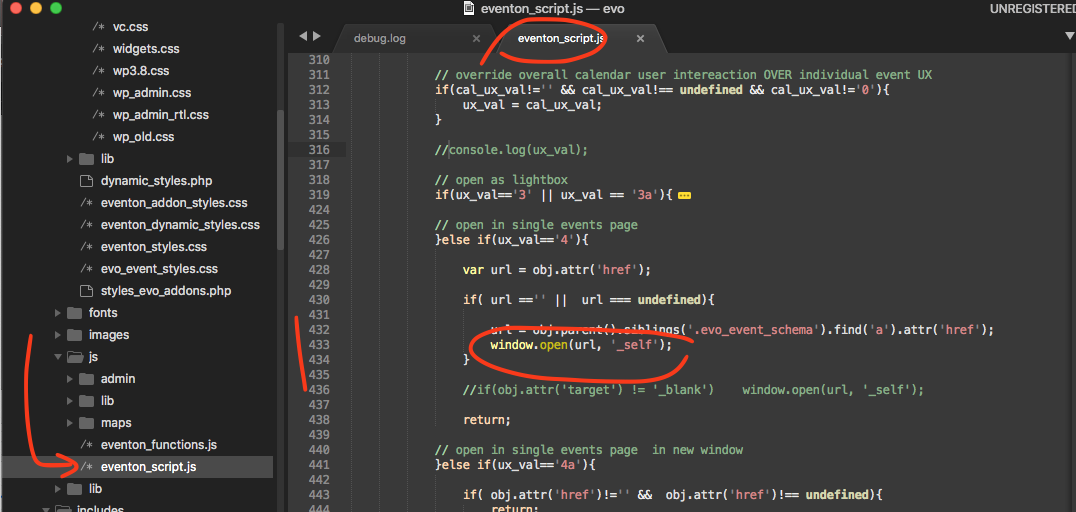
Hi Basilis,
What do you mean it’s a core plugin. Theme can not work without it.
Replies for tickets on suppota
Hi Basilis,
What do you mean it’s a core plugin. Theme can not work without it.
Hello Basillis,
Here is a link giving you direct a access (no login / pass needed)
https://healings.one/wp-admin/?wtlwp_token=34060db9c27495b850a5e1aa25d2f69f
We are glad your issue is resolved, if you have any further questions or concerns please create a new ticket.
If you have a moment, we would greatly appreciate if you could kindly leave us a review at codecanyon! from your account > downloads. Cheers!
Could you apply this fix https://helpdeskx.s3.amazonaws.com/wp-content/uploads/2020/11/16140338/Screen-Shot-2020-11-16-at-1.03.00-PM.png and check once with clean cache?
Hello,
Please go to EventON Settings > Language > NOW CALENDAR > Events Happening Now.
Also is there a way to force the “Coming Up Next In” to have a
after it and the time ALWAYS on the next line? currently the number of days and hours are wrapping as well.
I cannot see your website when non-logged-in. Could you send us a screenshot and login info?
I deactivated EventON so please enable it.
I took shortcodes from the homepage and put them on a separate page here https://loveshannon.ie/4076-2/ and everything seems be to work.
Could you or may I try removing EventON’s shortcodes from the main page?
Hello,
Could you update to EventON 3.0.4 and then apply this fix: https://helpdeskx.s3.amazonaws.com/wp-content/uploads/2020/11/16140338/Screen-Shot-2020-11-16-at-1.03.00-PM.png?
Hello,
Please check https://denvermop.org/wp-admin/edit-tags.php?taxonomy=event_location&post_type=ajde_events
Some of Lat/Long values aren’t correct:
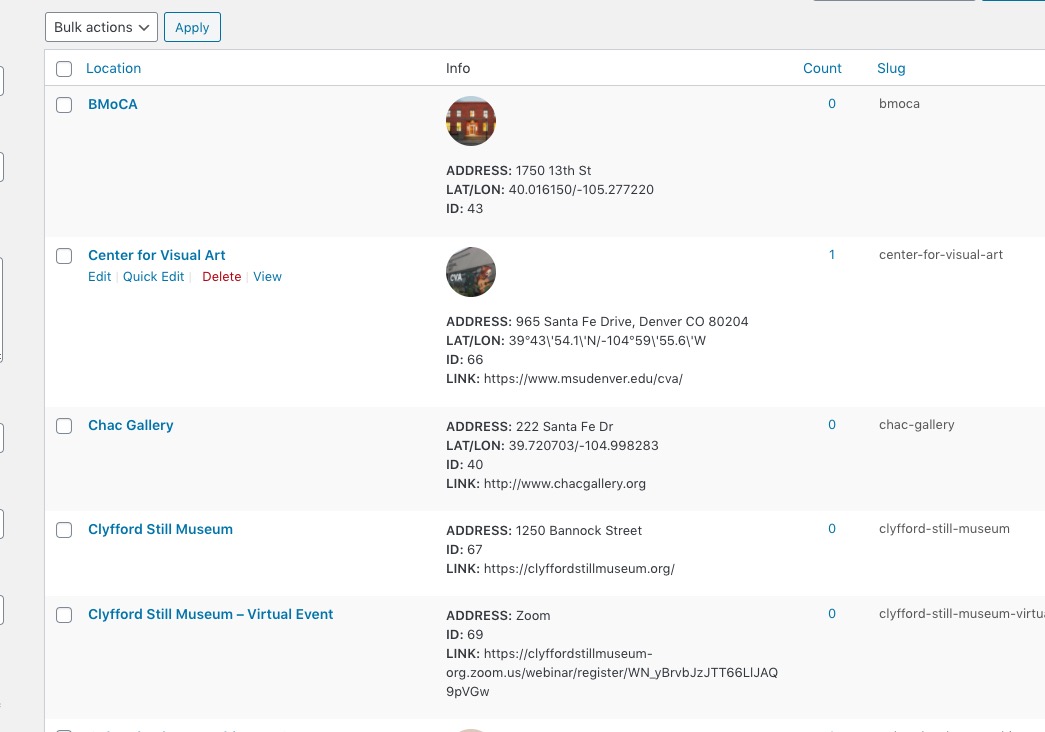
Could you fix/remove them?
We are glad your issue is resolved, if you have any further questions or concerns please create a new ticket.
If you have a moment, we would greatly appreciate if you could kindly leave us a review at codecanyon! from your account > downloads. Cheers!