it works on the single events page but not on the pop up https://savperformproject.com/events/wow-a-really-good-comedy-show-socially-distanced/
try this free plugin
https://en-au.wordpress.org/plugins/insert-html-snippet/
Replies for tickets on suppota
it works on the single events page but not on the pop up https://savperformproject.com/events/wow-a-really-good-comedy-show-socially-distanced/
try this free plugin
https://en-au.wordpress.org/plugins/insert-html-snippet/
Hi we had the pluggin working for about a week before it said there was a “There has been a critical error on your website”. Please advise.
look at your permalinks
you probably have /blogs/ in there
thanks for your reply, but what is the point of buying TICKET VARIATIONS & OPTIONS addon if you are only group them to one type? it is not user friendly to user if I have 10 different variations types in 1 event. from my understanding, type is basically category and add “ADD NEW TICKET VARIATION” is the product will be added under this category. Is there any way to solve this? Thanks.
here is the updated invoice https://helpdeskx.s3.amazonaws.com/wp-content/uploads/2020/11/11153622/invoice-29315.pdf
Hello Leah, we are aware of this issue and it was caused by day light savings time, which was not programmed correct. and we have resolved this and will be releasing an update to eventON shortly.
Also this will be fixed in the next versino of eventON which we will be releasing soon. 3.0.3
Hi there, ok so here is what is happening as far as the codes go.
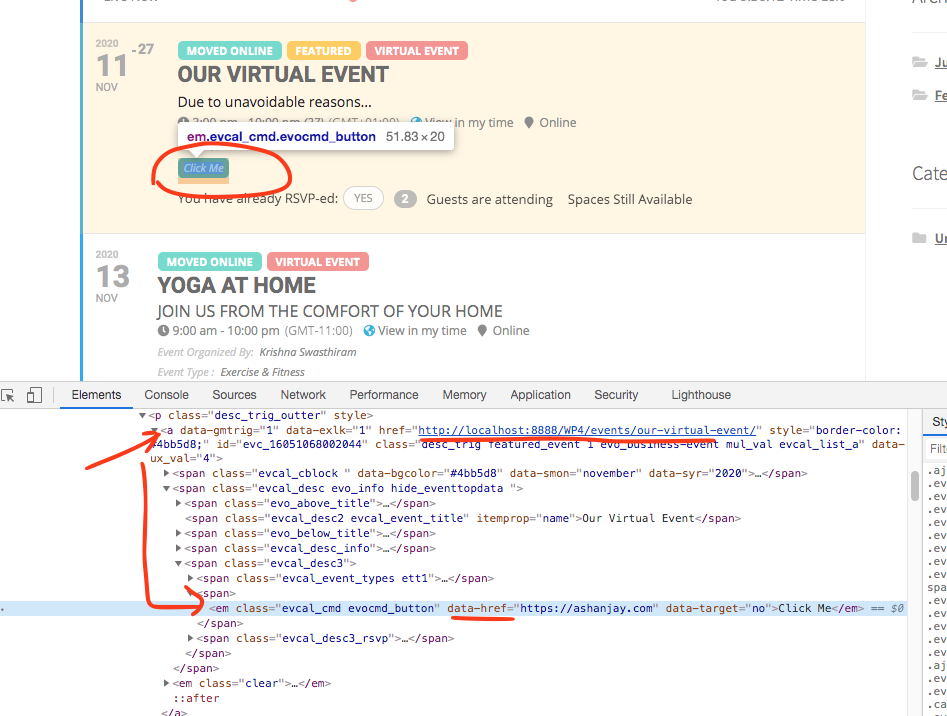
As you can see the <em> element is inside the <a> tag for the eventtop which is what shows as the link when hover over. Because we can not put a <a> inside another <a> we use javascript to load the <em> link instead of loading <a> link.
So in your site too clicking on the zoom link load the zoom page correct, just doesnt show correct link when hovered.
This is the script that load custom button link.
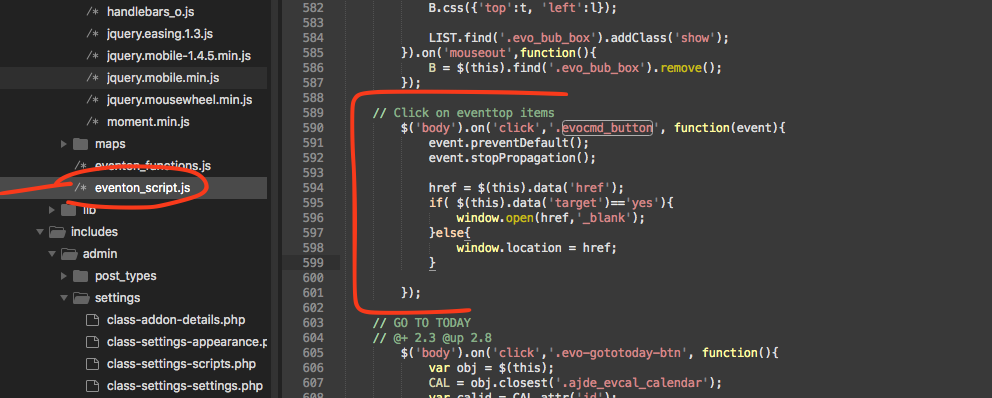
So technically we can not put a <a> inside another <a> that is basically whats happening here and doing that will break the DOMtree.
Vincent thank you for letting us know of this, we have found a solution for this and will release an update for this very soon.
A value of future is not supported or rather not needed.
If you use a shortcode like this. [add_eventon_el number_of_months=”5″]
that will show upcoming events with current time as cut off and will show all the events from next 5 months.