Thank you for your messages, I am going to assign this ticket to Ashan and he will be able to take it from here and find you a solution. Please allow some time for him to get back to you, we greatly appreciate your patience and thank you for being a eventon customer! Also please disable any IP blocking on your site if there are any.
Archives: Replies
Replies for tickets on suppota
Reply to: tickets(205908)
Could you tell us which event has this data:
Reply to: tickets(205446)
UPDATE 16th November update 3.0.4
I’ve updated from 3.0.2 (last stable version) to 3.04 (see problems with 3.0.3 in comment above) ant this time the calendar appears, but it’s not possible to get into the events because they do not open, neither same window, new window…
I’ve checked that in version 3.0.4 the parameter ux_val=”4″ still appearse, but not working.
I rolled back to version 3.0.2
Reply to: tickets(194910)
Are you sure that the calendar is public:
Reply to: tickets(205908)
Username: EventOn
Password: $SgAk#TuqQ8z686gp(#xZKK#
Reply to: tickets(205869)
Hello,
Please use this shortcode:
[add_eventon_list number_of_months=”12″ hide_empty_months=”yes” tiles=”yes” tile_bg=”1″]
Reply to: tickets(205870)
Hello,
Since your event is Year-long one, you need to go to EventON Settings > EventTop > enable Event Start Year:
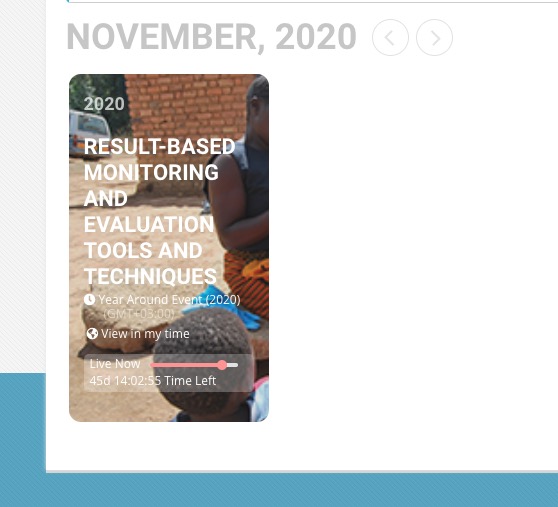
Please also note that year is only visible when Tile Design is enabled.
Try creating a new event with regular dates to see if they will be visible.
Reply to: tickets(205362)
We are glad your issue is resolved, if you have any further questions or concerns please create a new ticket.
If you have a moment, we would greatly appreciate if you could kindly leave us a review at codecanyon! from your account > downloads. Cheers!
Reply to: tickets(205497)
I tried changing EventON Settings > Select calendar event content filter type but it didn’t help.