Thanks – that worked.
Archives: Replies
Replies for tickets on suppota
Reply to: tickets(204663)
Hello,
I’m not familiar to the scriptsettings. But it is needed that also a event in the future is showen.
Right now it seems that 10 december (future) is now their (?). It wasn’t their before but the other one 6 February 2021 is not showen.
Reply to: tickets(199757)
ICS Import is now updated to 1.1.3
But I can’t find the part you described with “enable Edit Event > Time and Date > All Day Event in imported allday events”.
Allday events still show end date one day too late.
There is one more problem:
Already deleted events from my ICS file still appear as an event in eventOn. They should be deleted automatically.
Reply to: tickets(204635)
We are glad your issue is resolved, if you have any further questions or concerns please create a new ticket.
If you have a moment, we would greatly appreciate if you could kindly leave us a review at codecanyon! from your account > downloads. Cheers!
Reply to: tickets(204635)
Hello Ashan,
Thank you, it works perfectly. You can close this ticket, have a nice day !
Cheers,
Quentin
Reply to: tickets(204946)
login didn’t work for us, if the above css doesn’t change anything please double check and post the right wp-admin login and we can put it in
Reply to: tickets(204946)
try adding
.eventon_events_list .eventon_list_event.no_events {
background-color: #ffffff !important;
}
Reply to: tickets(204948)
Its not showing for me- could you clear your browser cache for me and its possible its loading previous styles
Reply to: tickets(204946)
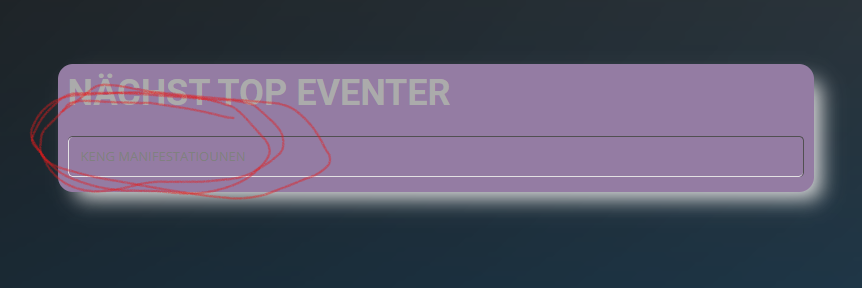
Here the text that is not visible….
Reply to: tickets(204946)
The documentation you have on your Help “Override CSS in your calendar” is no more accurate as dating from 2014….