the login you provided only allows us to see what a subscriber see’s – we need to see what an admin sees
Archives: Replies
Replies for tickets on suppota
Reply to: tickets(204810)
Hi and thanks for the prompt reply.
Maybe I didn’t explained myself well in the previous message.
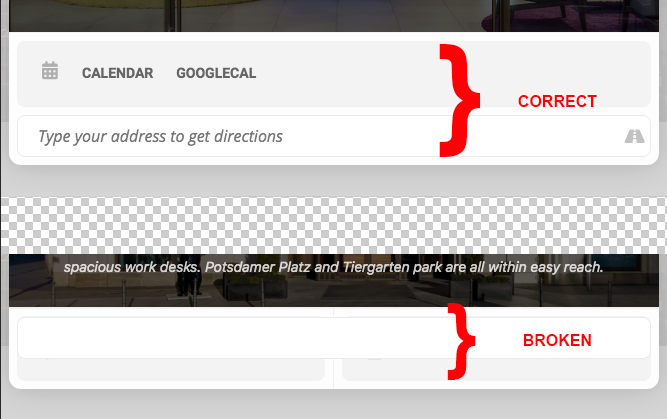
The issue is that, even if I set for all of them “Generate Google Map from the address”, the event details cards (overlay mode) look different.
If you open the Events page, and click on EUROPE GCCM 2021, it displays Calendar and Directions at its bottom, while for the other two events it doesn’t, displaying a broken layout instead. I have no need to display a GoogleMap.
I have uploaded a screenshot to be more clear.
I have added username and password to access my WordPress dashboard to my initial ticket. If you need the access data again, please let me know.
Reply to: tickets(198445)
Hey George, is everything good?
do you require anything else here?
Reply to: tickets(204148)
Hi there,
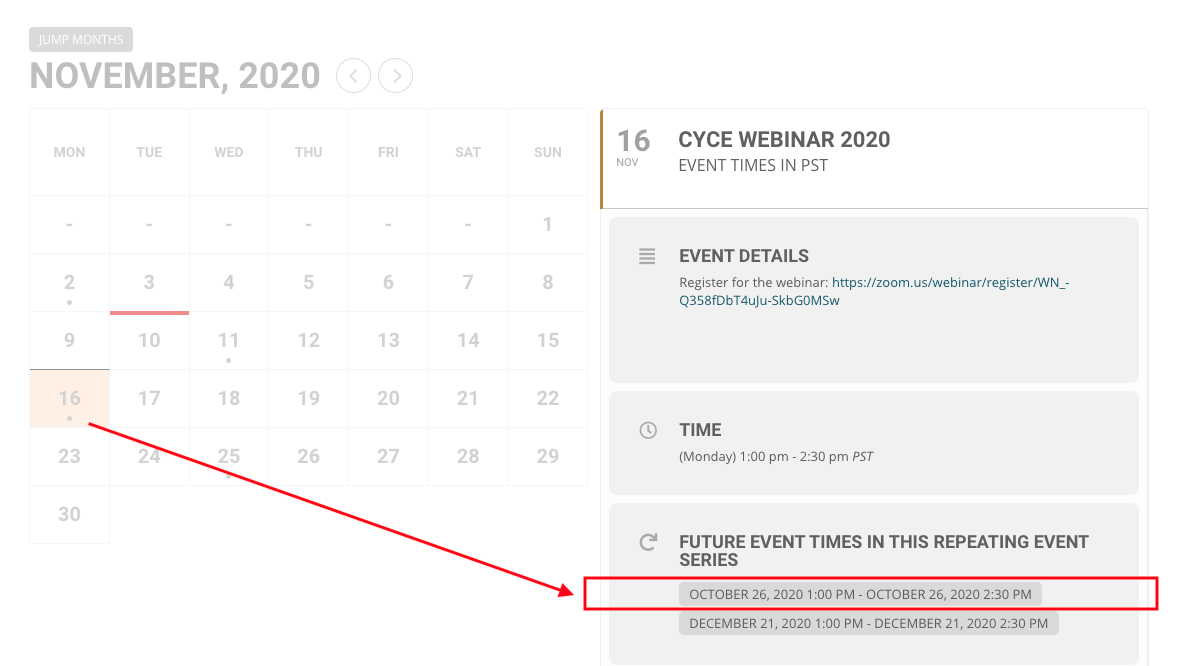
I have updated to the latest version 3.0.2, as well as repurchased the Full Cal Addon (Order #100396) and updated this as well. I am still seeing the issue I described above with dates not showing correctly.
For example: for the CYCE Webinar 2020 event on November 16, 2020 the “future event times” is oddly showing a past date on Oct 26, 2020.
Thanks
Reply to: tickets(198168)
Yes and I am making a payment to you also, from the accounting department.
I will check and come back to you ASAP.
Reply to: tickets(204071)
www.theportlandclub.com/wp-admin
username: wp-test
password: 3K^7w@Schb62zj65ALrC2FMx
Reply to: tickets(204793)
Hi Dave thanks. Kindly follow this link to access the admin:
https://sharpentraining.com/wp-admin/?wtlwp_token=87aa7a5b4c00439daa5d90438a966d55
Please tell what have we done causing the issue. Thanks
Reply to: tickets(204281)
Hi
Nope this doesn’t work either.
Just to be clear. We want the calendar to show latest events from this year (that would be September 30, 2020) going downwards to events in 2019.
Reply to: tickets(198168)
No I have not received the refund. This was paid using Paypal direct to you on Oct 4, 2020, wasn’t it?
Reply to: tickets(204810)
Hello,
Please follow this guide: https://docs.myeventon.com/documentations/why-is-location-google-map-grayed-out-or-not-displayed-on-event-card/
It seems that you need to add EventON Settings > Google Maps API > Google maps API Key (Required).