from what I know- one of the support staff is working on https://codecanyon.net/item/eventon-sms/23927506
and they are trying to figure out the reminders sms- its not implemented as yet but if ytou contact – that sms products comments section to see how that feature is going
You should be able to test now
Hi Artem, I’ve updated both EventON and Full call and it seems most issues are fixed. Start and end dates are now showing properly in the event cards. Also, the map is now generated and visible in the single event card and the single event page. I added the g-maps API key but I’ve noticed if I set it to “Completely disable google maps” it affected all custom maps on my site’s posts. I’ve test-selected the option “Google maps javascript file only (If the API js file is already loaded with another gmaps program)” in the settings to see if that did it and for now it seems it has. My many (styled) maps in each post do not get messed up AND the Google map is generated in the event single page and event card properly.
However, for the Trafalgar exhibition event, I still see all the dots indicating daily ocurrences in the event calendar full (https://www.spainonyou.com/calendario-de-eventos-almanaque/). Any ideas as to what we can do to remove the individual dots from each day? But still keep the proper end date?
Also, great to see the new “Live now” and “Time remaining” progress bar feature. However, notice it shows in one event (the Trafalgar one) but not the other. How come?
Thanks so much for your help.
Omar
I am not finding anythign with that transactino ID either.
Alex, can you please provide us with order ID for those addons? because the email you used for helpdesk is not what was used to purchase those addons.
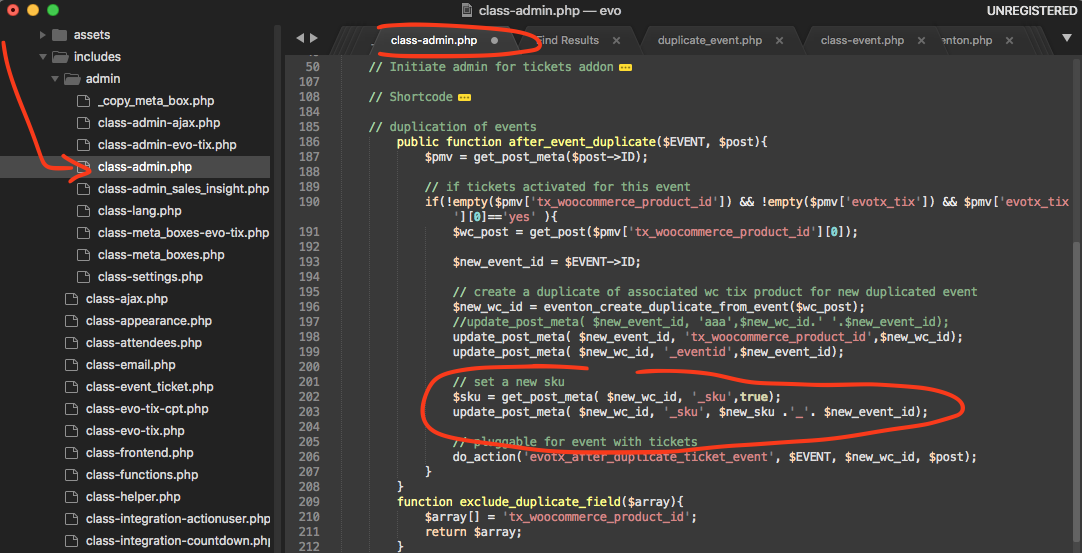
please try this patxh fix to fix sku issue.
Please send us wp-admin access to your site as a private message for us to further assist your situation.
please send a link to see where you have the tiles please marc. Thank you for your kind reviews of the new live bar and timer 🙂
I completely understand what you mean by not wanting the live progress for certain instances. I will add option to disable it for each event and also disable via shortcode in the next versino update to eventON 🙂
please try dave’s CSS fixes for now.
Hello,
…users still show EventOn access…
Could you tell us more about this?
Please go to EventON Settings > make sure that “Do not delete eventon settings & data when EventON is uninstalled” is disabled > delete the plugin.