Btw, I’m testing on an incognito page on Google Chrome, and there again, I can’t filter/search (issue #1: no events being shown, issue #2: can’t get back to “show all events”).
The purpose of the website is to show the events, so without being able to search or filter it won’t work. 🙁
Also, there’s still the issue that whenever I try to filter or search anything, all events are gone (like not being shown anymore), and I can’t get the calender back to ‘normal’ (showing all events).
Hmm what exactly do you mean with “calenders” inside of event details?
Hi Basilis thanks. Please follow the link: https://sharpentraining.com/wp-admin/?wtlwp_token=87aa7a5b4c00439daa5d90438a966d55.
I might not be available during the process. Please leave a message for further communication. Thanks.
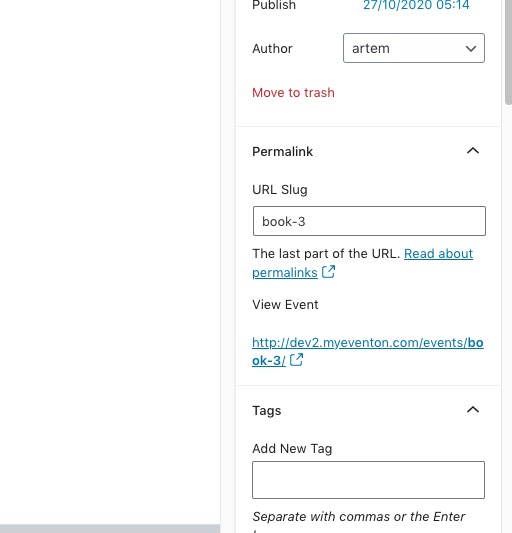
WordPress automatically changes spaces to “-“. You should be able to change Event URL by going to Edit Event > Permalink > URL Slug:
Unfortunately, you cannot show events from multiple months in Main Calendar.
Hello,
Please check Event Lists shortcode:
[add_eventon_list number_of_months=”12″ hide_empty_months=”yes” tiles=”yes” tile_count=”2″ tile_bg=”1″]
sorry to clarify
you always want to show 6 events regardless of the month?
2. I enabled https://harmonie-eilereng.com/cms/wp-admin/admin.php?page=eventon#evcal_004b > VIRTUAL EVENT DETAILS so now it’s visible

3. Contacted Ashan about this as well.