Hello,
How do I get onto http://dev.myeventon.com/wp-admin/?
It requires login details. The ones I have for our EventOn account nor the ones for Helpdesk are working to get in.
Thank you
Replies for tickets on suppota
Hello,
How do I get onto http://dev.myeventon.com/wp-admin/?
It requires login details. The ones I have for our EventOn account nor the ones for Helpdesk are working to get in.
Thank you
It’s still EventON 2.7.2 on the website: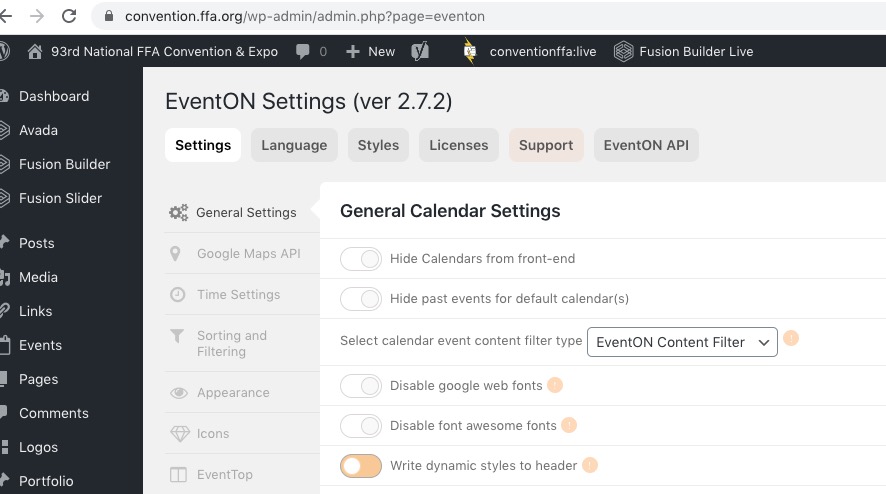
Please also note that according to CSV Import guide it can only import event type ids and not types themselves:
event_type categories – Event type category term IDs seperated by commas eg. 4,19. You can add upto 5 event type categories in seperate columns with column headers in format event_type, event_type_2 etc.
Hello,
We are aware of this situation and apologize for the inconvenience. Our developers are working on fixing this at the moment.
I am going to assign this ticket to Ashan and he will be able to take it from here and find you a solution. Please allow some time for him to get back to you, we greatly appreciate your patience and thank you for being a eventon customer! Also please disable any IP blocking on your site if there are any.
Hello,
It seems that you haven’t enabled EventON Settings > Do not delete eventon settings & data when EventON is uninstalled. Could you enable it and then update the plugin by following:
To update eventon to latest version: If you are unable to do autoupdate, you can go to codecanyon your account > download and get the latest eventon version as zip file. Then you can go to your website, deactivate old eventon, activate (Do not delete eventon settings & data when EventON is uninstalled) from eventon settings, delete old eventon, install new one and activate. This link will further explain the process it. Also you can follow us on twitter to get real-time announcements on updates!
Hello,
Both of events have “User Interaction for event click” set to External Link:
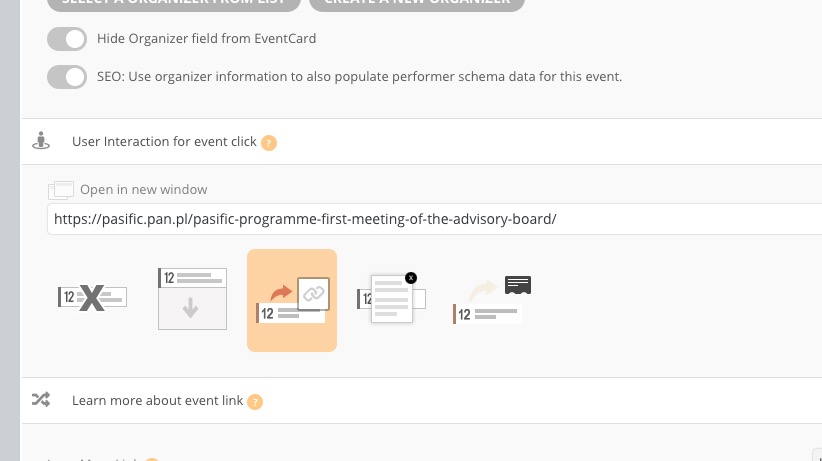
Please change them if you want to open as Slide Down.
Please take a look here:
pasific.pan.pl/wp-admin
login: support
pass: %Yw7EtG6vk##x)w6%)mZEhWE
Basilis Kanonidis
Since your last reply, 2 more weeks passed!
Be a responsible man!
Please follow up!
Ashan:
https://womanlink.tamaraspiekstra.nl/agenda/
so when you choose workshop from the categories- nothing appears- yet the bulk of the events are workshops
it works right here: https://womanlink.tamaraspiekstra.nl/eventon-test/
but not here: https://womanlink.tamaraspiekstra.nl/agenda/
Thank you for your messages, I am going to assign this ticket to Ashan and he will be able to take it from here and find you a solution. Please allow some time for him to get back to you, we greatly appreciate your patience and thank you for being a eventon customer! Also please disable any IP blocking on your site if there are any.
Please send us wp-admin access to your site as a private message for us to further assist your situation.
that shortcode doesn’t look right try:
[add_eventon_list event_count=”3″ month_incre=”1″ fixed_month=”6″ fixed_year=”2020″ hide_month_headers=”yes”]
month_incre=”1″ doesn’t need to be in there and you have not said how many months you want to display
if I could get in there to take a look – that would be great