I have created instructions and a fresh user.
I tested the identifier. It’s normal FTP.
webftp: https://alfa3209.alfahosting-server.de/ftplogin/
Filezilla:
https://alfahosting.de/downloads/SSH-Anleitung.pdf
https://alfahosting.de/downloads/ftp_mit_ssl.pdf
Hostname: alfa3209.alfahosting-server.de
User: web24266564f7
Password: Vw7vCPYu
Hi,
great!
what was it/can I fix it myself if it happens again?
thanks,
/M
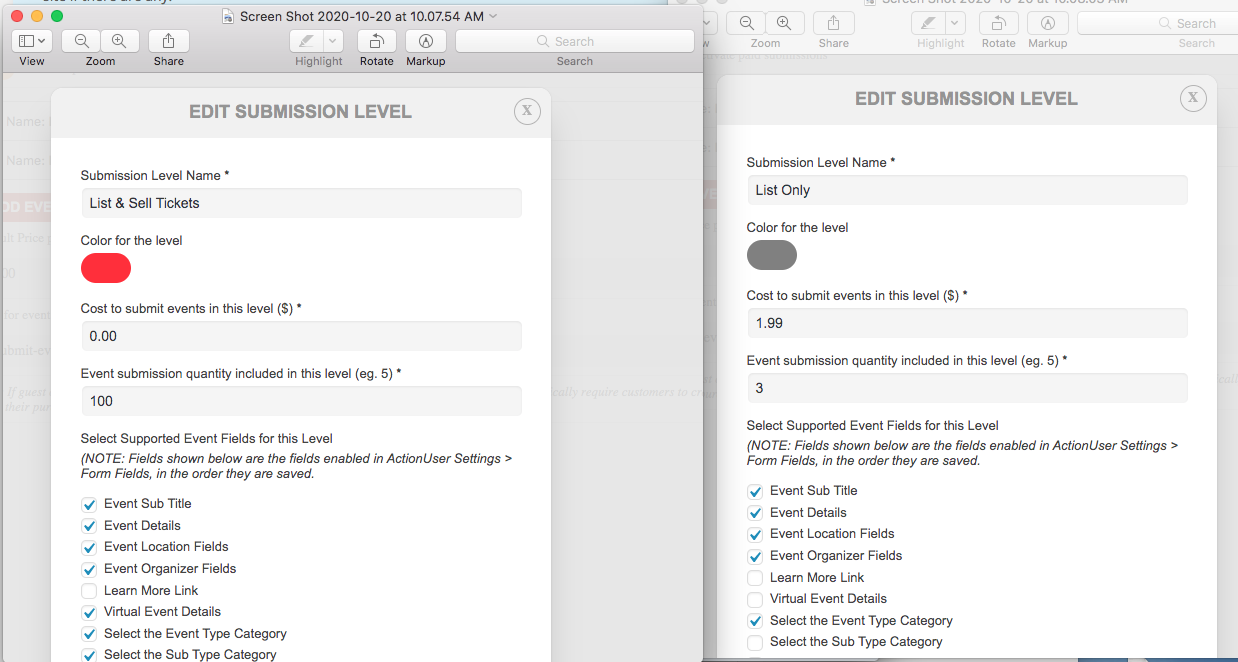
For both general and paid submissions, I don’t want this to appear at all. If you see the screenshot attached you will see that I have this unchecked in both submission options . However if you look on the submit page, https://www.shomee.life/submit-event/ “Learn More” link is showing on the first option “List and sell tickets”.
Absolutely perfect! Thank you.
What did you do just in case I need to replicate it?
I could not connect to ftp either. What is the port? is it regular ftp or sftp?
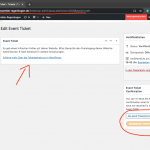
So in the event ticket post edit page https://tanzensemble-regenbogen.de/ticket/wp-admin/post.php?post=6208&action=edit
I see generate pdf link. But the meta box is missing – because of the error you mentioned earlier. We are running latest versions on our test servers without this error. Kindly send us correct FTP access and we can look further into this to see what causing this issue on your site.
Hi George,
We are live tomorrow.
SOrry for the delay, but the WordPress UI would not allow us to do this change on the fly, so we have had to do an alternative way.
It will be live tomorrow 🙂
Hey Sorry,
I will look into this tomorrow, needed to fix something urgent.
It should be inside Astra, but I will check it no worries
I fixed your error, the fix will be in the next eventON version which we are working at the moment 🙂
Hey,
PLease try now and let me know 🙂