Please follow this guide: https://docs.myeventon.com/documentations/single-events-page-not-working-404-error/
We are glad your issue is resolved, if you have any further questions or concerns please create a new ticket.
You can send us a customization job request by creating a new ticket in here and selecting Customization Request as the category.
Ticket class (1st, 2nd or 3rd) and prices
Please follow this guide https://docs.myeventon.com/documentations/set-additional-fields-rsvp/. You can add classes using Drop Down Options.
Requested quantity of ticket
Please check EventON > RSVP > RSVP Form > RSVP Count — (If unckecked system will count as 1 RSVP).
Total amount (to be payed at front desk not e-commerce)
RSVP doesn’t allow this, I am afraid. Maybe better use Tickets and Variations add-ons: https://www.myeventon.com/addons/event-tickets/ and https://www.myeventon.com/addons/ticket-variations-options/? WooCommerce allows you to pay in cash: https://docs.woocommerce.com/document/cash-on-delivery/. Try on http://dev.myeventon.com/wp-admin/
We are glad your issue is resolved, if you have any further questions or concerns please create a new ticket. If you have a moment, we would greatly appreciate if you could kindly leave us a review at codecanyon! from your account > downloads. Cheers!
So the only problem was this typo? You haven’t done any code changes?
No, because I wont leave the not working popup activated on my website.
But I can give you the link to the popup template:
https://www.blueskies.rocks/wp-admin/post.php?post=44739&action=edit
Click on Edit with Elementor, then the editor opens and you can see the exact same thing as on the screenshot I posted here before.
When you activste the popup by defining a trigger. For example “by page load”, you will see the Popup appears, but not the registration button.
Please deactivste the trigger after checking the problem, thank you.
not sure why but heres how to fix it
I added more details my goal of RSVP.
I would like to add categories followings
Basic attendees info (name and e-mail)
Ticket class (1st, 2nd or 3rd) and prices
Requested quantity of ticket
Total amount (to be payed at front desk not e-commerce)
Please advise necessary addon or customization is possible or not.
Thank you
Thanks. That works. Please let us know how to handle this in future as this AAA event was created from scratch. What must we do with the permalinks to correct?
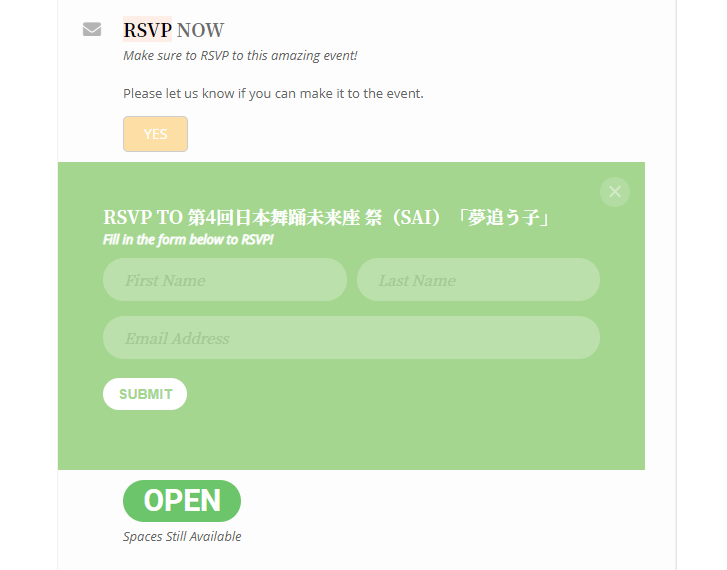
Thank you for the advice. Display of date and time was solve. For multiple event display, I will play around shortcode reverting you if more questions come.
Based on the advise I purchased addon RSVP, if there is demo site or site that explain how to use RSVP, kindly instruct me.
Right now, we want to add not only name and e-mail but also ticket class (1st, 2nd and 3rd class ticket, etc) and number of ticket required for each class. Can I set such categories in the format as per attached screenshot?
FYI, I changed the test website as bellow for checking my site further
WP: https://saramac.asia/wp-login.php?loggedout=true&wp_lang=ja
ID: monsoon-asia
PW: isotaN0324??
Appreciated for your suppuort.
That’s a good suggestion. I might use that. Still I think it should be looked at as a possible bug. For example if someone uses an apostrophe name in the venue then it’s the same issue.