Hi,
I ill check and reply in customization ticket. Thanks
Replies for tickets on suppota
Hi,
I ill check and reply in customization ticket. Thanks
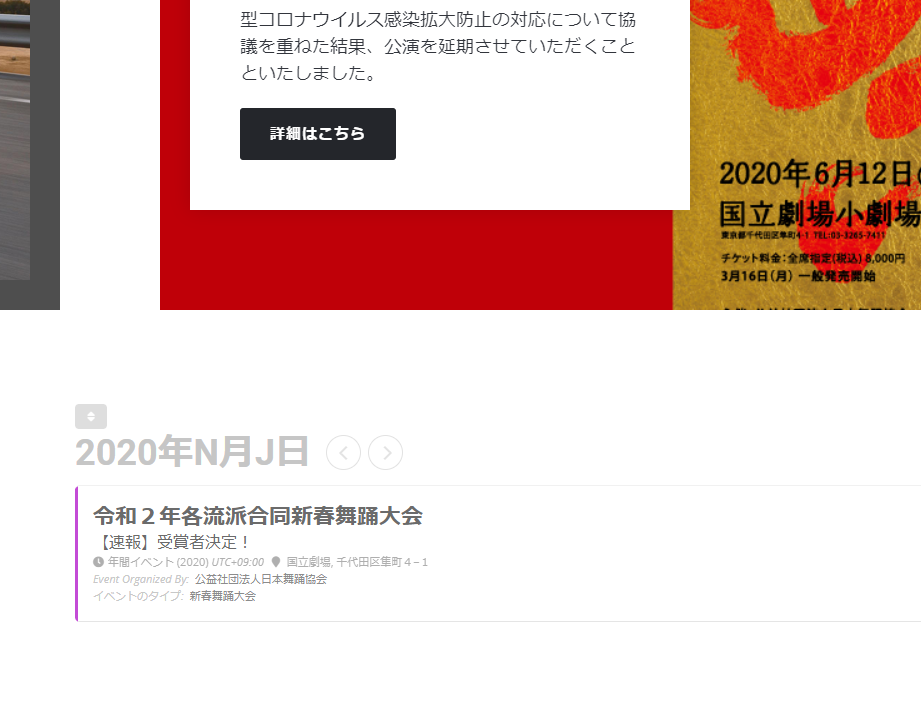
We purchased Event Lists: Ext & RSVP add-on.
Kindly instruct us how to display multiple event while fixing display of N & J.
FYI, we put 5 events for testing, but only 1 events shows.
Sorry for your inconvenience, we set off firewall and now you can access at
WP:
http://202009301624315605255.onamaeweb.jp/wp-login.php?loggedout=true&wp_lang=ja
ID: nihonbuyoukyoukai
PW: nichiBu6455??
For the requirements 1 – 4, we understood we need addons. For the remaining question displaying N & J, screenshot is attached.
I think you need to edit this template:
plugins/woocommerce/templates/myaccount/dashboard.php
I’ve customized the My Account page on our site by changing that file. I’m also using a plugin that integrates the site’s WP login with WooCommerce login, but I don’t think that would change the method.
Hi
Where and how do I exactly use the code?
I tried using the following on the event page itself:
” [code][add_eventon ux_val(1)][/code]”
but it didn’t achieve the desired result.
Calendars don’t show any icons: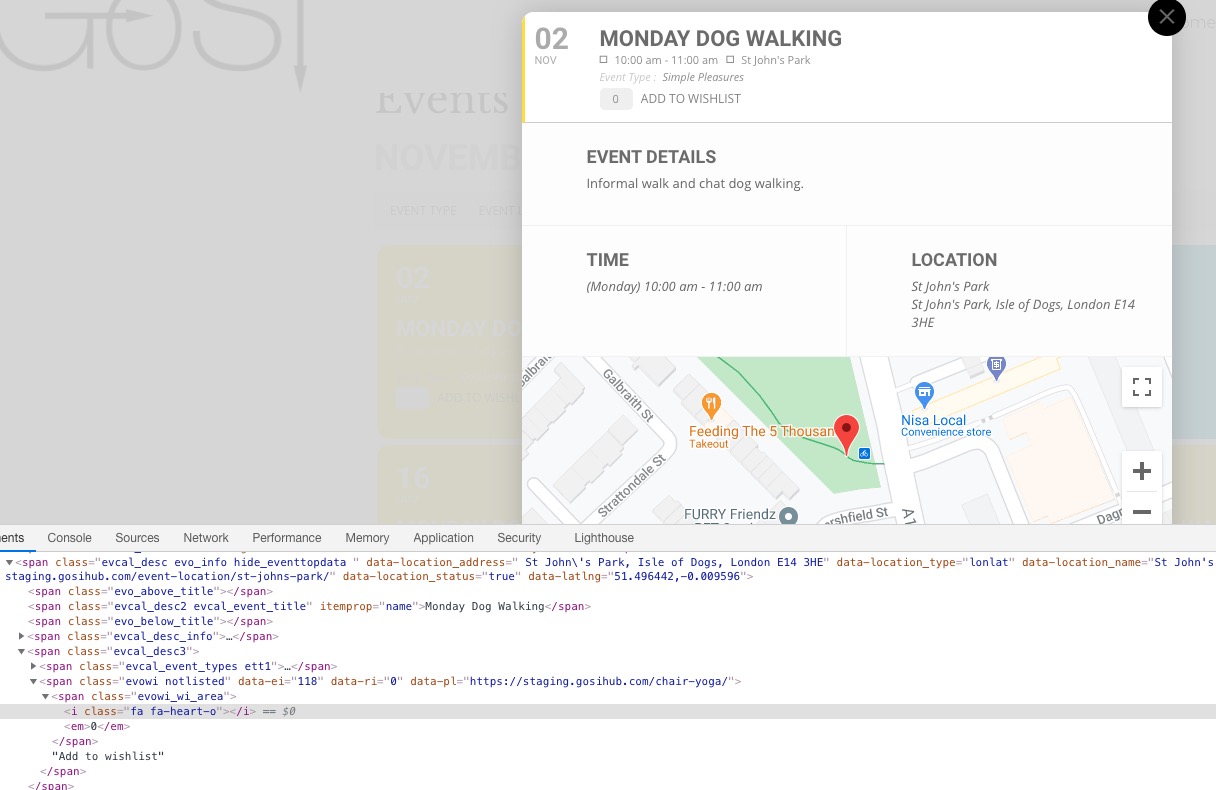
It seems that the issue might be in this.
Could you send us wp-admin access to your site as a private message?
Do you need our help in anything else?
Hello,
Could you send us Order IDs of your purchases?
Hello,
Thank you for your great suggestion, at the moment it is not supported. However please create a new ticket and select Feature Request as category so others can vote on your idea and get it moved into development faster. OR You can send us a customization job request by creating a new ticket in here and selecting Customization Request as the category.
Thank you very much. Already did it and it’s working. Thanks!
Any ETA on when the new version of the plug-in will be released?
When updating the plug-in, should I assume that the next version will fix this or what suggestion could you give me on how to handle the updates for this plug-in? I don’t want to lose this fix.
Thanks!