this video might help
https://www.youtube.com/watch?v=iEfrFSTPCSQ
Replies for tickets on suppota
this video might help
https://www.youtube.com/watch?v=iEfrFSTPCSQ
You’d think it would be easy but if you can make heads or tails out of this link- good luck
https://rudrastyh.com/woocommerce/my-account-menu.html
I tend to place the rsvp code into a single accordian underneath the woocomerce shortcode
there are paid plugins you can use https://iconicwp.com/blog/add-custom-page-account-area-woocommerce/
there may even be free ones on the repository
can you please ask the hosting provider to put the date to Time in database should be in utc
Hi There,
No, the change will be there even on updates yes.
I am now starting working and I will finish it
Hey,
Yes, I am fixing them no worries 🙂
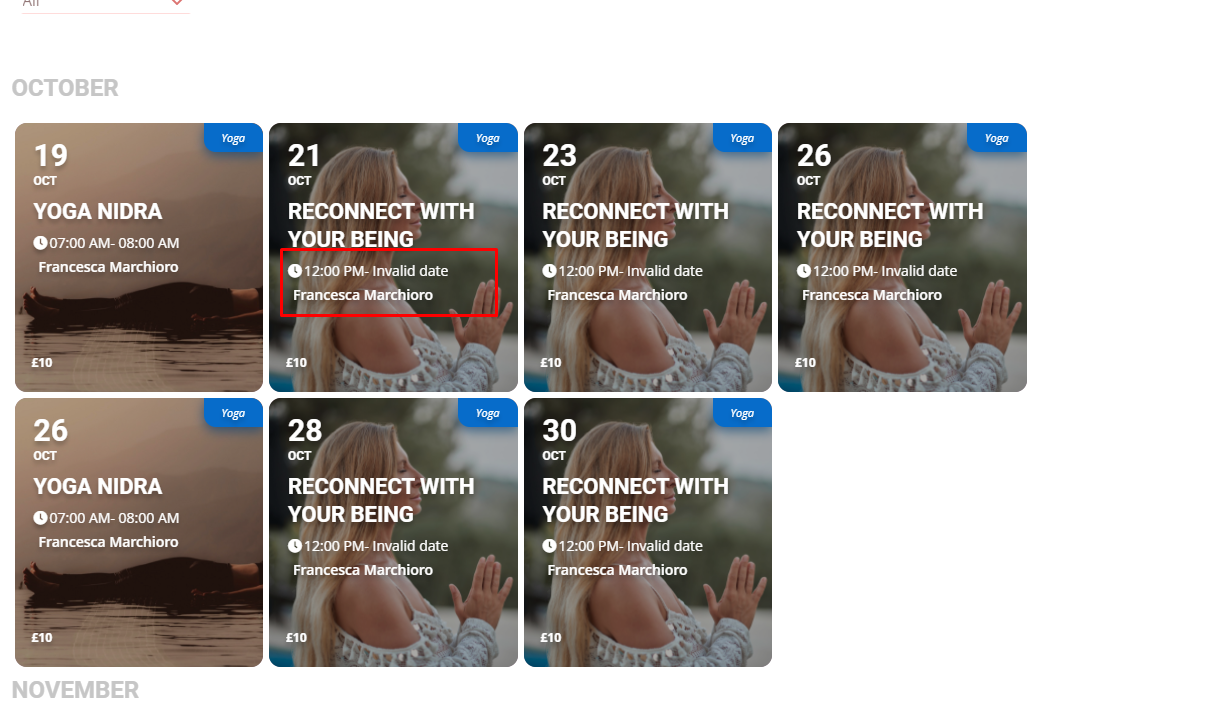
This page shows invalid date on the event card https://foogin.com/event-organizer/francesca-marchioro/
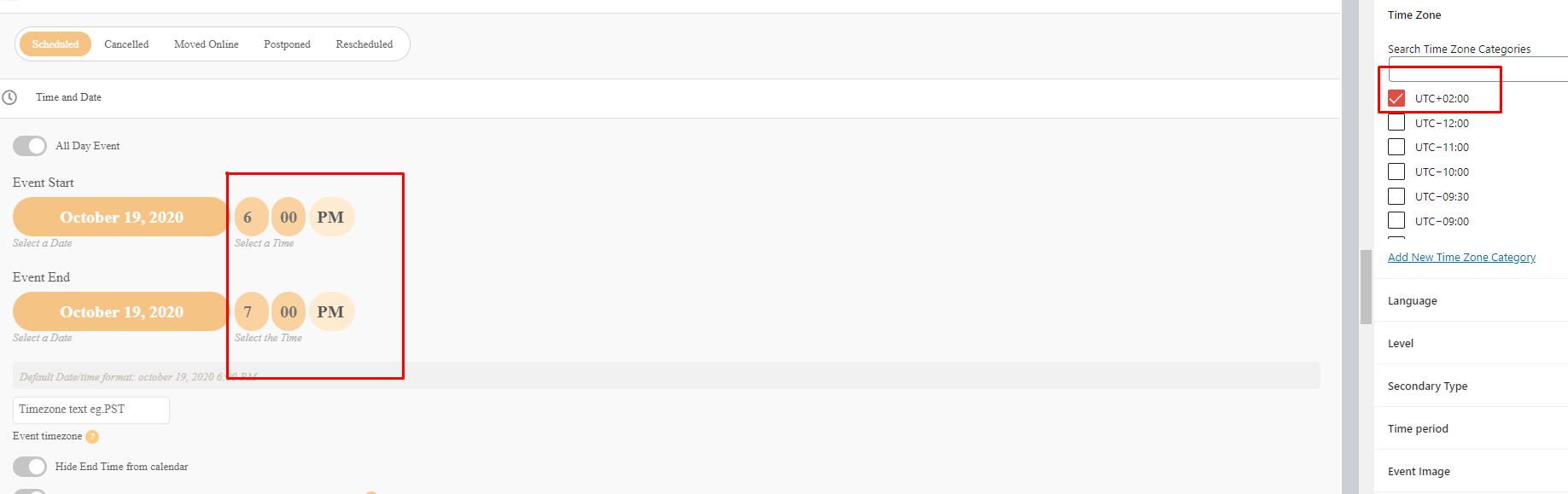
Hi Basilis,
Just wanted to check if you are doing something on the website now as it looks like all the timing for the events is messed up now.
This event shows 7-8am for me (I’m in London) when on the admin page it is actually 6-7pm (UTC+2). Looks like AM and PM is messed up.
Thank you!
Hello,
1. Please add this CSS code to EventON > Styles (If you don’t see any change, EventON > turn off Write styles to header > save settings > turn on Write styles to header):
.evcal_evdata_row .evcal_evdata_icons i { font-family: ‘evo_FontAwesomeS’,’evo_FontAwesome’,’evo_FontAwesomeB’ !important; }
2. Since EventON’s calendars use Ajax to load their content dynamically, some plugin may not work correctly. Unfortunately, we cannot do much about the issue, however you can try contacting the plugin developer and ask for their assistance.
We are glad your issue is resolved, if you have any further questions or concerns please create a new ticket.
If you have a moment, we would greatly appreciate if you could kindly leave us a review at codecanyon! from your account > downloads. Cheers!