Found the issue!!
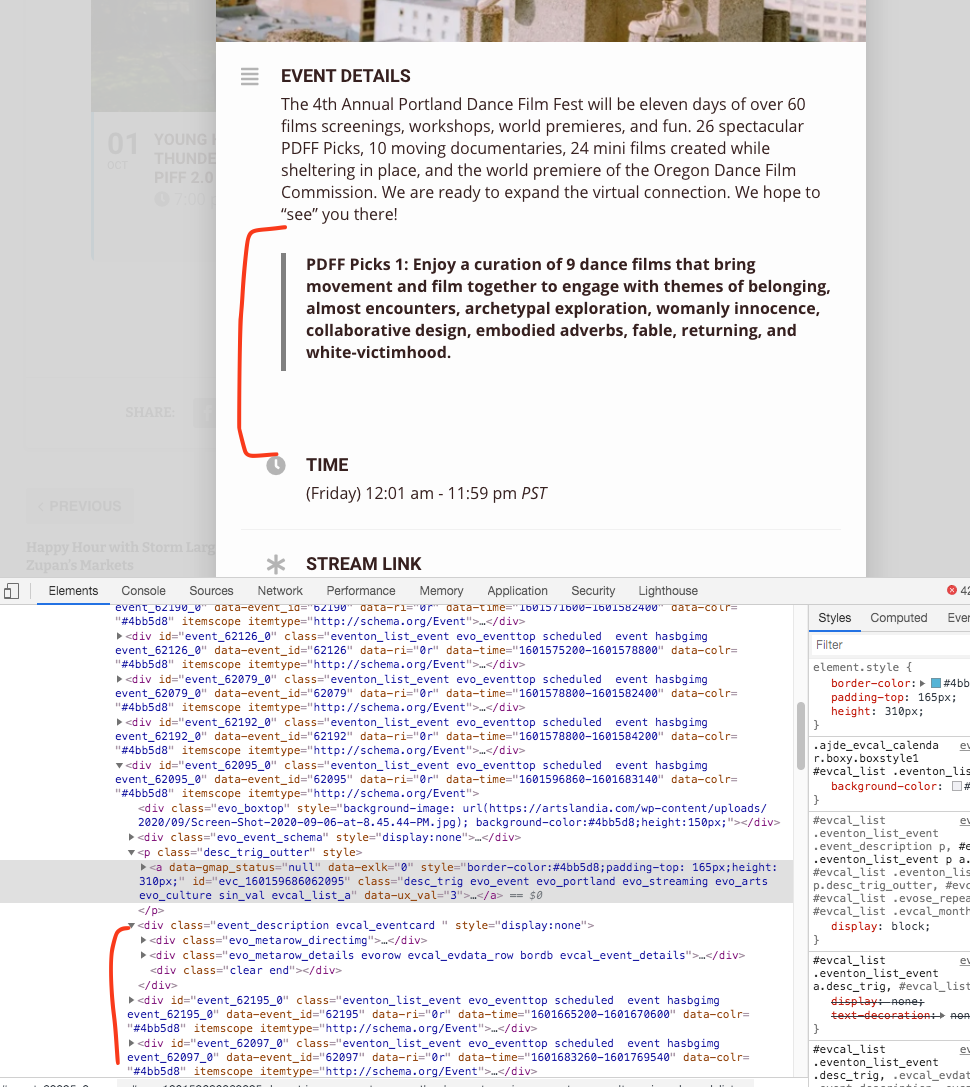
One of the events have a non properly closed div
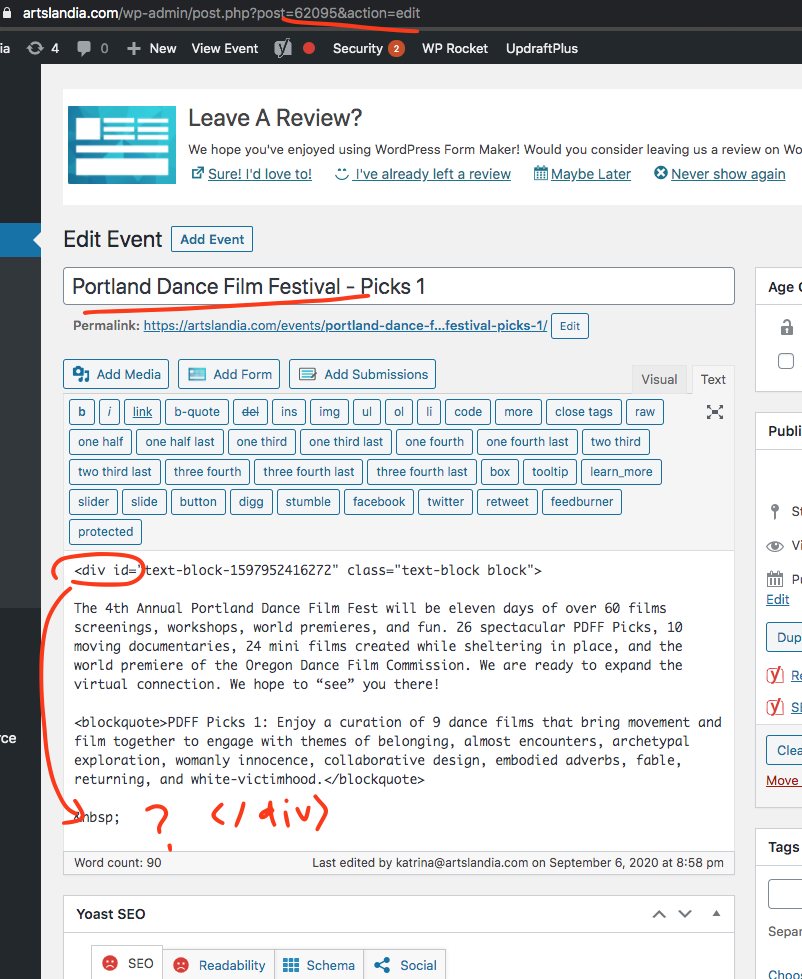
If you are adding html inside event details please please make sure the div tags are properly closed.
https://artslandia.com/wp-admin/post.php?post=62095&action=edit
Replies for tickets on suppota
Found the issue!!
One of the events have a non properly closed div
If you are adding html inside event details please please make sure the div tags are properly closed.
https://artslandia.com/wp-admin/post.php?post=62095&action=edit
Hey Vinay,
About the discount, when you decide to go with them ( and you know which ), let us know and we will assign the task to our CEO to review and help you
You are welcome Zoey.
If I run the same shortcode on our testing servers, it shows exact amount of events in both tiles and non tile calendars. Let me see if there is something in your site that is stopping the events from loading. You may see some errors showing in your site if you look at it during this process…
I see, np then maybe it’s not important to recreate one. thanks for the help.
Hello Jim, thank you for letting us know of this evo_admin error. Sometimes the errors caught with wordpress are just automated process without much base. But I will check into this to see if we can avoid getting this error caused by class not loaded.
With regards to your tiles calendar not showing all the events. I am still looking into this. It is very strange because we can not replicated this on our end…
I see, thanks for the feedback. In this case, the RSVP cannot work like booking for the timeslot. I will work on the bug part. No worries about the dropdown then cos my goal was to do the booking of timeslot and cannot have the same timeslot taken more than once. But any way, the RSVP is a goodie to keep for now 😉 thanks for all the help.
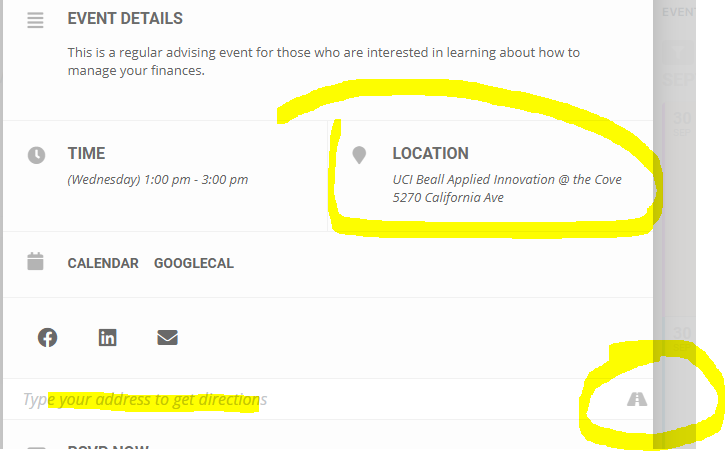
I see.. well, for now, can you pls advise if I need the google addon for maps to make this address lookup work? actually, in the events, when I copy/paste the address, and click on the highway icon, it takes me to google map for direction. So it works from that perspective. The idea I thought is the google map imbedded in the event so one can see it on the event card. Is this the default behavior using the core Eventon or need the addon? pls see attached screenshot.
thanks. I will add these code to see if works.
Thanks but I would rather work around that, I don’t feel comfortable giving anyone access to my site whom I cannot confirm ID. Are you a developer for the plugin? I realize I should have made the ticket private, first timer.