Ok Basilis. Please proceed and advise the process as usual you handle the customization and also the payment terms. I can not reply after this reply because I am in Jakarta time zone and right now is over midnight.
Please do the customization with the following simple guidelines:
- Display on calendar (tile, standard etc), directly fetched from the backend of EventON post type. In addition, please make this image and name of speaker can be revealed using any dynamic post slider;
- Layout of image of speaker as per earlier ticket but it can be adjusted to be in line with design of EventON. I just want to let you do this as simple as possible;
- Image and name of speaker are side by side on to another.
Thanks Basilis. I am looking forward to this customization finished soon. Rgds
If you try remove event on plug-in it works normal. It really slowing down. You can disable plug-in and you can see
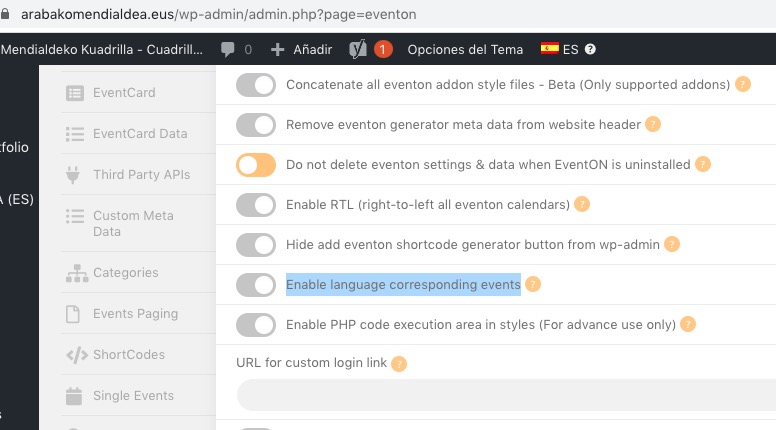
It seems that you didn’t enable Enable language corresponding events:
Could you enable it and then go to Edit Event > select L1 or L2 in Language for Event > update Event?
Please note that there is no direct support of WPML in Event API.
And the second problem is L2 link in the back end. It is run ok in the web but the link in
my eventon>language>L2
doesnt run.
…I deactive loginizer and active debug problem but the error persits.
Could you try disabling other plugins and try switching the theme to Twenty Twenty?
If the issue is not with Ultimate Member or Members plugins, could you try disabling other plugins and switch the theme to Twenty Twenty to see if it helps?
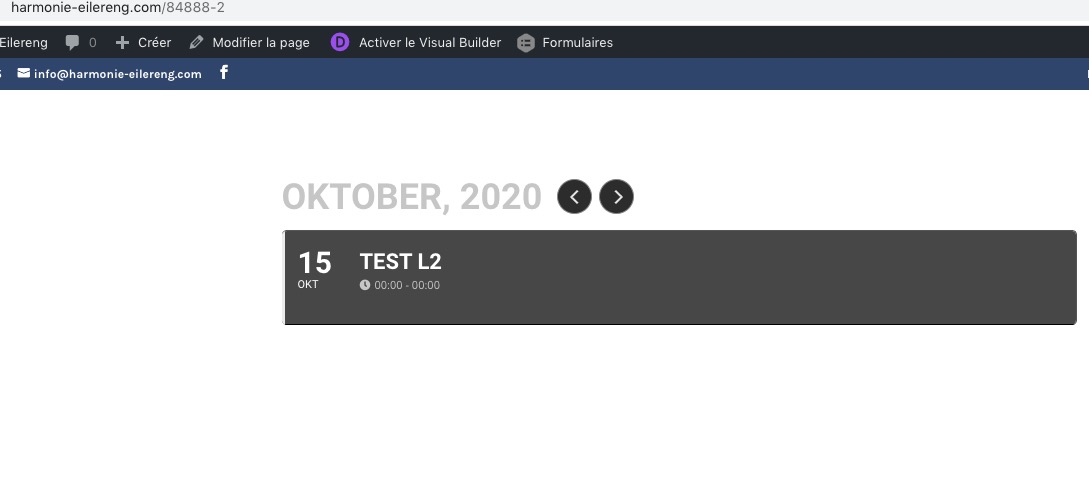
About L2 issue. I created this test event https://harmonie-eilereng.com/cms/wp-admin/post.php?post=84890&action=edit with selected L2 and it’s visible on the calendar https://harmonie-eilereng.com/84888-2:
Could you try manually change Language for Event. instead of making changes to the DB?
Kindly update tickets addon to latest version 1.8.5 and that will resolve this issue.
https://docs.myeventon.com/documentations/changelog-event-tickets/
Hello,
Please add this CSS code to EventON > Styles (If you don’t see any change, EventON > turn off Write styles to header > save settings > turn on Write styles to header):
.single-ajde_events #sidebar { display: none !important; }
.single-ajde_events #left-area { width: 100% !important; padding: 0 !important; }
Hello,
Please send us wp-admin access to your site as a private message for us to further assist your situation.
Hi Basilis
how long (approximately)will it take you ?
Perhaps, here it exist two problems:
- The firs is the API problem. If you see the front end in arabakomendialdea.eus is ok, languages: ES/ES run ok, but in https://www.penacerrada-urizaharra.eus/ no…only you can see language:ES
- And the second problem is L2 link in the back end. It is run ok in the web but the link in doesnt run.
I deactive loginizer and active debug problem but the error persits.
Hi, feel free to check interference with the above mentioned plugins. I deactivated one after the other and the issue persists!
Regarding “Enable language corresponding” events: I managed to activate it, and did a database INSERT with meta_key = ‘_evo_lang’ and meta_value = ‘L1’ and it works. But when I update the database and set meta_value = ‘L2’ it fails… We seem to have an Language issue in any case.