If you want to show variations name in the cart you need to purchase and install Variations add-on. After the installation you need to create variations by following https://docs.myeventon.com/documentations/how-to-setup-and-get-started/
Archives: Replies
Replies for tickets on suppota
Reply to: tickets(160424)
With disabled add-ons your website loads, except the loading time is quite long:
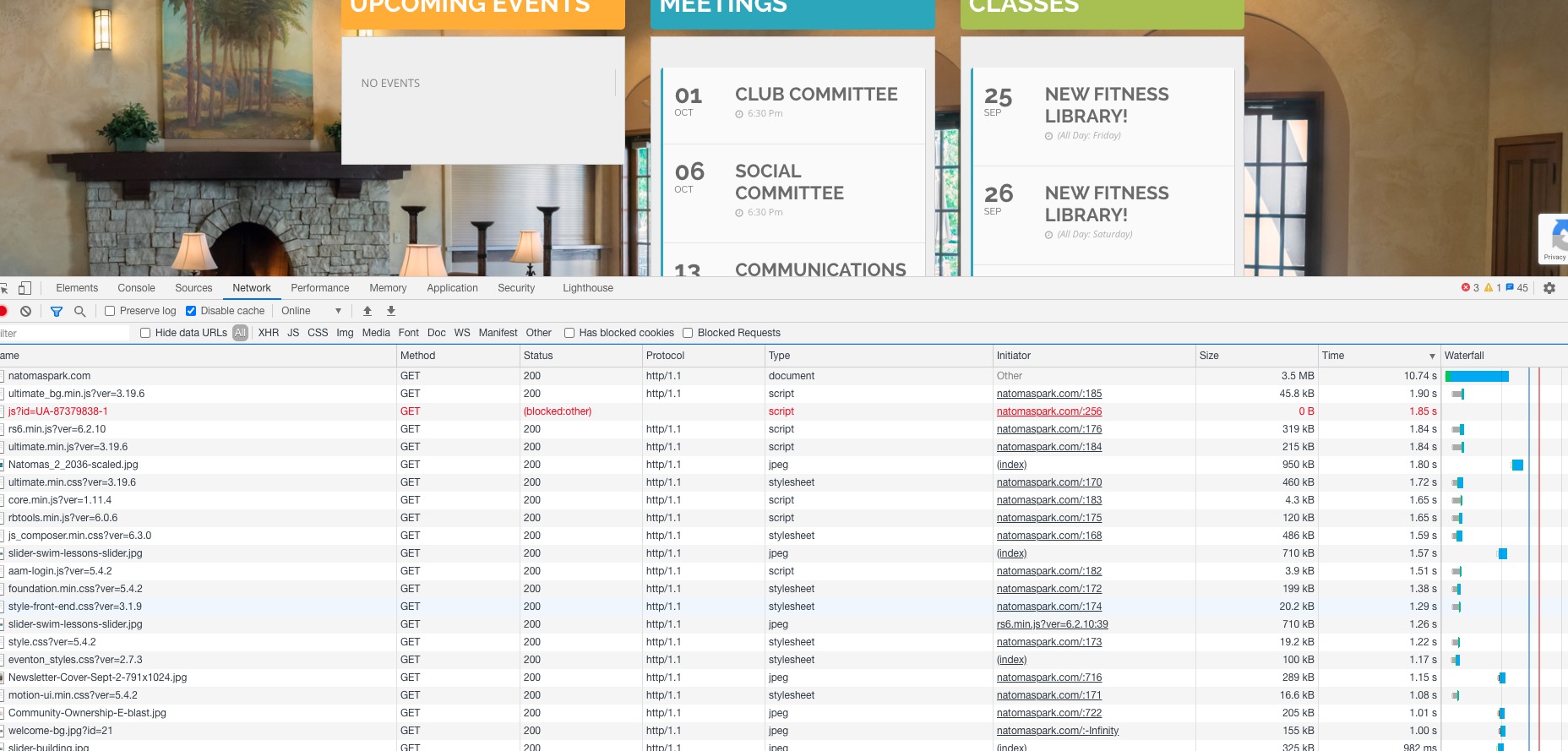
It tales almost 2 seconds to load 45Kb file. This is not normal.
This is a shared hosting environment, I’m not sure how to get access to this. Shouldn’t we focus not on result of the issue, but what is causing the issue?
Because it seems that the problem is in low performance server.
Reply to: tickets(197139)
I have variations set in the tickets on the woocommerce side. everything seems to be working other than it not showing which variation in the cart
Reply to: tickets(197139)
what does that do? im confused lol
Reply to: tickets(197139)
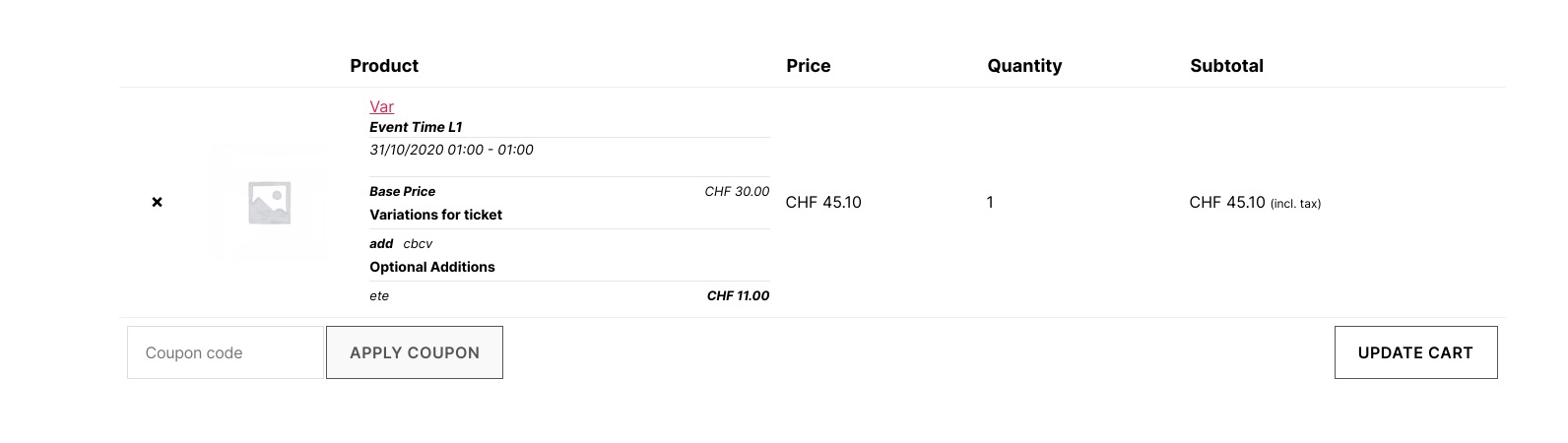
You also need Variations add-on. How it looks with installed add-on:
Reply to: tickets(197112)
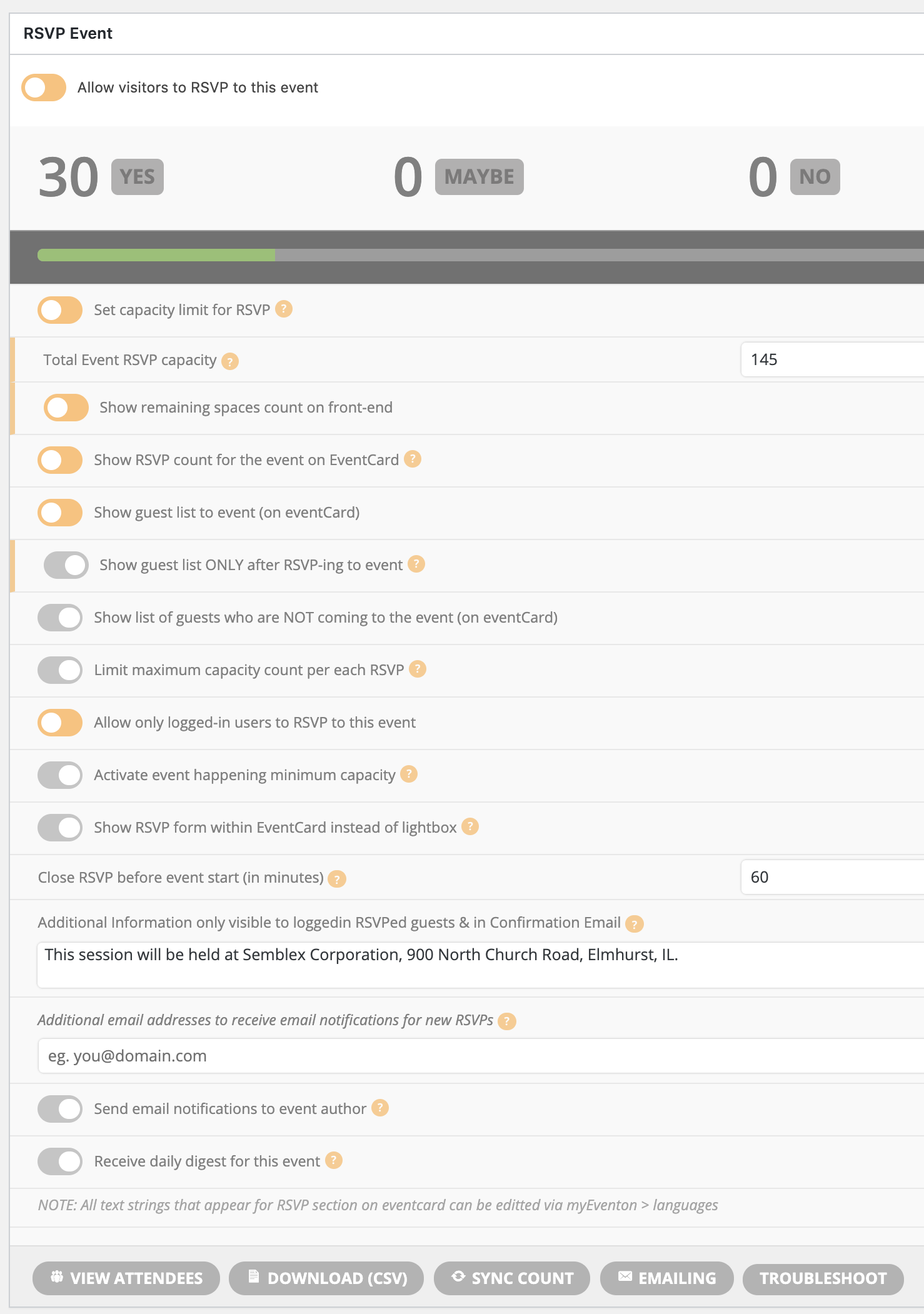
I’m missing something. I’m attaching a screenshot to show what I’m seeing as options in the edit event > rsvp section. Please provide a little more explanation if I’m looking in the wrong place. Thanks.
Reply to: tickets(196544)
Ashan,
I enabled Send email notifications to event author http://dev2.myeventon.com/events/rsvp-9/ but didn’t receive any email.
Reply to: tickets(196544)
I tried this on our test server and it seems there is an issue with Send email notifications to event author.
Thank you for your messages, I am going to assign this ticket to Ashan and he will be able to take it from here and find you a solution. Please allow some time for him to get back to you, we greatly appreciate your patience and thank you for being a eventon customer! Also please disable any IP blocking on your site if there are any.
Reply to: tickets(196544)
I tried to change EventOnSupport’s email, but received this error:
I added a test email address to “Additional email addresses to receive email notifications for new RSVPs” and received this notification email:

Could you also try adding author’s email to Edit Event > RSVP > Additional email addresses to receive email notifications for new RSVPs?
Reply to: tickets(197139)
ok I added my company paypal should be set