NOTE: When the plugin and add-ons are activated, the entire website runs slow, including the admin, however not as badly as the pages with the plugins on them.
Archives: Replies
Replies for tickets on suppota
Reply to: tickets(160424)
Events lists are on the home page
http://natomaspark.aaronmatthewbeta.com/
Event full calendar is on this page.
http://natomaspark.aaronmatthewbeta.com/the-club/events-meetings-calendar/
#1 Install a cache plugin
=============================
Yes, but the problem is more severe than just the website running a bit slow, it comes to a grinding halt on any pages with these plugins being used and can take several minutes to load or it just returns errors on the page.
#2 Optimize your WordPress database
=============================
Yes, but this seems like a code conflict over a database optimization issue.
#3 Delete any inactive plugins
=============================
Yes, but this seems like a code conflict over a conflict of plugins that are turned off.
#4 Upgrade your web host
=============================
Yes, we mirrored the website on two separate hosts with the same issues.
#5 Open events in single event page
=============================
Yes, same issue, the page comes to a grinding halt, takes several minutes to load and sometimes the websites return errors.
http://natomaspark.aaronmatthewbeta.com/events/strategic-planning-meeting-4/
Reply to: tickets(197139)
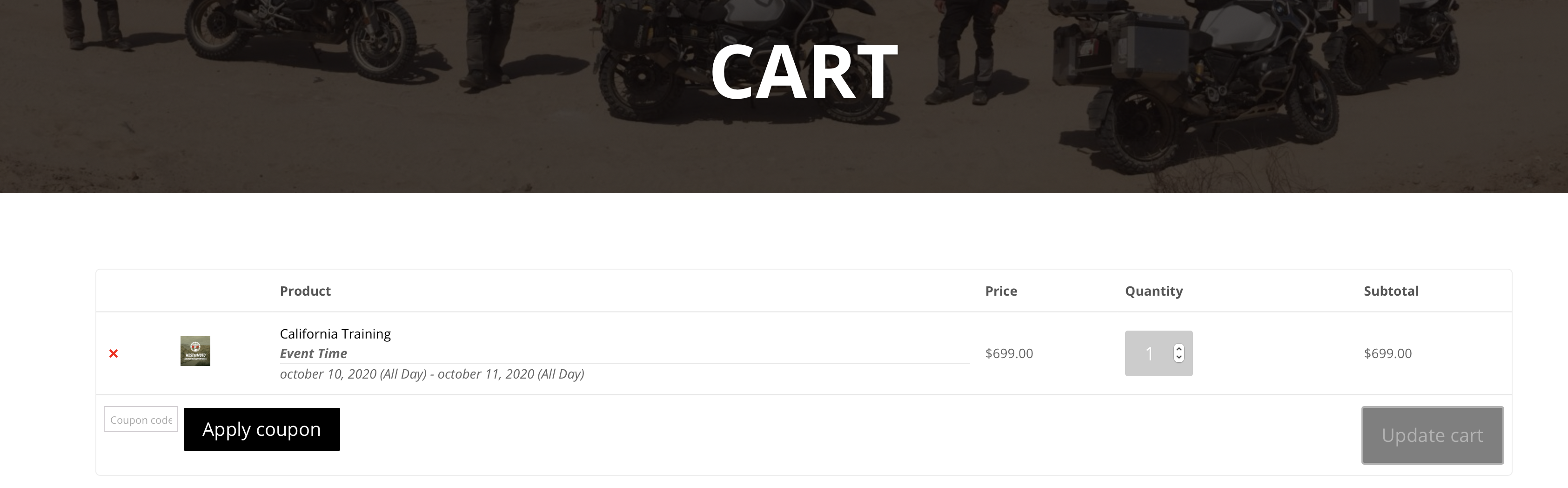
but you see when its in the cart it doesnt say which one they selected it just says the event name
Reply to: tickets(197139)
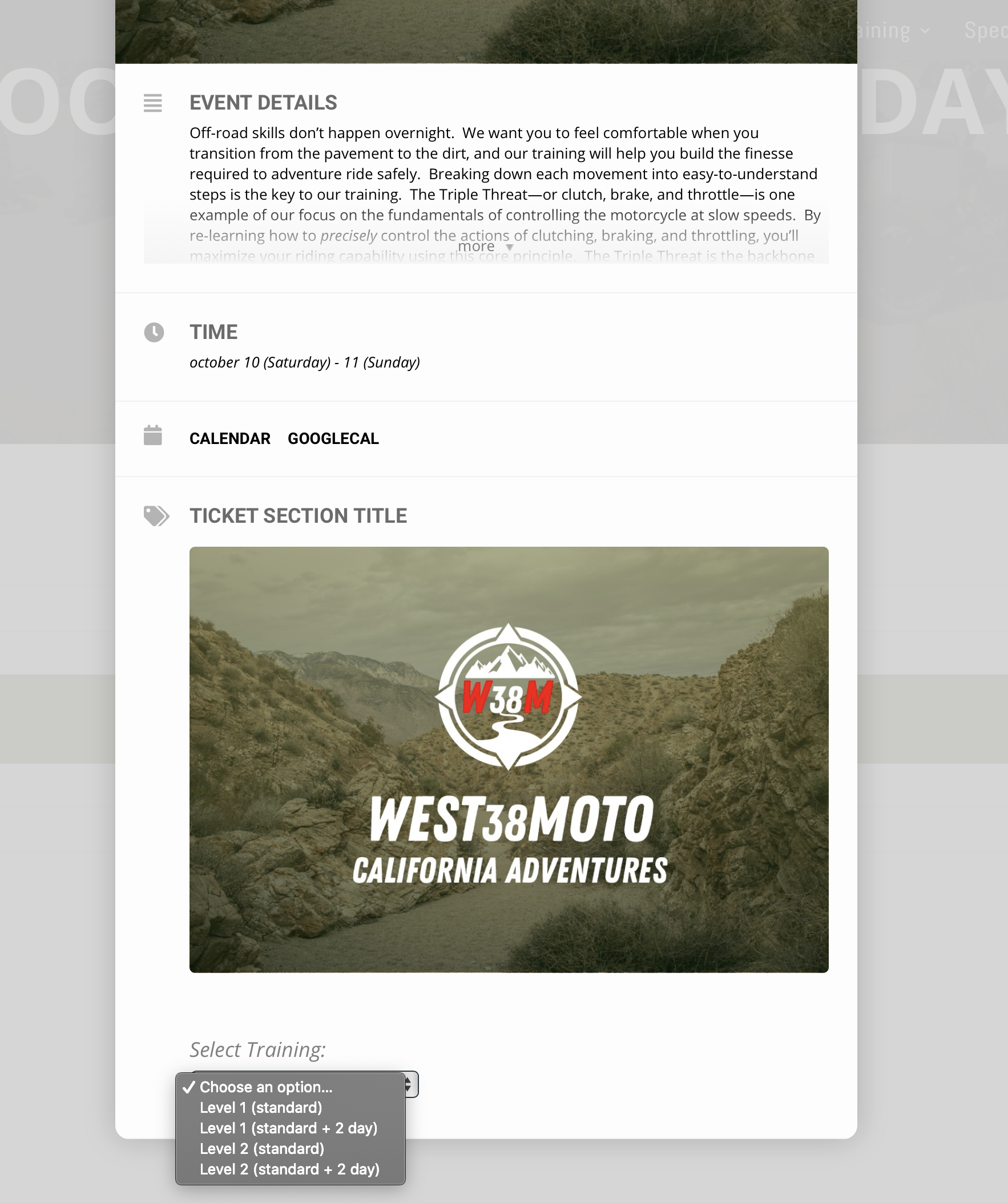
Reply to: tickets(197259)
If you are using something like Yoast- when creating the page you can say not to be indexed by search engines
In myeventon>>>>settings>>>single events
I would activate the single event sidebar and wack some important content in that if they did manage to get to the page
you can also activate: single events are only available for logged in users
Reply to: tickets(197139)
maybe I do need some help lol kinda confused. So I created the event and added it to my page but when you go to the event and select the event variation when they add it to cart it shows just the main title is there a way to have it show the variation? so people dont get confused?
for reference:
www.west38moto.com/book
Reply to: tickets(197203)
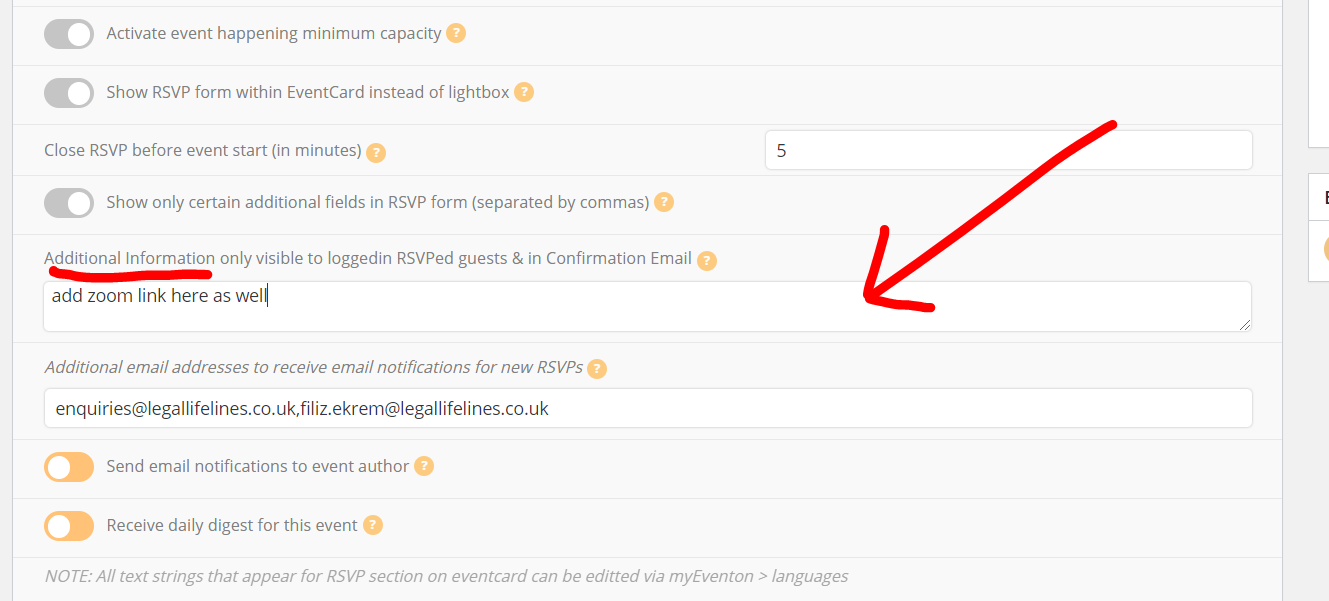
You can also add the zoom link and password here
But in my confirmation email I did receive the link
Reply to: tickets(197139)
I setup woocommerce its just confusing ill try to figure it out myself before I ask for more help =] you never learn until you try haha
Reply to: tickets(197247)
Please let us know who did the customization work
Reply to: tickets(196156)
We have a customized theme.
Here is wp-admin access:
http://test.tjff.com/wp-admin/
username: eventon
password: jcfyNa1uI#cALu6Iz3lUq@W@
Let me know if you need anything else. Thanks for your help