Thank you!!!
I see also you fixed something… previously I could not preview events… now I can.
You are a prince.
Can you direct me to a tutorial on methods of archiving or automatically changing the look of past events if that exists?
Replies for tickets on suppota
Thank you!!!
I see also you fixed something… previously I could not preview events… now I can.
You are a prince.
Can you direct me to a tutorial on methods of archiving or automatically changing the look of past events if that exists?
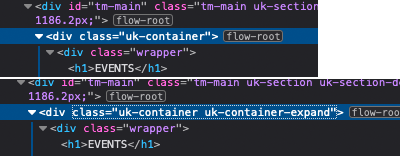
Our goal is to assign an additional class to the main container <div class=”uk-container”> –><div class=”uk-container uk-container-expand”> so that the side becomes full width
Thank you for validating the eventON. So basically of those events, you will need to assign a location to the event. If you assign a location, then they can be filtered. Basically clicking on the separate location shows a filtered version of the events. Does that make sense ?
FTP:
w01ae0c5.kasserver.com
w01ae0c5
dCYcogUnPRTS6Kzv
Hi there I purchased yesterday Oct 1st. This is my purchase code – below – email address is jdiamondsf@gmail.com and Envato Market user name ShadyJD.
I just jumped in with this website. I don’t know who set this up initially. I couldn’t find the license code so I just purchased a version yesterday to get access here for help. I don’t want to take down what they have already created internally. Just want to fix what isn’t working that use to be working for them.
Thank you – Jeff
|
|
Yes I saw that, thanks for opening again.
I look forward to your reply.
Hi Basilis,
The links still do not open in a new window. Please see the newest event added where the issue still exists: https://folkalender.dk/events/molde/
Both the arranger and the location links do not open in a new window.
Is this customization doable at all?
Br.
Mathias
Yes.I want to proceed
Action User should do what you need.
When clubs add events from the front-end, only they can see (and edit) them in Event Manager.
If you add currentuser to the shortcode, it’ll show only events from the current loggedin user:
[add_eventon currentuser=”yes”]
Please try on http://dev.myeventon.com/wp-admin/
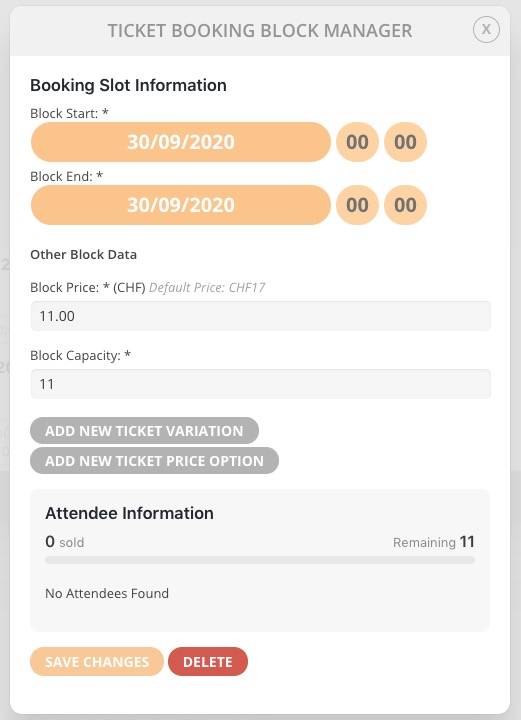
Please also make sure that you are adding your variations to Booking Blocks: