Please send us wp-admin access to your site as a private message for us to further assist your situation.
Archives: Replies
Replies for tickets on suppota
Reply to: tickets(193006)
Hi,
nice. Keep me posted.
Thanks
Reply to: tickets(195234)
Hello,
I am pretty sure, that this workaround will not survive further updates.
So could you please handle this as a bug and fix it upon the next update?
I have two websites with this problem and Laura has one too.
Thanks an greeting, JHWas.
Reply to: tickets(197618)
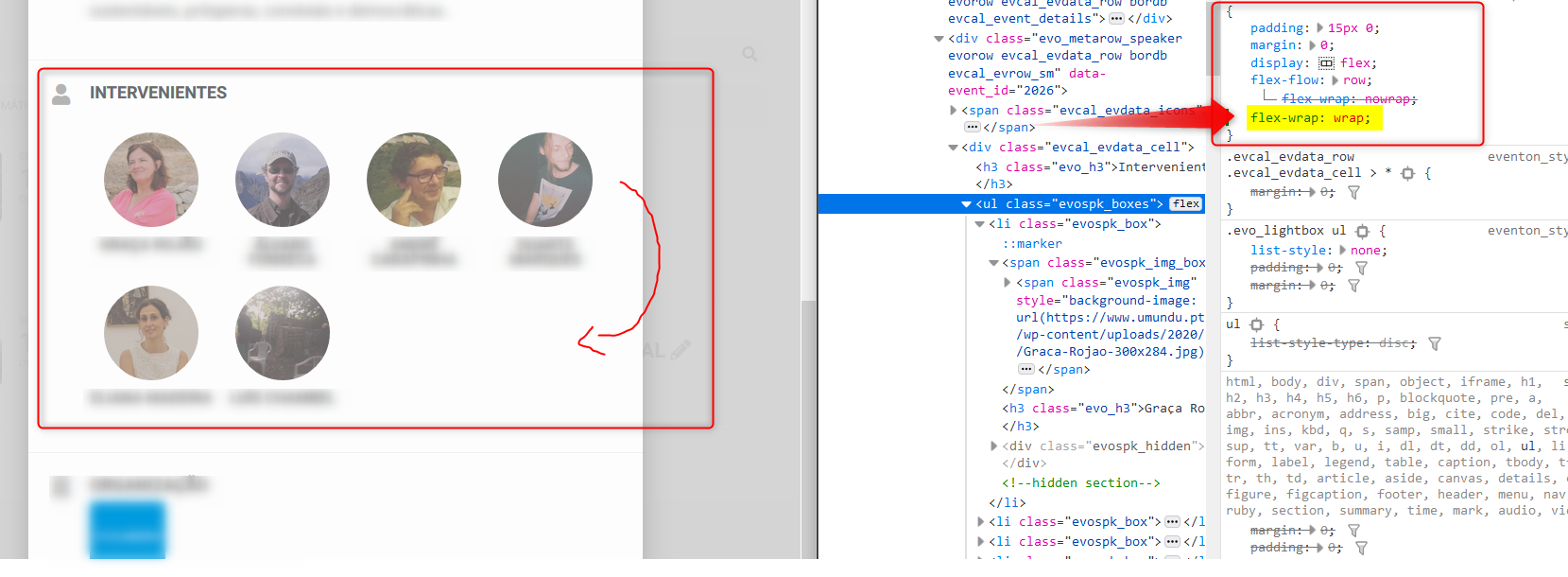
What you are missing there in the CSS is the line
flex-wrap:wrap;
Please check image.
You should implement this in your code!
Best regards
Reply to: tickets(197618)
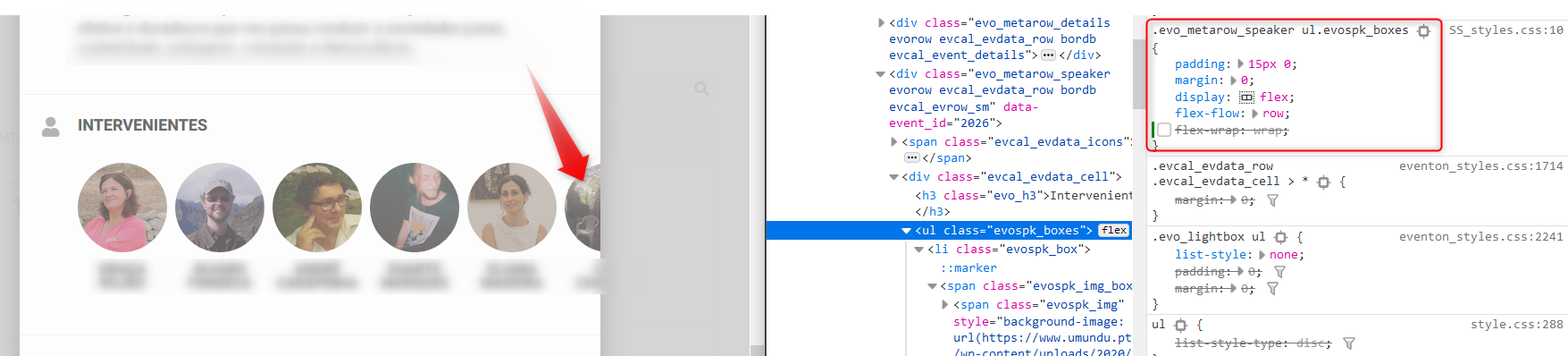
HI, the is the following situation:
when I have several speakers listed in my event, the listing of speakers exceeds the limits of the CSS container.
Check image!
Reply to: tickets(186164)
Hi Basilis, sure, yeah, let’s review this once and for all because this has been going on forever.
Basically, anytime I try to add the My Wishlist widget in the page’s sidebar element I get an error from the theme saying “There was an error”. A few times in the past the MW widget has worked ok (however with issues with the translations where it didn’t show it in Spanish when it was supposed to (L2 setting ok)), but in the past months I get this consistent error and it just won’t go away and there’s no way on Earth to get the MW widget to work. One of your team members whom I had exchanged emails with said “why use a sidebar? use a text box widget instead to insert the code”. But that doesn’t work either. Tried it numerous times.
It’s been a bit of a waste of $$ I think… I mean, it’s a cool feature, but sucks if it doesn’t work. I’m fully aware of compatibility issues with themes and a loooooong etc in WP out there in general, but would be great to know the actual root cause of this. Here’s the info for you to check:
My calendar page: www.spainonyou.com/calendario-de-eventos
To access and edit that page: www.spainonyou.com/wp-admin
| EventOn |
| 2020OnEvent2020 |
Go ahead and access the page once logged in and click on Edit with page builder to access the page builder mode. Right now you’ll see I have a sidebar with two test EventON widgets. These seem to work fine. But as soon as (there are two ways to do this):
- You edit the sidebar in the Widgets section of WP admin and use the EventON shortcode executor to generate the MW code and paste it in the sidebar widget called “Calendar”, then refresh the page, you’ll see that that action DESTROYS (!) the existing main calendar on that page and replaces it with that calendar’s shortcode.
- If you go the edit page way, go to the page, drag and drop a text box or text widget element from the “Add element” toolbar at the bottom of the page INTO the existing sidebar (easy drag and drop exercise), then click the cogwheel icon on said text element to edit, and paste the MW shortcode there, then save, you’ll get a prompt that says “There was a an error”.
So either way, it’s a total failure. See attached 3-slider .ppt for clarity.
Look forward to your news and resolution.
Omar
Reply to: tickets(196713)
We are glad your issue is resolved, if you have any further questions or concerns please create a new ticket.
If you have a moment, we would greatly appreciate if you could kindly leave us a review at codecanyon! from your account > downloads. Cheers!
Reply to: tickets(197291)
and just a reminder, i do not know if you forgot about this issue
thanks
I discovered another issue I can not solve: Time format
I already modified Date/Time Format to H:i in order to change to 24h time format.
But that only converts time format in Event Card and time format in EventTop is not affected by that at all. I can not find option for this.
Reply to: tickets(197500)
OK
But do I need all 3 add-on?
Reply to: tickets(196713)
no thanks!!