Hi, the order ID is: #89565 June 23, 2020
thanks best regards
Replies for tickets on suppota
Hi, the order ID is: #89565 June 23, 2020
thanks best regards
See image below- on the right hand side there is the option from excluding from the calendar
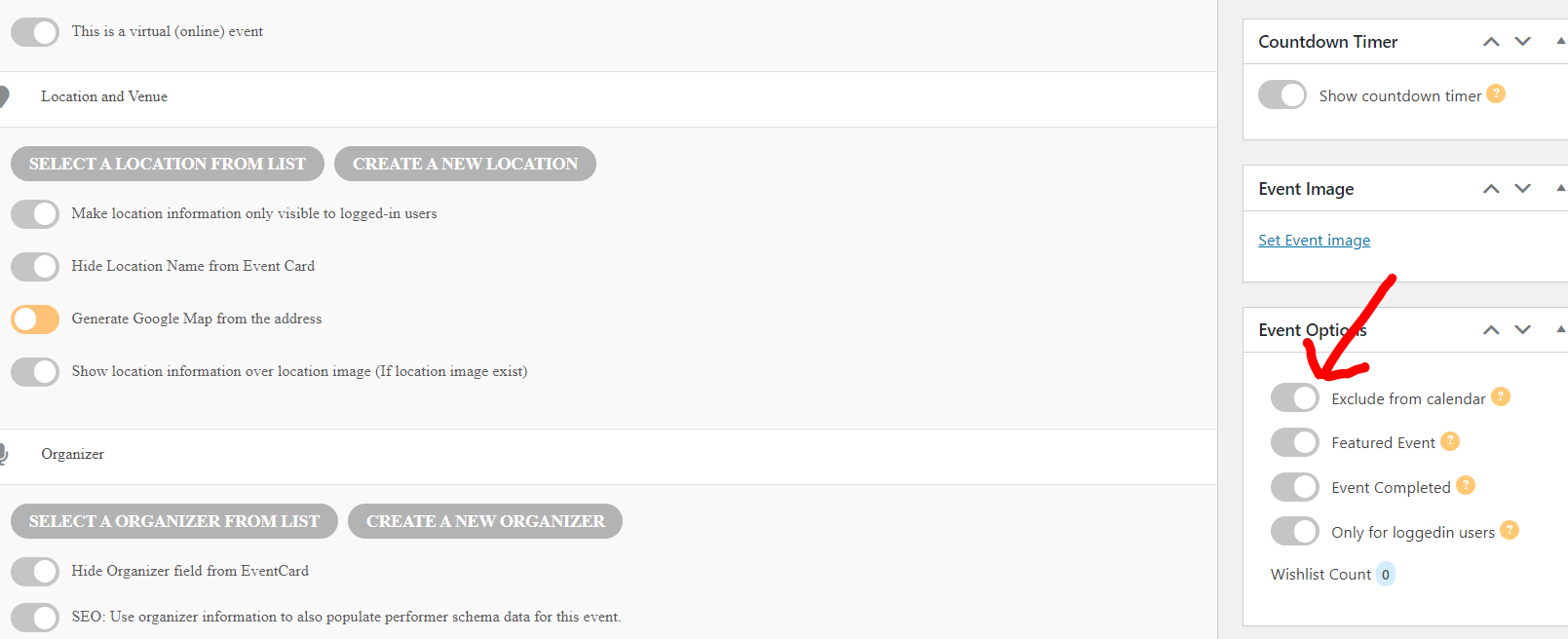
Here
https://kenduncangallery.com/eventon-test/
you will need to add an image to the Oct 17 event for it to show
look at the shortcode on the page
as for Sold out and pricing
“sold out” is a feature of the tickets addon https://www.myeventon.com/addons/event-tickets/ which uses woocommerce to process the tickets
The basic pay via paypal option is in Myeventon>>>>settings>>>>3rd party API and is very basic- it doesn’t record sales (you’ll have to look over your emails from paypal in order to see who has booked tickets and if you have multiple events and dates running its just a pain in the you know what) and to be honest Myself being an Australian its not a professional tool to to sell tickets to events-I know the Ken Duncan brand the ticket addon is what you are after
The thing is it is obvious the problem isn’t with WPML. On the page you created https://yeshinnorbu.se/sv/255458-2/ there are two shortcodes. First the one you added where the L2 frontend language is shown correctly: [add_eventon wpml_l1=”en” wpml_l2=”sv”]
And then the shortcode we are having problems with where the L2 frontend language is not shown: [add_eventon_slider wpml_l1=’en’ wpml_l2=’sv’ cal_id=”4″ slide_auto=”yes” slide_pause_hover=”yes” slide_hide_control=”yes” slide_loop=”yes” ux_val=”4″ hide_mult_occur=”yes” only_ft=”yes” number_of_months=”6″ slider_pause=”4000″]
So on the same page one shortcode is working with WPML, while the other isn’t. HOW can this be a problem with WPML? It is obviously something wrong with the add_eventon_slider shortcode.
I understand you are understaffed and overworked, but in this case the problem is very clearly with Eventon and not WPML and I DO EXPECT YOU TO FIX IT, and not just brush it off.
Sure you’ve helped us with many other tickets, but this one is really hurting our business and preventing our site from functioning correctly. And the problem is clearly with eventon, so please just fix it.
1 more month gone.
I understand that it is not easy to finish the feature 1. We don’t use that appointment system now. So, we don’t wait for that feature.
But for feature 2 – email reminder feature, please complete it.
please follow up and no more delay.
Thanks
Figured it out! Working now! Thanks!
Found notification_email.php, just need to know what to do with it now (comment it)
Where do I find wp-content, and what does it mean to comment it? Sorry, beginner here.
Sorry I dont get you.
See I want to remove such events which is cancelled status check this screenshots:
http://prntscr.com/up0sjb
http://prntscr.com/up0suu
From any search or event list short codes I have created so when user search for any event or in the list of events those cancelled events don’t show there.
i.e I have used this short code for search [add_eventon_search number_of_months=”48″ wishlist=”yes” event_past_future=”future”]
Now I don’t want cancelled events in its search result and same way for list event short code.
Is there any way I can add in short code to avoid cancelled events?
Thanks
ALso, where is the
“Sold Out” feature and Show pricing?