Hi,
Thanks for the reply.
Our set up is quite different to the example you provided. Just to clarify, we have two pages:
- Home Page
- Events Page
The home page has 6 links, where they each link to the Events Page.
The Events page is where we are running the event calendar with a filter.
If a user clicks one of these links on the homepage, they need to land on the events page with the filter pre-filled with the category the clicked on.
Unfortunately with the example you provided, it is acting more like an ajax function as the user is not changing pages.
Does that make sense? Please see the link I provided previously, and with the backend login if you need clarity.
Thanks
go into myeventon>>>>settings>>>>>>shortcode
click the organge shortcode generator button
select events list and all the options you want- and you will see a shortcode forming at the bottom of the pop up.
copy that shortcode and paste it into the page where you want it.
if you are using a page builder you can simply add a text field and wack it in there
I don’t know that I want to allow Admin access.
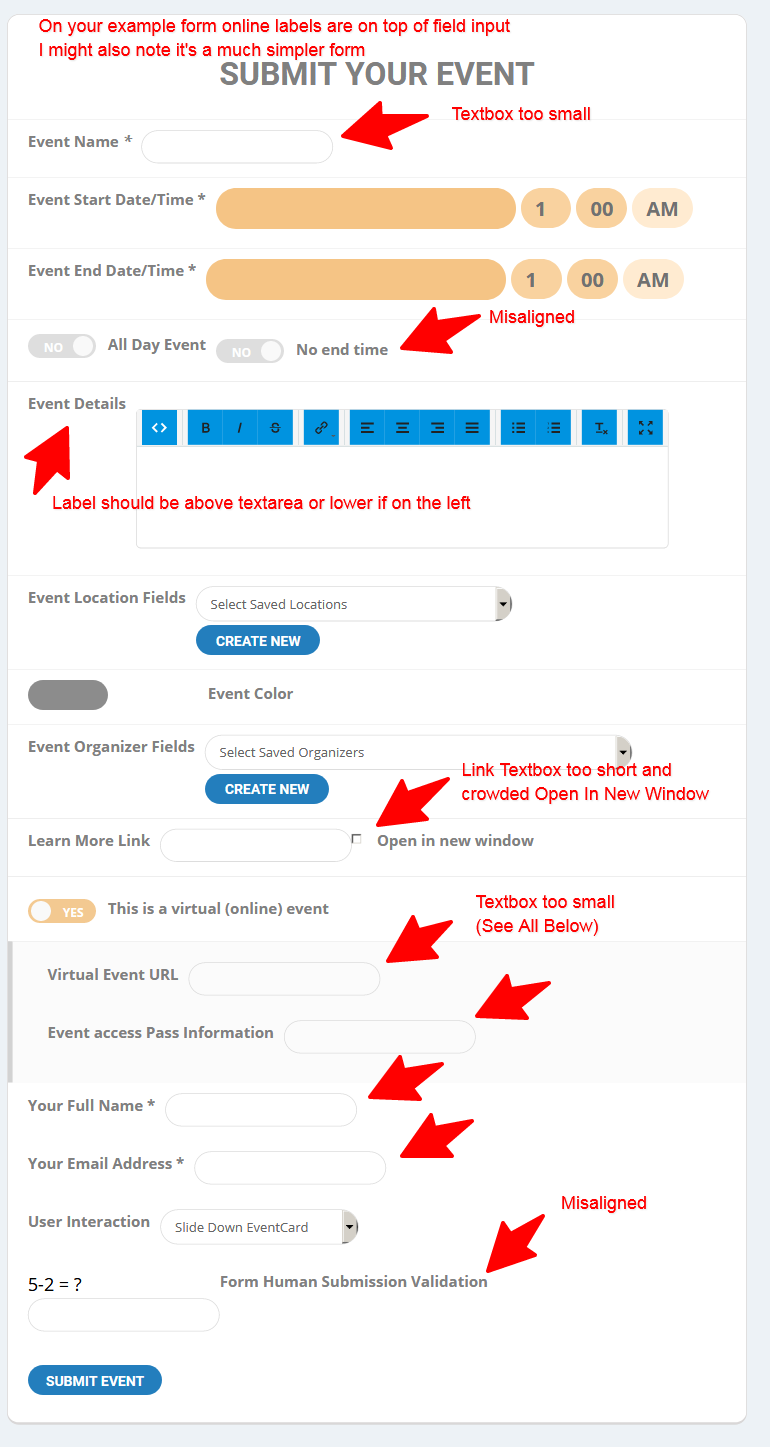
I’m not sure what the form looked like before we manually had to update the Action User plugin just the other day.
I’m attaching an image of what the form looks like.
Thank you – you can close this ticket now, Thanks
when talking about the form I mention tickets and rsvp- thats if you have the tickets or rsvp addons which are seperate addons. they don’t come with action user
I am currently uploading a video to vimeo- it goes on a bit and gives a quick overview of the backend and I think answers your questions
Thats great, thank you. Please can you tell me how to get the shortcodes so the event manager and submission form appear on the page. And also how do select the fields for the form that you want to show?
Thanks for your help
Your last update was v 1.1.2 (2020-3-5). It is still within my subscription april 15th 2020. How can I get this version?
v 1.1.2 (2020-3-5)
ADDED: ability to select different date format for week range selector
FIXED: week range selector month not translated
Hi,
I mean I would like to display a map and daily view at the same time. For now I can only display one of them. Is there a shortcode to display both?