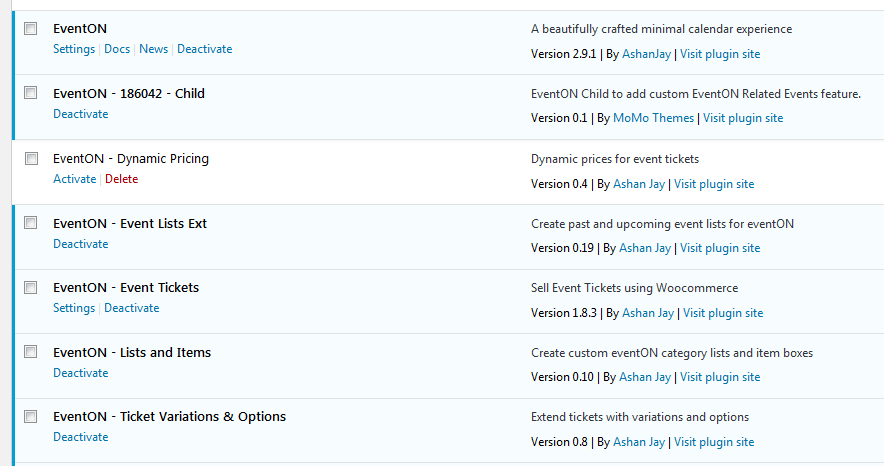
Yes, there are no updates shown.
Replies for tickets on suppota
Yes, there are no updates shown.
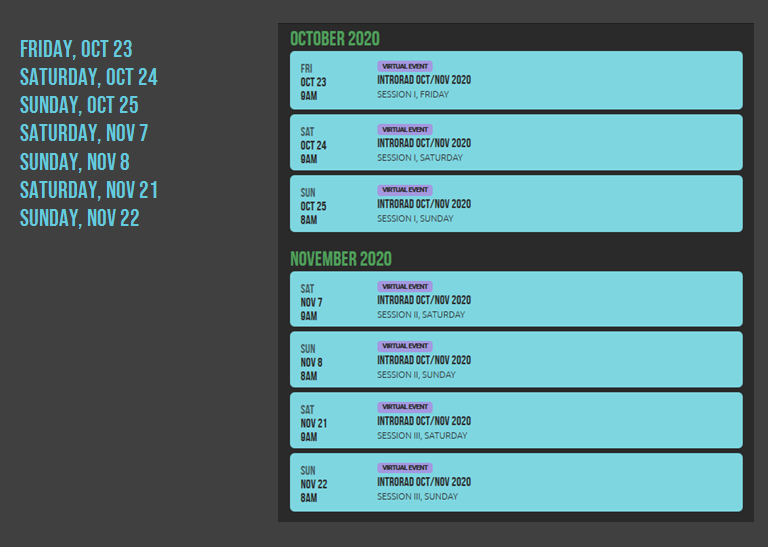
Re. the shortcode:
I want all the related events to be displayed with the same styling, to give them the same degree of significance.
Highlighting one date with the EventON styling, and then a plain list, like “here are other related dates” does not convey that ALL of the dates are part of one course. It’s just not clear.
My ideal shortcode would produce a list as on the left side of the attached image. Or, using EventON styling, it could be as on the right side.
If none of that is possible, it could even display the whole EventTop. I almost don’t care at this point. I just want all the dates clearly in an equal list.
I was thinking it could just be something like this: [add_single_eventon id=”3965″ show_related=”yes”] This would target one event and then show whatever is related to that event.
Okay. Thanks
Hi,
Haven’t heard from you. So, I am going to close this ticket for now. Please open a new ticket if you need the service again.
Please make sure you are using latest versions of the main plugin and all addons
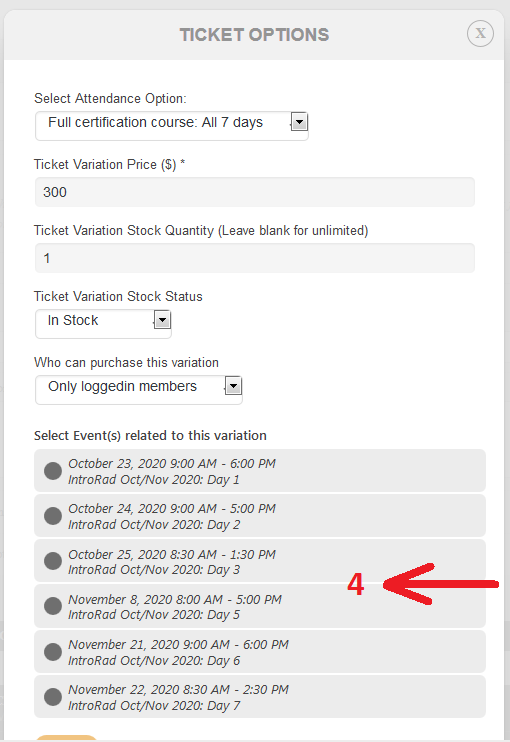
There seems to be a new problem in something that previously worked.
When I’m setting up the ticket option and connecting the ticket to the appropriate event, the date of the event to which I’m attaching the variation is not included in the list. That is, when I attach ticket variations to Event 1 of 7, it only shows Events 2-7. When I attach a variation to Event 4, it shows 1- 3 and 5-7.
It means I am unable to edit an event and create a ticket variation that allows admission to that event!
Sure, however, I had already supplied the login information when I submitted this ticket.
logansquarist.com/wp-admin
UN: eventson
PW: XD)J(KwtYki#UgpCncIrWQoV
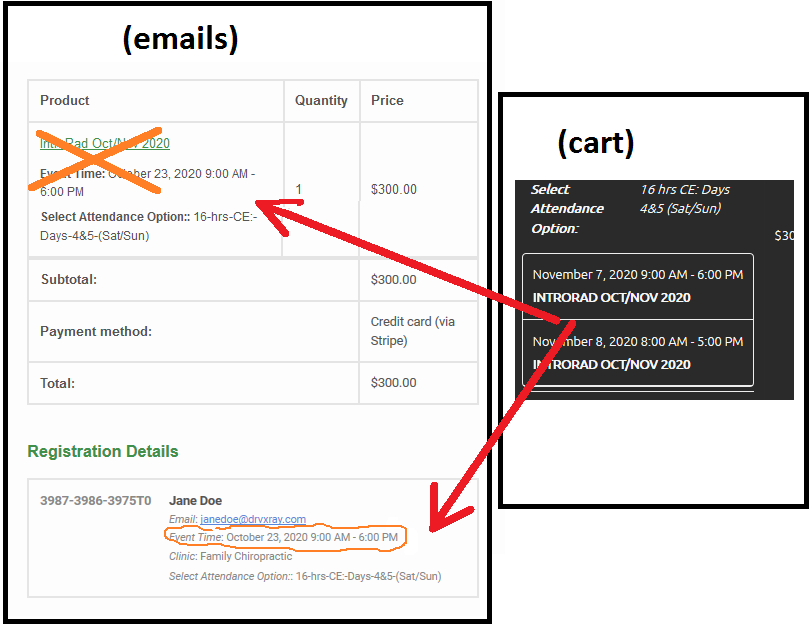
Re. order emails (order notification to merchant and confirmation to customer):
My emails don’t look like the ones in your screenshots. I’m not seeing the selected variation, just the date of the event from where I bought the ticket (event 1 of 7).
The parts in orange should be removed, and insert the info of the selected variation, as in the cart.
Hi again. I will come back to the technical issues later but I wanted to ask you if I can get a refund for EventOn. It is included with the Woffice theme which I have. There is no point in having it twice. I also cannot get it looking right – but that is another issue. I raised the refund question with Woffice support and they sent me back to you. Can you advise? Thanks, Penny
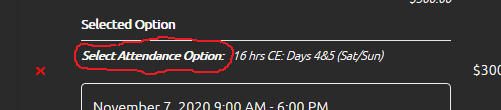
More re. cart/checkout:
I’d like to hide the name of the Variation Type (see circled in red), since it duplicates the label right above it (where it says “Selected Option” now).
Or, if it’s easier, use the name of the Variation Type as the label.
It just doesn’t need to say both “Selected Option” and “Select Attendance Option”