Hi,
Thanks for that but unfortunately that code didn’t work. If I edit the code, as suggested, like this…
class-frontend.php
if( isset($atts['week_style']) && $atts['week_style'] == '1' && isset($atts['ux_val']) && $atts['ux_val'] == '1'){ $atts['ux_val'] = '3';}
The event doesn’t open anything at all. No link. Nothing
However! I messed around a little and if in the shortcode I add ux_val=”4″ (which is what the shortcode generator suggests ‘open in single event page’ should be) and then in the code you gave me change
$atts['ux_val'] == '1'
to
$atts['ux_val'] == '4'
and
$atts['ux_val'] = '3'
to
$atts['ux_val'] = '2'
Shortcode
[add_eventon_wv week_style="1" ux_val="4" table_style="1"]
class-frontend.php
if( isset($atts['week_style']) && $atts['week_style'] == '1' && isset($atts['ux_val']) && $atts['ux_val'] == '4'){

$atts['ux_val'] = '2'; }
Weirdly, it works! table_style and week_style on and the calendar opens in a single event page. I say weirdly because the shortcode generator suggests there isn’t an option for ‘ux_val’ = 2 … (0 (none), X (no interaction), 1 (slide down), 3 (popup), 4 (single event page) & 4a (single event in new window) are options).
Anyway, it’s solved for me now although it means I can’t update the plugin until it’s resolved officially.
Hello,
Please go to EventON > EventCard > set Feature image display style: Direct Image.
Hello,
It seems your website have javascript errors caused by other plugins/theme:
https://mk0a4wsorgk6akjsiboq.kinstacdn.com/wp-content/themes/aws/includes/js/anchor.js
Uncaught TypeError: Cannot read property ‘indexOf’ of undefined
at HTMLAnchorElement.scroll_if_anchor (anchor.js:14)
at HTMLBodyElement.dispatch (jquery.js?ver=1.12.4-wp:3)
at HTMLBodyElement.r.handle (jquery.js?ver=1.12.4-wp:3)
You can find and resolve them by following this guide. Once these javascript errors are fixed, eventon scripts will be able to run properly and will resolve your issue.
We apologize for the delay. The latest version of Event Tickets is 1.8.4. I checked your website and you still has 1.8. Could you please update?
After the update please go to Loco Translate > open Event Tickets translation > click Sync.
Again we are sorry for the delay. Could you try my suggestions and let us know?
Yes I understand, is not what it was shown before. I don’t need more option to choose but just some details for each variations (only info). Did you see one of my event from th wp dashboard to understand better what I mean?
Hello,
Unfortunately, the only solution to this is to customize the source code to include the information you want.
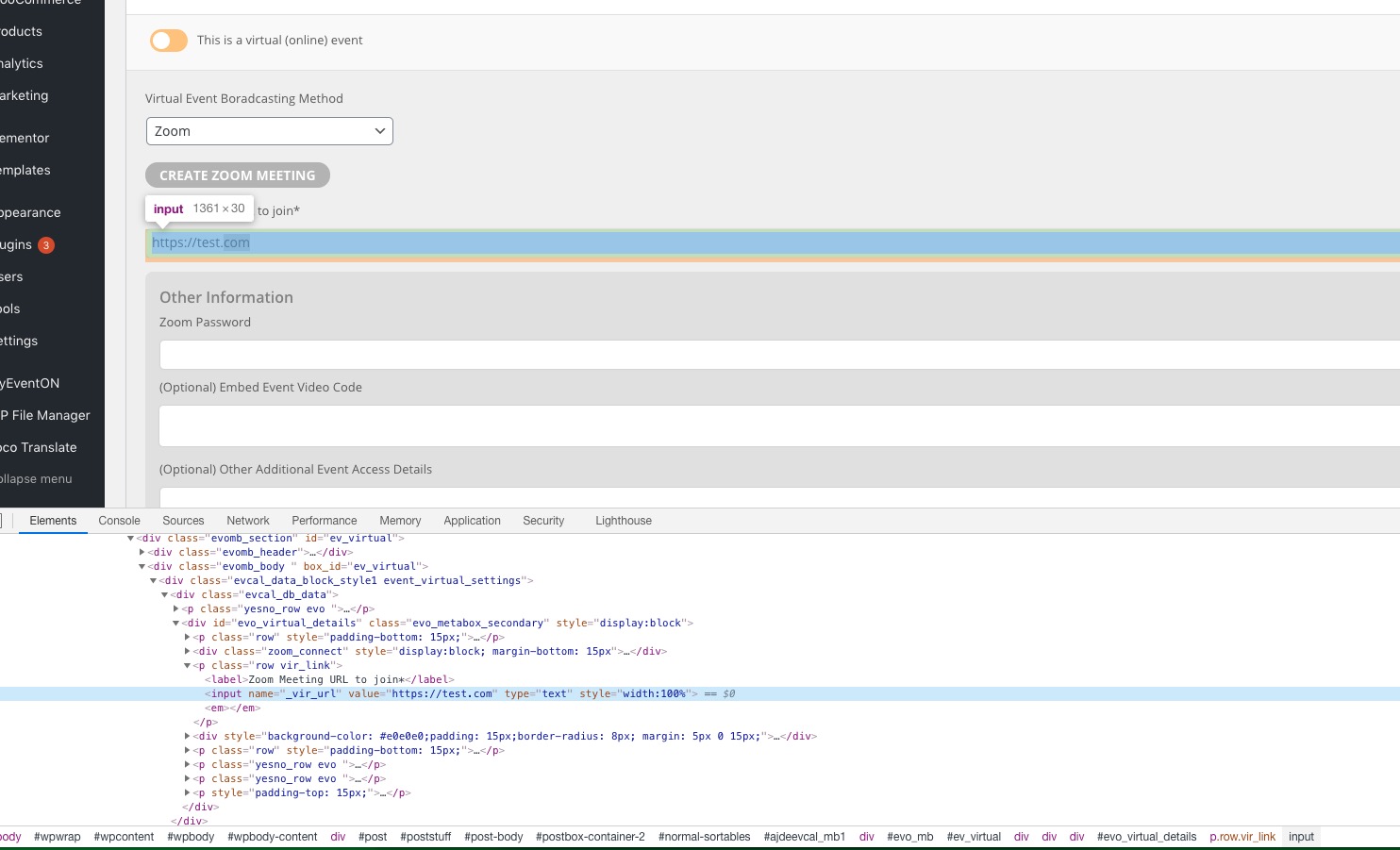
You can also try following https://docs.myeventon.com/documentations/show-additional-custom-data-eventcard/ and add a new link to Event Card. _vir_url variable contains Zoom link. You can find this and other fields in the HTML code:
Unfortunately, no. You can try sending us a customization job request by creating a new ticket in here and selecting Customization Request as the category.
Reply to: 195212
Login info didn’t work for me:
Den indtastede adgangskode er forkert. Prøv venligst igen