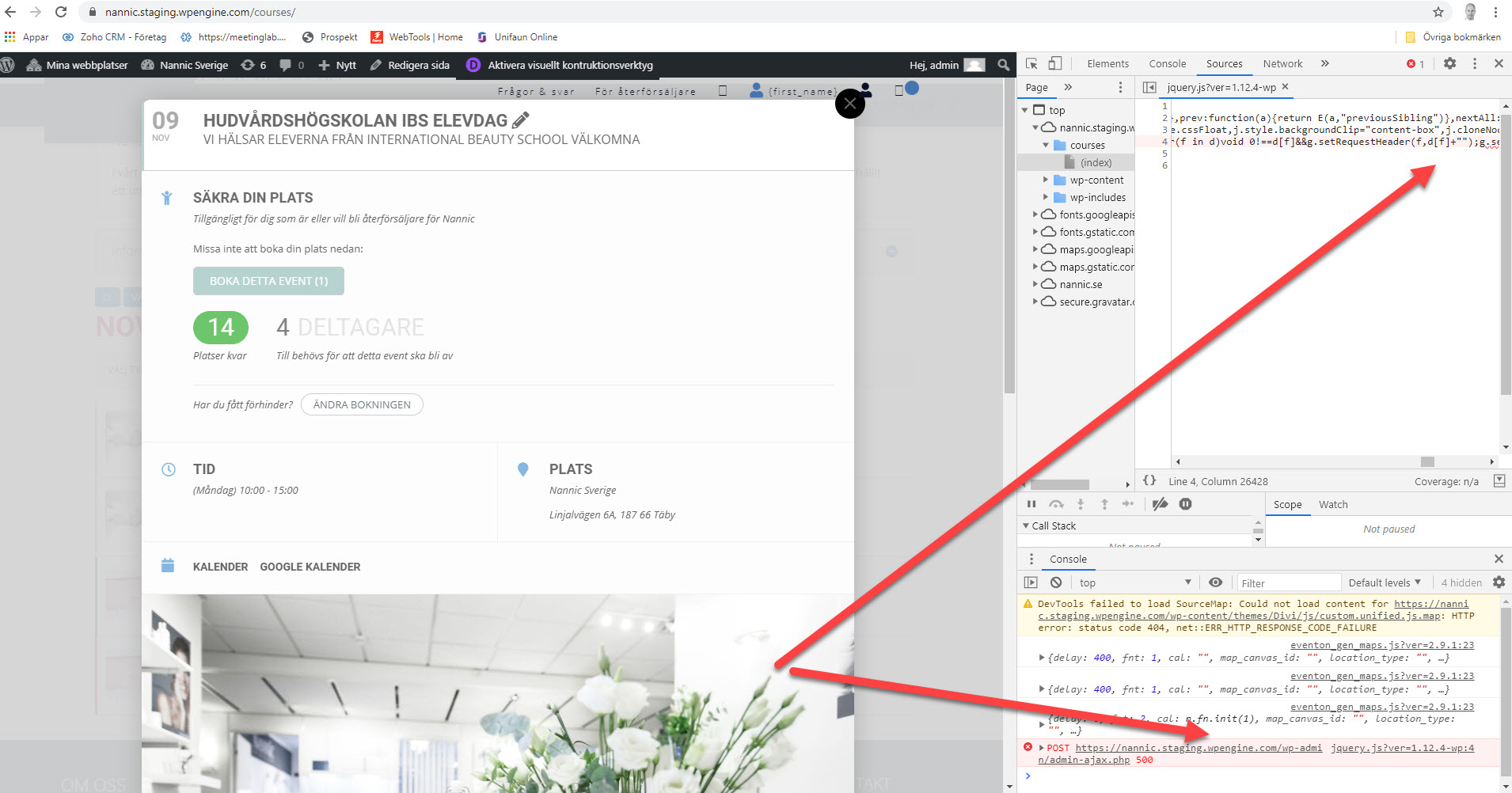
Hi Artem,
I went through all the event locations and corrected the wrong Lat/Long values.
It worked – thank you.
The question is now: How do I prevent this from happening again? How to prevent wrong Lat/Long values from being auto-generated?
Let me know what you think.
Br.
Mathias
Thank you very much 😉
“Select calendar event content filter type” was set to “No Filter”. Changing this to one of the other options solved the issue.
Maybe you should add this topic to the FAQ.
ok, is your helpdesk back on line?
cheers
I had the same problem and my solution was to add this code to the main css:
.evo_lightbox {
position: fixed;
}
Hello, many thanks for your fast and competent help. Now the translation is going well.
Have a nice day.
my order ID is #95143 .. TQ
Hello,
Please send us wp-admin access to your site as a private message for us to further assist your situation.
Please check if EventON > Select calendar event content filter type is set to EventON Content Filter.
Please check https://yeshinnorbu.se/sv/255458-2/:
I also disabled Language corresponding events, since you don’t need to use them when WPML is enabled.
I tried to check the shortcode on the main page but it just keeps showing this

I cannot see the shortcode or edit it.
They said that it is a problem with third party plugin (eventon).
When I use weekly view shortcode right inside of the elementor editor everything works well. But I placed shortcode in the header of website. And when I open any page in elementor editor, it is just blank page. But when I remove weekly view shortcode, elementor works well.