Please follow the instructions in this documentation to activate debug in your site to see any PHP errors recorded that can provide insight on to whats going on. Please reply with a link to debug.log file. If you are not able to do this please send us FTP access to your site so we can do this for you.
Archives: Replies
Replies for tickets on suppota
Reply to: tickets(193173)
Hello,
After you have duplicated the event please make sure that Ticket SKU (Required*) is unique and you also updated the event.
Please also send us wp-admin access to your site as a private message for us to further assist your situation.
Reply to: tickets(193176)
Hello,
Since you are using Event Lists: Ext please try this shortcode:
[add_eventon_el number_of_months=”12″ event_count=”6″ event_count_list=”yes”]
Reply to: tickets(191751)
This is our website.
Interestingly I set up the exact same thing with Eventon and WPML on a WPML test instance to try to reproduce the error there. However in that instance it worked fine (attendees were added correctly to events both for English and Swedish Woocommerce checkout of tickets).
Reply to: tickets(193176)
I now fixed the front page so that it shows only 2 months and 3 events per month so that it doesn’t look too weird as the site is live alrady. But I would still really like it to be so that it always show the next upcoming 6 event not dependent on month. Thanks!
Reply to: tickets(193173)
correction – without changing also the original event (the one the I duplicate)
What am I doing wrong?
Reply to: tickets(192903)
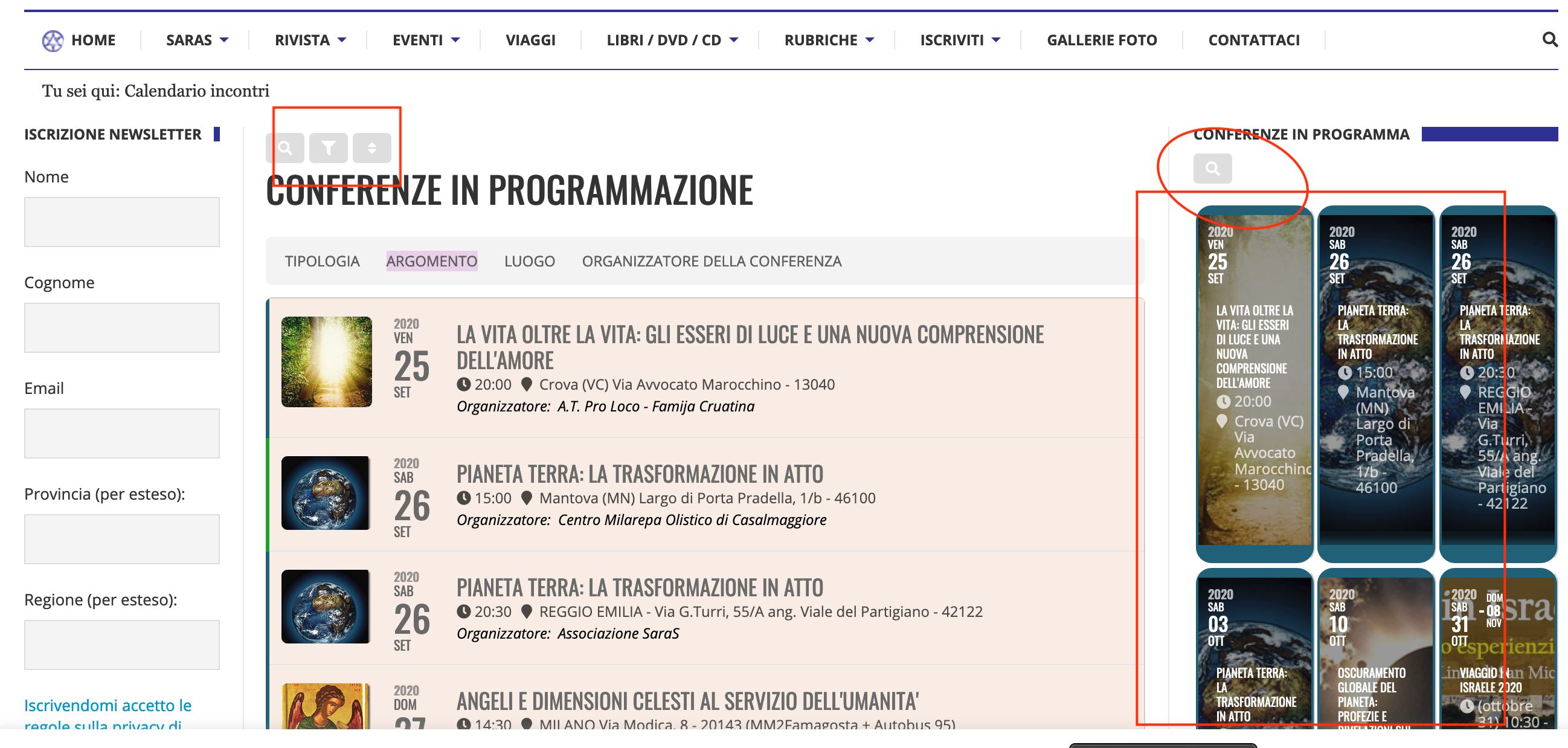
I also saw that the search and event filtering buttons don’t work either!
Could it depend on the theme?
Reply to: tickets(190676)
Let me kn ow if we start Ben
Reply to: tickets(193149)
login: adminnesta
password: Nesta911
Here is the link of the calendar: (i would like to use that feature of having the calendar update via url: https://calendar.google.com/calendar/ical/c_t5ofvqeiboaa76angbqde9i4n0%40group.calendar.google.com/public/basic.ics
and here is also the file from dropbox
Many Thanks,
Nesta
Reply to: tickets(192573)
To update eventon to latest version: If you are unable to do autoupdate, you can go to codecanyon your account > download and get the latest eventon version as zip file. Then you can go to your website, deactivate old eventon, activate (Do not delete eventon settings & data when EventON is uninstalled) from eventon settings, delete old eventon, install new one and activate. This link will further explain the process it. Also you can follow us on twitter to get real-time announcements on updates!
To update eventon addons: You can download latest eventon addons from myeventon > my account. Then you can go to your website, deactivate old addon and install new one and activate then delete the old addon. This link will further explain the process. Also you can follow us on twitter to get real-time announcements on updates!