In order to request a refund, please create a new ticket under Billing & Accounts and be sure to include the order ID for which you need a refund for and the reason for requesting a refund.
that way it gets refunded faster
Replies for tickets on suppota
In order to request a refund, please create a new ticket under Billing & Accounts and be sure to include the order ID for which you need a refund for and the reason for requesting a refund.
that way it gets refunded faster
hmmm I’ll have to get Ashan to answer that- he is the creator- I would have thought there was an email triggered on making it draft
Thank you for your messages, I am going to assign this ticket to Ashan and he will be able to take it from here and find you a solution. Please allow some time for him to get back to you, we greatly appreciate your patience and thank you for being a eventon customer!
Thnx for the answer. The option to “Apply Event Count to Whole Events List” was indeed what I needed, on the test website I got the right result. I will discuss to buy the add-on
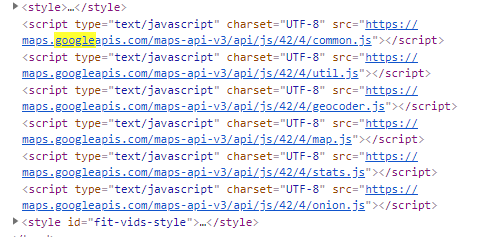
Hi, I have the google API key working fine on the same domain for another entry field in my other forms, so I am very sure the API key works. Maybe I missed some config in EventON?
See attached dev tool scripts on the event page w address. Note during event creation on wp-admin, there is no auto google location lookup. Should I expect location lookup to work on the event creation also?
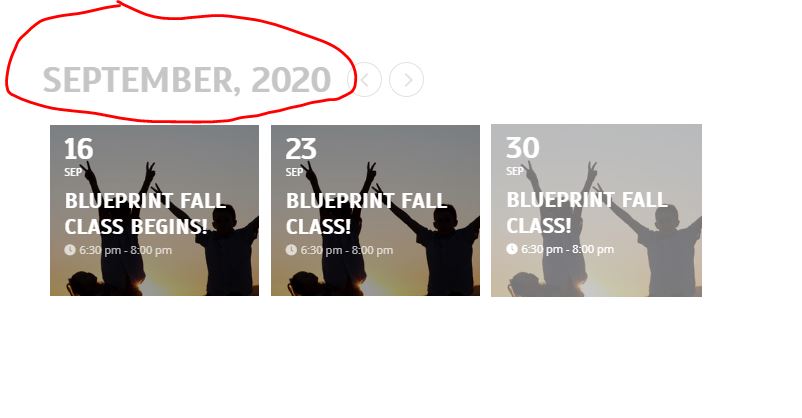
I actually got that figured out. Last question…is there any way I can hide change the month name on the card style to text of “Upcoming Events?” See screenshot.
great thanks. In this case, I will buy the RSVP event to test out first. Can I get my Bookings purchase refunded? I purchased 2 days ago.
Invoice Number: 28648
Invoice Date: September 8, 2020
Order Number: 95449
hello,
What does ‘Permanent View’ means, is it event(s) that are currently appearing on slider’s current view?. Or is it event(s) that run year long.
Or
It seems like ‘ON PERMANENT VIEW’ is the event you just using subtitle for.
If it’s only the subtitle that is separating them from other events then we can create an on/off option on event edit page to make it ‘Permanent View’
could you please provide us any currently working demo link.
Hi Ashan
Just checking in – our calendar is still not working – it is the same as before – I am not sure if you were going to set it up to look like the link you sent, but it is still pulling all the events for the month. I wasn’t sure if you had not gotten back to it yet but thought I would check. Thank you
Please send us wp-admin access to your site as a private message for us to further assist your situation.
in myeventon>>>>settings>>>>event top
there are options to say what you want to appear at the top- now not all of these will appear on the tile as its built for minimalist
but the time will appear- I have activated it for you and I also activated the Location Name so you don’t have to waste the sub title
I have created a Custom Meta Data for you and what the heck is that? you ask- Not sure why its called that but its an extra field when creating your events- called PRICE so now when you edit an event there is a field right at the bottom of the edit part with a new field called Price- Click the first event the opening and I added it so you can see (to remove it simply edit the event and delete the word price from the firled)
But you’ll probably want to position that better so in myeventon>>>>>settings>>>>>event card data drag and drop that price to where you want it to appear on the event