Hello,
It supposed to update the info immediately. Please send us wp-admin access to your site as a private message for us to further assist your situation.
Replies for tickets on suppota
Hello,
It supposed to update the info immediately. Please send us wp-admin access to your site as a private message for us to further assist your situation.
Please add this CSS code to EventON > Styles (If you don’t see any change, EventON > turn off Write styles to header > save settings > turn on Write styles to header):
.ajde_evcal_calendar.boxy .eventon_list_event .evcal_desc .evcal_desc3 { display: block !important; }
Hello,
1. Could you follow this guide: https://docs.myeventon.com/documentations/why-my-site-and-eventon-page-loading-slow/?
2. EventON doesn’t recognize the elements that your theme adds to the screen. This is why your fixed menu covers part of the event.
Hello,
Please go to Custom Meta Data > Content Type: Multiple lines of text. Now you can use <a></a> to add links to Event Card.
You can also use https://docs.myeventon.com/documentations/show-additional-custom-data-eventcard/
Hello,
Could you please try the instructions mentioned in this documentation to make sure your issue is indeed coming from eventon.
Hi.
I forgot to say that I followed the guide on step 1. first but even when Event Type and Keywords are enabled and I have set them for the event, it’s not displayed on the page. There is a mention on the EventTop settings page:
NOTE: Lot of these fields are NOT available in Tile layout. Reason: we dont want to potentially break the tile layout and over-crowd the clean design aspect of tile boxes.
Is this the reason they are not showing? It doesn’t say which of these fields are not available in Tile layout. I would like to see them because currently there is a lot of empty space.
You can see the page now at https://natha.fi/wp2020/
Thanks for your help in advance!
it is the option right here
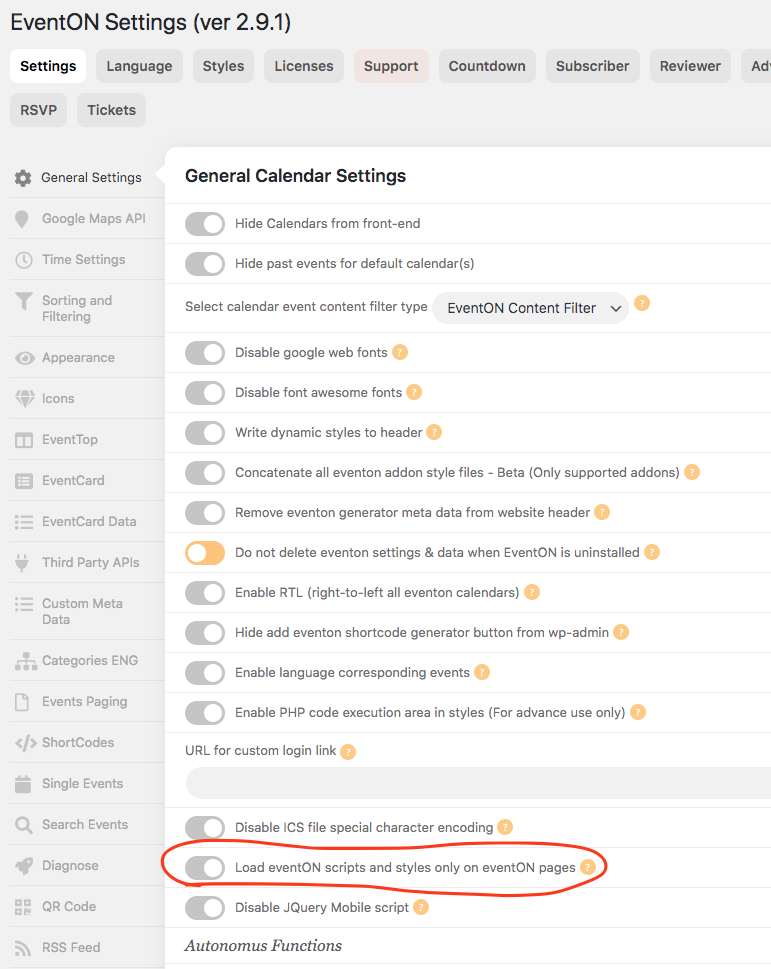
Craig, i havent spent much time on WPML code base so I dont know exactly how it works in the backend on their code. But from our past experience we know those custom post type creations have been an issue with them.
Your password is not working for https://yeshinnorbu.se/my-account/ anymore so I can not login there any more.
I’ve spent sometime in the past with that WPML go global thing, it was a waste of time no result was accomplished at the end.
Anyways, I’d recommend something like qtranslator or locotranlator as I said earlier.
Hi,
thank you for your reply. I delete the exclamation mark in the code side …(“Out Of Stock”).’!’
But now, it shows “Out Of Stock!” instead of “Out Of Stock!!”. I could not figure out where the exclamation mark comes from. With one exclamation mark, that’s fine with me.
Best.
Sam, the rule of thumb I recommend to everyone who is interested in updating to latest software is: create a clone version of your site and run the updates first to make sure they work perfectly without issues before going live.
We try out best to update our software with other 3rd party plugin updates and resolve any conflicts. With that been said I am doing compatibilty tests with ticekts addon to woocommerce 4.5.1 will release an update officially soon 🙂