Hi, yes it is.
But I still want to keep the RSVP addon – okay?
Peter
Replies for tickets on suppota
Hi, yes it is.
But I still want to keep the RSVP addon – okay?
Peter
Hello,
Please check and make sure that this order id is correct: #95461
To update eventon to latest version: If you are unable to do autoupdate, you can go to codecanyon your account > download and get the latest eventon version as zip file. Then you can go to your website, deactivate old eventon, activate (Do not delete eventon settings & data when EventON is uninstalled) from eventon settings, delete old eventon, install new one and activate. This link will further explain the process it. Also you can follow us on twitter to get real-time announcements on updates!
To update eventon addons: You can download latest eventon addons from myeventon > my account. Then you can go to your website, deactivate old addon and install new one and activate then delete the old addon. This link will further explain the process. Also you can follow us on twitter to get real-time announcements on updates!
Hello,
Could you update EventON to 2.9.1 and WeeklyView to 1.1.2?
Please update EventON to 2.9.1 and Action User to 2.2.1.
To update eventon to latest version: If you are unable to do autoupdate, you can go to codecanyon your account > download and get the latest eventon version as zip file. Then you can go to your website, deactivate old eventon, activate (Do not delete eventon settings & data when EventON is uninstalled) from eventon settings, delete old eventon, install new one and activate. This link will further explain the process it. Also you can follow us on twitter to get real-time announcements on updates!
To update eventon addons: You can download latest eventon addons from myeventon > my account. Then you can go to your website, deactivate old addon and install new one and activate then delete the old addon. This link will further explain the process. Also you can follow us on twitter to get real-time announcements on updates!
The problem is not in the theme itself, but in WPLMS EventOn plugin. Please contact Mr.Vibe.
Hello,
Thank you for your great suggestion, at the moment it is not supported. However please create a new ticket and select Feature Request as category so others can vote on your idea and get it moved into development faster. OR You can send us a customization job request by creating a new ticket in here and selecting Customization Request as the category.
We are glad your issue is resolved, if you have any further questions or concerns please create a new ticket. If you have a moment, we would greatly appreciate if you could kindly leave us a review at codecanyon! from your account > downloads. Cheers!
Hello,
Bookings requires Tickets add-on to work. You can see it’s requirements in Additional Info:
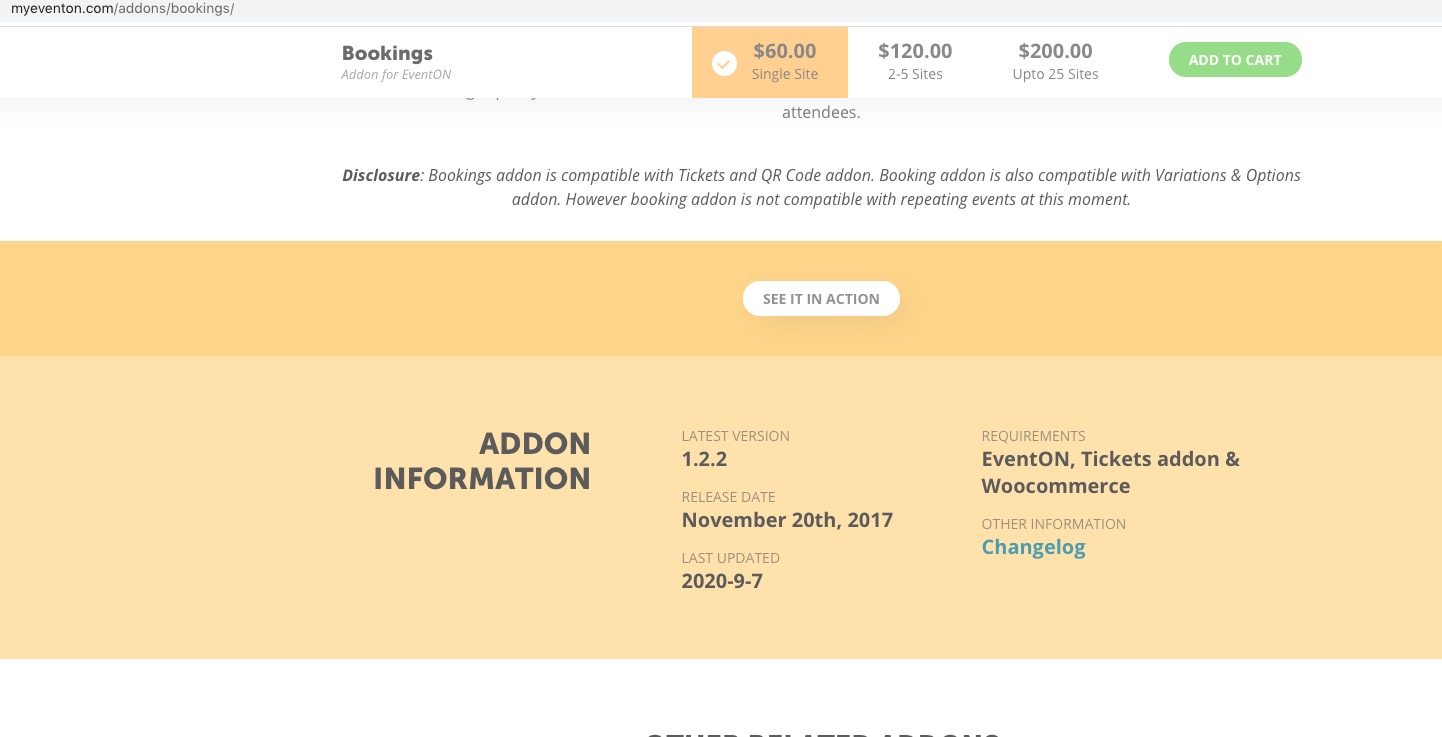
If you don’t plan to sell tickets please check our RSVP add-on: https://www.myeventon.com/addons/rsvp-events/. The only issue is that you’ll have to add time yourself using Additional Fields > Dropdown Options:
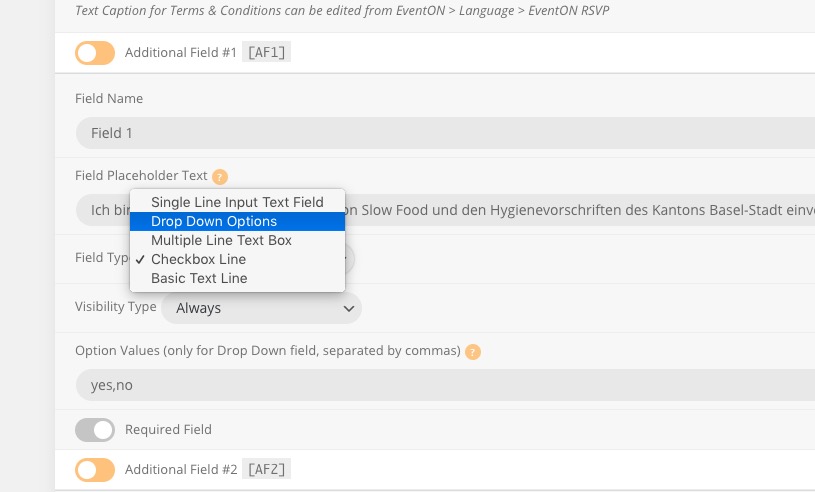
1. Our widgets are designed for use on sidebars which are usually small in width. So the only way of changing this is to customize the shourtcode of the widget. You can send us a customization job request by creating a new ticket in here and selecting Customization Request as the category.
4. We need to check your wp-admin dashboard for this. Could you send us login info?