They said that it is a problem with third party plugin (eventon).
When I use weekly view shortcode right inside of the elementor editor everything works well. But I placed shortcode in the header of website. And when I open any page in elementor editor, it is just blank page. But when I remove weekly view shortcode, elementor works well.
Hello,
Thank you for your great suggestion, at the moment it is not supported. However please create a new ticket and select Feature Request as category so others can vote on your idea and get it moved into development faster. OR You can send us a customization job request by creating a new ticket in here and selecting Customization Request as the category.
Thank you for your messages, I am going to assign this ticket to Ashan, maybe there is something we can do. But as Basilis said, the problem might be how Android works.
Please allow some time for him to get back to you, we greatly appreciate your patience and thank you for being a eventon customer!
Ashan,
The same happens on my side. The difference that it removes the keyboard every time I press on letters or space or backspace.
Hello,
1. Could you send us a screenshot of “…as WP shortcode,”?
3. Users can add events from the front-end with Action User add-on: https://www.myeventon.com/addons/action-user/. Please purchase and install it, then use this shortcode:
[add_evo_submission_form]
Try on http://dev.myeventon.com/wp-admin/
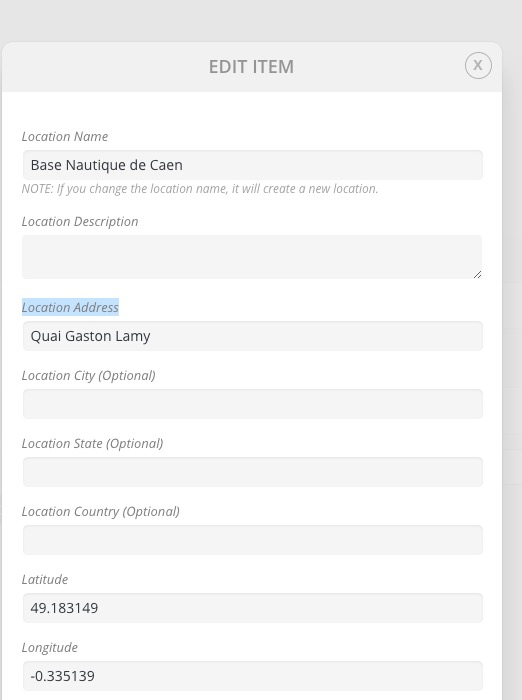
4. Please go to Edit Event > Location > Edit > Location Address:
You can do the same from wp-admin > Events > Event Location > Edit.
Hello,
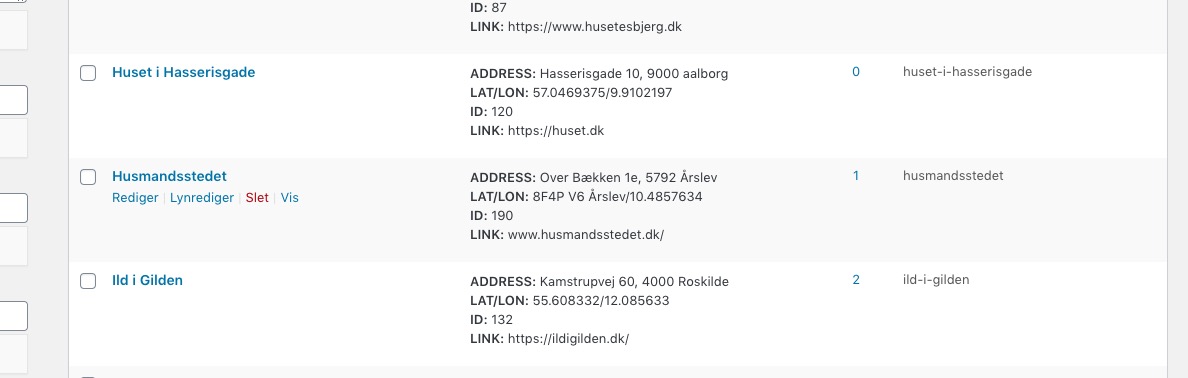
It seems that some of your locations have incorrect Lat/Long values:
Which can cause this JS error issue:
InvalidValueError: setCenter: not a LatLng or LatLngLiteral with finite coordinates: in property lat: NaN is not an accepted value
Could you check https://folkalender.dk/wp-admin/edit-tags.php?taxonomy=event_location&post_type=ajde_events and remove any locations that have incorrect Lat/Long values?
Thank you for your reply.
I may be a former customer but I get all updates to the eventon plugin from Envato Market.
Do you think I could transfer my plugin license from one site to another without going through my customer account?
Thank you for this information.
ea
FYI, I’ve set up on a WPML sanbox test instance.
URL: http://quiet-crocodile-2gy8gidh.sandboxcms.com/wp-admin
user: demo
pass: thP5N2aV
Here I am unfortunately unable to reproduce the problem. Ie, attendees get added to the event regardless of whether tickets are sold in the English or Swedish checkout page.
So if what you wrote about evo-tix post type not being created is true, why is it working in this instance?
Hi,
I have updated the password for your user:
New password: ANo6k#OPXLIIiYr&R)7Ajd&E
Do you have an ETA on this fix?
Thanks.
Hi, just an update, I found your various shortcode on your demo page (sorry I didn’t look carefully). Although they don’t seem to be available from the shortcode generator. Anyhow, I was able to add the params into the existing one. So Q2 above has been resolved.
Btw, I forgot to ask one more question – I have enabled the google map API key and is proven working on another plugin but I have config the settings w the key and created an event to turn on location but there seems to be no place to input location/address. Any advice would be appreciate.