Clarification on ics imfort features
I have bought the ics import addon. Do I understand right that this contains only these fields?
UID - Unique ID for the event
DTSTART - Timestamp of event start date and time
DTEND - Timestamp of event end date and time
SUMMARY - Event Name
DESCRIPTION - Event description
LOCATION - Event location name or address
There is no possibility to include other information than that?
Please let me know.
-
-
Feb 23,2024 AT 2:00PM -
Posted 2 years ago
- #341970
Hello,
Please follow this guide:
https://docs.myeventon.com/documentations/add-support-additional-ics-fields/
-
Feb 26,2024 AT 11:38AM -
Posted 2 years ago
- #342126
Thanks for reply. Got it.
In addition I need an individual “Buy Ticket” button in each event, where I can paste individual links for the different events (some tickets to be bought via the venue, others from central ticket providers). I also need to have an individual tag on the button – mainly just two: “buy here” or “sold out”.
To be flexible I would like to use Custom Meta Data (Type: Button) here. Now comes the question: What would be the field name to write onto for this purpose unsing ics import? In other words I search the equivalents to the “evcal_subtitle” in your example for “Button Text”, “Button Link” and eventually also for the link target for my Custom Meta Data.
-
Feb 26,2024 AT 12:45PM -
Posted 2 years ago
- #342139
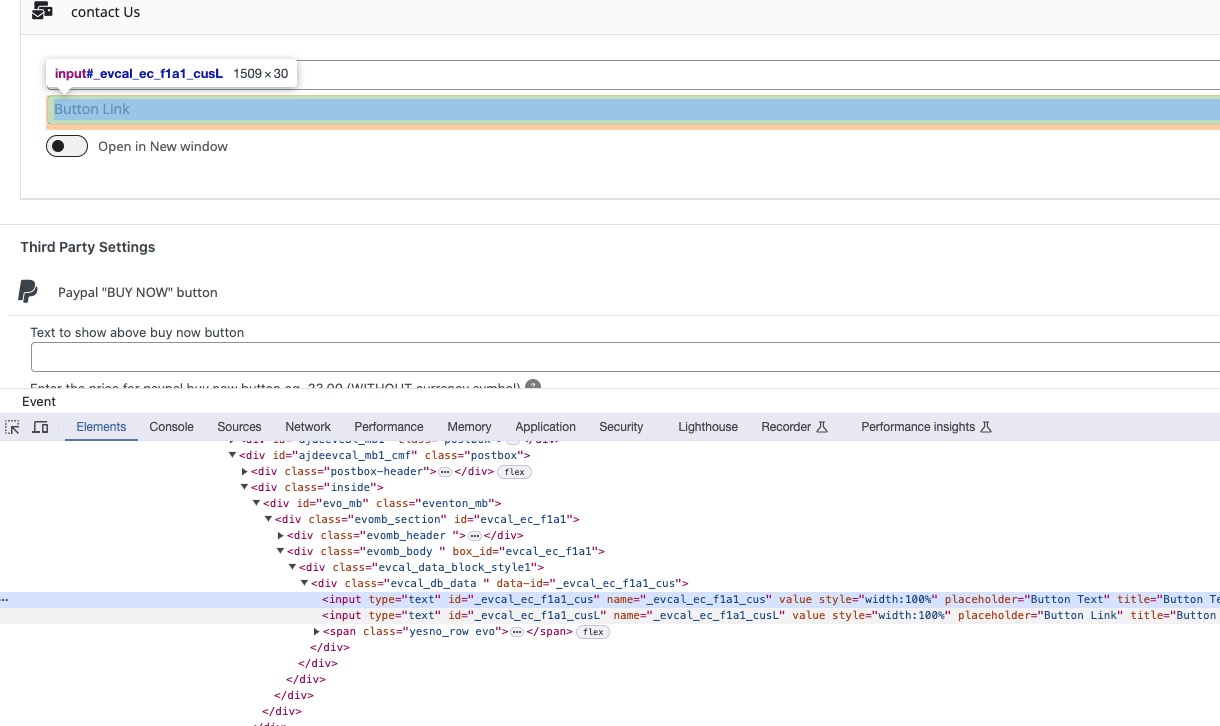
Please take a look at name of input elements you can find in the code:
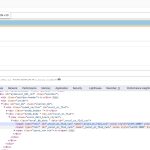
Depending on fields’ number, you can use _evcal_ec_f1a1_cus, _evcal_ec_f1a2_cus and so on.
-
Feb 26,2024 AT 1:21PM -
Posted 2 years ago
- #342153
Thanks for this, quite straight forward.
-
Feb 27,2024 AT 2:29AM -
Posted 2 years ago
- #342203
Perfect! Do you need our help with anything else?
-
Feb 27,2024 AT 1:34PM -
Posted 2 years ago
- #342230
Thanks for now regarding this topic. Any help on #341320 would bring me forward in a similar project based on csv importing.
-
Feb 28,2024 AT 3:35AM -
Posted 2 years ago
- #342301
Ashan will check the other ticket ASAP.
We are glad your issue is resolved, if you have any further questions or concerns please create a new ticket.
-
Mar 3,2024 AT 10:02AM -
Posted 2 years ago
- #342876
Sorry for bothering on that again… Your solution works fine with importing just one field. Got the button text now, but I also need the button link URL. I roughly understand coding, but my PHP knowledge regarding syntax is frankly spoken not existent… How to hook a second or third variable (open link in new window y/n) into this?
Just copying and exchanging the parameters throughs a critical error message on the site.
-
Mar 4,2024 AT 3:48AM -
Posted 2 years ago
- #342974
add_filter(‘evoics_additional_ics_fields’, ‘evoics_fields’, 10, 1);
function evoics_fields($fields){
$fields[] = ‘evcal_subtitle’;
$fields[] = ‘evcal_subtitle1’;
return $fields;
}
add_filter(‘evoics_additional_data_validation’, ‘evoics_validate’,10,1);
function evoics_validate($ics_data){
if(!empty($ics_data[‘SUBTITLE’])){
$ics_data = array_merge($ics_data, array(
‘evcal_subtitle’=>$ics_data[‘SUBTITLE’]
));
}
if(!empty($ics_data[‘SUBTITLE1’])){$ics_data = array_merge($ics_data, array(
‘evcal_subtitle1’=>$ics_data[‘SUBTITLE1’]
));
}
return $ics_data;
}
add_action(‘evoics_save_event_custom_data’,’evoics_save_inloop’,10,3);
function evoics_save_inloop($post_id, $post_data, $field){
if($field!= ‘evcal_subtitle’) return false;
if($field!= ‘evcal_subtitle1’) return false;
// perform your own saving function
update_post_meta($post_id, $field, $post_data[$field]);
// You can use below to save taxonomy values eg. for event type category terms
// wp_set_post_terms( $post_id, $post_data[$field], ‘event_type’);
}
The code above shows how you can add multiple fields. Please try and let us know.
-
Mar 5,2024 AT 11:42AM -
Posted 2 years ago
- #343176
This does the job, thank you so much!
Quite unfortunate… another step forward, another wall in front of me. Most probably this is the last one. I am using the ics importer together with the maps addon.
Some GEO data in the ics is 0.000, 0.000, but others are there. The map is working, if I put in the latitude and longitude from the ics file manually into the location.
How to import the GEO field from ics into the event (or its location) automatically?
I get fed from this ics: https://kulturbeutel.u9p.de/lalelu.ics
-
Mar 5,2024 AT 12:08PM -
Posted 2 years ago
- #343179
Additional observation:
In the single slide down area the map is working without the GEO data just based on the address. Please refer to this page https://www.lalelu.de/tour-2024/ , where I have put a calender and the map with calender.
The upper EventOn List shows the working small Maps in each event.
-
Mar 6,2024 AT 2:48PM -
Posted 2 years ago
- #343405
Please take a look at “Term Meta Data Handling“:
https://docs.myeventon.com/documentations/taxonomies-eventon/
Unfortunately, this goes beyond our Support Policy.
The thing is that when your location is full address (with street, city, country, postal code), after you imported events, it should generate Lat/Long values.
EventCard’s Map uses Location Address, so that’s why the map is visible on each event.
-
Mar 7,2024 AT 9:30AM -
Posted 2 years ago
- #343504
I will focus on the second part of the answer. This seems the way forward. So you say Lat/Long will be generated automatically when the location address’ has the right syntax. Currently we have the venue name within in the ics. So I understand this may prevent recognizing the address. If I manually remocve the venue name I end up with an address like e.g. “Wulfsdorfer Weg 71, 22926 Ahrensburg” in the field “Location address”. This is street, house no, ZIP code, City. I have added “, Germany” and also “, Deutschland” to this. None of them ist generating the Lat/Long values by clicking “Generate Location Coordinates”. So how to set the address right?
I wanted to follow the link to itouchmap.com, but this page seems dead (not answering the request). May that be a reason for not getting the coordinates?
-
Mar 8,2024 AT 4:30AM -
Posted 2 years ago
- #343644
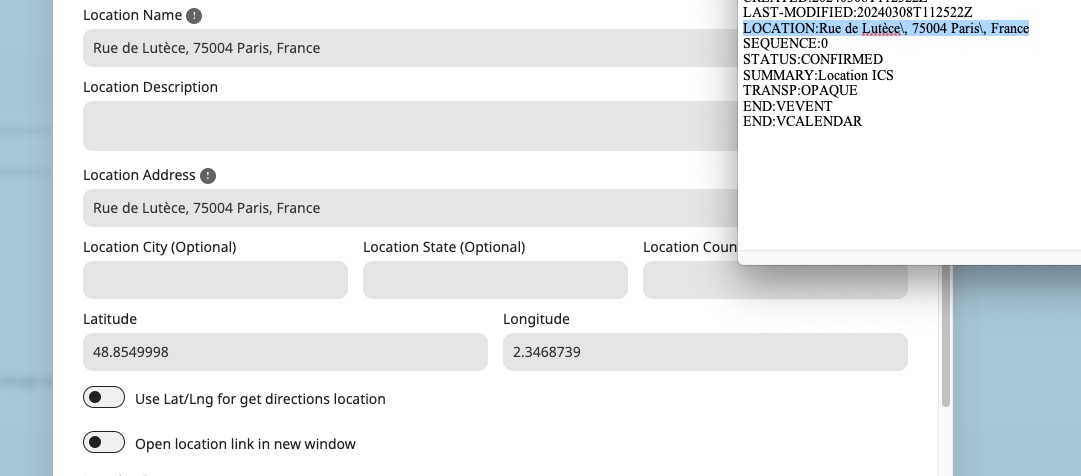
For me this worked:
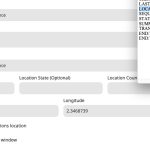 Please send us wp-admin access to your site as a private message for us to further assist your situation.
 -
Mar 10,2024 AT 1:16PM -
Posted 2 years ago
- #343816
Seems to be working for me:
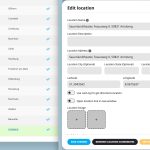
Generate Coordinates also work:
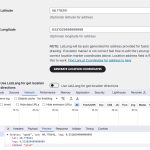
Are there some kind of security rules on the server that restrict access to websites?
Please also follow the instructions in this
to activate debug in your site to see any PHP errors recorded that can provide insight on to whats going on. Please reply with a link to debug.log file. If you are not able to do this please send us FTP access to your site so we can do this for you.
-
Mar 11,2024 AT 9:52AM -
Posted 2 years ago
- #343910
Thanks for looking into.
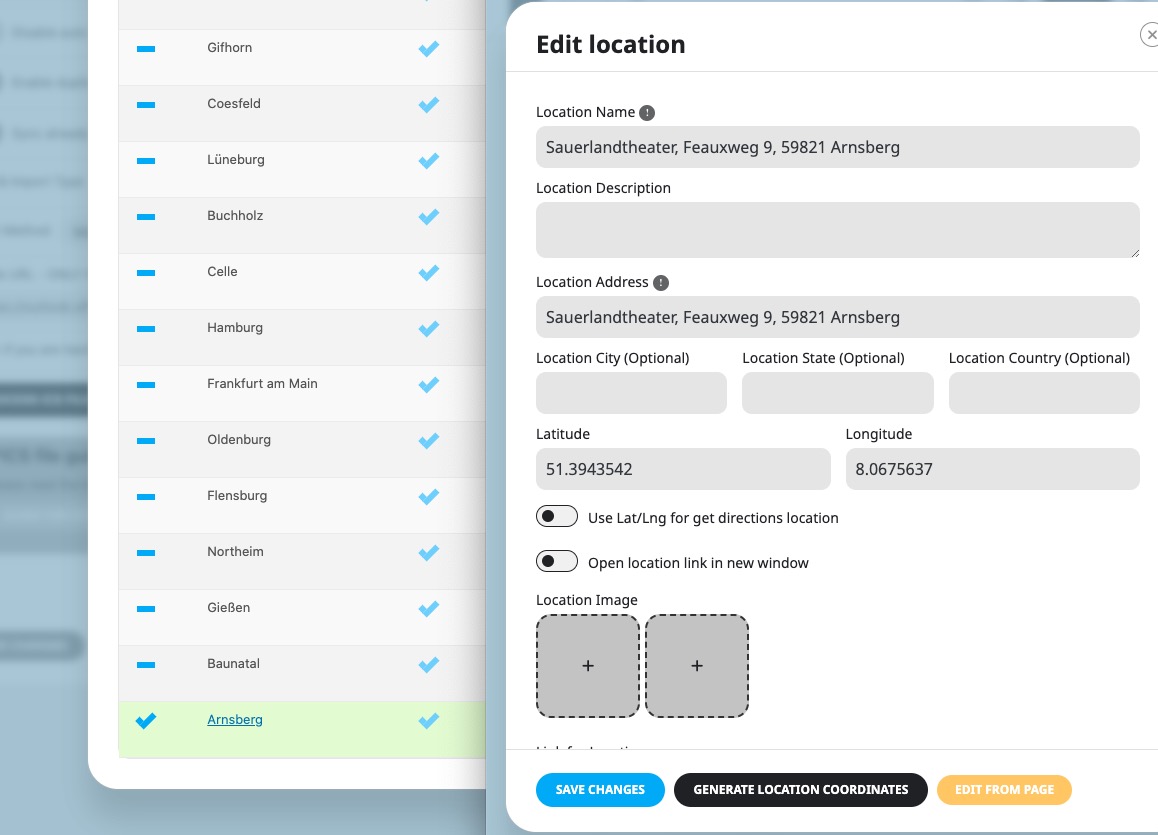
Please elaborate WHAT is working for you, maybe I misunderstood:
a) Automatic import of the GEO values from the given .ics or
b) Creating the LAT/LONG from the address fron the ics
c) both
None of them is working for me. Just entering the coordinates manually gives values in the field.
In the backend you are referreing to Itouchmap.com in order to create the values manually. Is this also the ressource you use to create this automatically? I cannot access this page with any computer, system (WIN, MACOS) or browser (FF, Opera, Safari, Edge, Chrome). https://isitdownorjust.me tells me that it’s down.
I am not aware of any restriction contacting other websites by default. Please let me know the website, which needs to be contacted to make this work. Then I can check with the provider for any restriction.
Can this ressource be blocked generally in Germany? Any other idea?
What I did further: Adding the php error log. Clear the browser cache. Browsing to the location page in the backend. Pressing the button to generate the LAT/LONG. No entry appears.
There is no error log created. It seems there is no error to log.
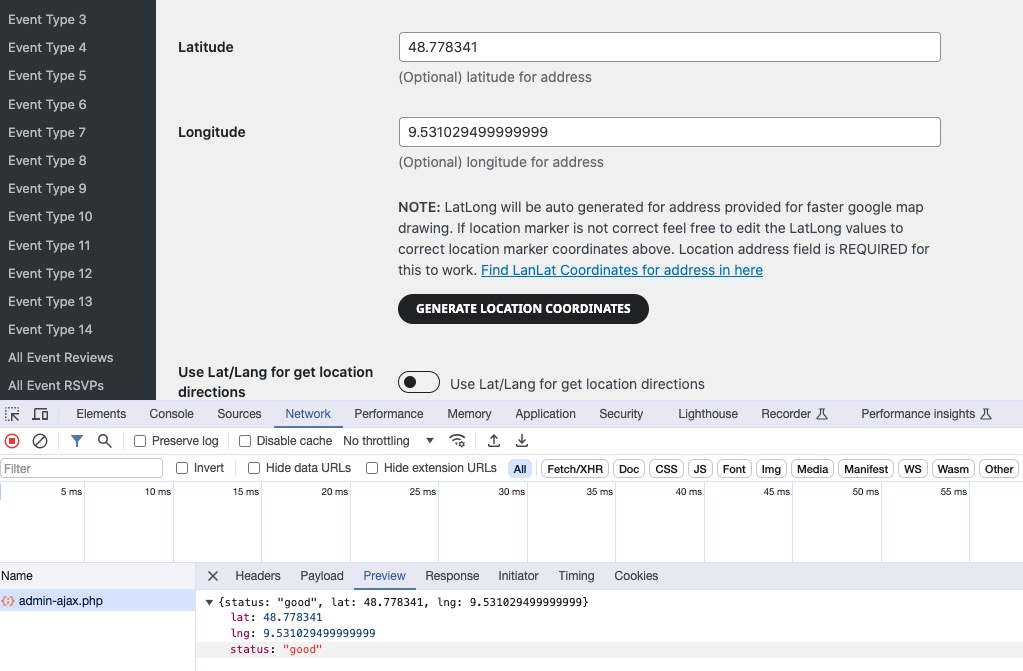
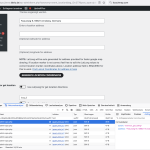
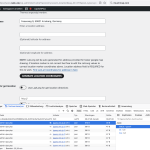
The request:
action: “eventon_get_latlng”
address: “Feauxweg+9,+59821+Arnsberg,+Germany”
gives the answer:
status: “good”
lat: null
lng: null
Please let me know the next step for investigation.
-
Mar 11,2024 AT 9:53AM -
Posted 2 years ago
- #343912
-
Mar 11,2024 AT 10:04AM -
Posted 2 years ago
- #343915
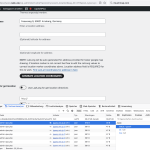
Are the screenshots coming from the lalelu.de backend or did you check the ics file on your system?
You’ve got access data to the original backend. I wonder, how this could work for you in the original backend.
-
Mar 11,2024 AT 1:30PM -
Posted 2 years ago
- #343935
Please send us FTP access to your site as a private message, so we can perform several tests from our end and resolve your issue fast!
Thank you for your messages, I am going to assign this ticket to Ashan and he will be able to take it from here and find you a solution. Please allow some time for him to get back to you, we greatly appreciate your patience and thank you for being a eventon customer! Also please disable any IP blocking on your site if there are any.
-
Mar 20,2024 AT 2:26PM -
Posted 2 years ago
- #345378
We are sorry for the delay. Could you try updating EventON to 4.6 and try to generate Lat/Long?
You don’t need a different key to test things out. Simply install the plugin on your other website and try.
-
Mar 21,2024 AT 12:13PM -
Posted 2 years ago
- #345595
Did that. ics import of GEO values as well as Long/Lat creation are still dead. Please refer to attached video. Did I do anything wrong?
Feel like that: https://www.youtube.com/watch?v=xgS4I-47mJc
-
Mar 23,2024 AT 3:12AM -
Posted 2 years ago
- #345933
It seems the video didn’t make it through. Basically it shows clicking on the button to get coordinates and nothing apprearing in the corresponding fields. Tried different syntax of the address (with location name or without, with country or not).
Customer is geeting impatient…
-
Mar 25,2024 AT 4:46AM -
Posted 2 years ago
- #346140
We are sorry for the delay. Please understand that since this works on our test site, there is something wrong with your server.
We will take a look at the issue ASAP.
-
Mar 25,2024 AT 6:58AM -
Posted 2 years ago
- #346218
We have tried this on another website with another provider. Same result. We get the reply “good; null, null” for all long/lat requests.
I don’t care about your server. You are selling this to work elsewhere. This is not working with usual hosting on all-inkl.com and strato.de.
Again: Where do you get the long/lat values from? You never commented this. In case this comes from itouchmap.com: The site is dead from our end! Endless loading time, no result. Tried to browse their website with different devices and browsers. Same result all time.
Two customers are waiting for this now. This is senseless without automatic creation of the long/lat values or the possibility to read them from ics. I request you to come up with a working addon until April, 1st.
-
Mar 27,2024 AT 4:46AM -
Posted 2 years ago
- #346905
Is it working on our test site for you?
https://dev.myeventon.com/wp-admin/term.php?taxonomy=event_location&tag_ID=6057&post_type=ajde_events&wp_http_referer=%2Fwp-admin%2Fedit-tags.php%3Ftaxonomy%3Devent_location%26post_type%3Dajde_events
Please note that when it works on our server, but not on yours, it’s really hard to find a different answer from there are some restrictions on your server.
Ashan will check this ASAP.
-
Mar 27,2024 AT 12:02PM -
Posted 2 years ago
- #347031
I would be very disappointed if this is not running on your test site. Yes it does work for me there.
I understand your point of view, but please understand mine. There are two completely different hosting companies, where I get exactly the same response: “good, null, null”. This is too much incident that two independent hosters show the same behavior. Guess what is my conclusion? This must be on your side. Or we have some general blocking for Germany or whatsoever. But then you and me we have to know that this is not a valid addon for some boundaries.
I was aksing you several times which is the source you are using. I can check explicitely with both hosters for any blocking. I am willing to go into this and find the possible restriction. But I need a starting point!
-
Apr 2,2024 AT 9:30AM -
Posted 2 years ago
- #348045
Guys! I need a starting point to search for restriction from the hoster. Which external ressources are used? Is there a required PHP version? Any other starting settings to be checked?
-
Apr 9,2024 AT 2:24PM -
Posted 2 years ago
- #349676
We are very sorry for the delay. Could you try updating to EventON 4.6.2?
-
Apr 10,2024 AT 12:44PM -
Posted 2 years ago
- #349872
No progress at all. Running with 4.6.2, Maps Addon 1.5.1, WP6.5.2, PHP8.1.
As mentioned I am not deep in PHP programming. The console refers to …wp-admin/admin-ajax.php. The action “eventon_get_latlng” is executed with the address and gives back “good, null, null”. Looking into the admin-ajax.php file there is no reference to an action like “eventon_get_latlng”. Can this be a hint?
Again: If you state this should be on my side get me a starting point. Otherwise I have to assume you are not delivering for two months now.
Again II: You refer to https://itouchmap.com/?r=latlong to create the values manually. This site is down since I try to reach it in this project. Please clarify
Next time when you deploy an update and ask me to try: Please verify functionality from your side first. You have the login data…
You have ignored a deadline totally, did not even comment it. So far so good. I request you to deliver a working addon until May, 1st. Otherwise I want my money back for two purchased licenses of this disfuntional piece of code.
-
Apr 16,2024 AT 3:34PM -
Posted 2 years ago
- #350885
Katrin please refer to this ticket: https://helpdesk.ashanjay.com/ticket/google-maps-disappaers-after-a-few-moments-and-is-not-showing-the-location/
You also have the same issue as that. Kindly apply that same solution we suggested in there.
-
Apr 25,2024 AT 11:18AM -
Posted 2 years ago
- #352003
Sorry for late reply. But we firstly had to get access permission to the customer’s google account.
As you state in the other ticket, “this may solve”…. Well, it solves a bit. The related article describes to create two API keys. One for the browser (restricted by the domain), one for the server (restricted by the IP address). I did this. How this ended up?
Entering the key with IP restriction really allows to gather the long/lat values. Great improvement!
Having this key in the settings the map shortly flashes up, a tenth of a second later I get the error message “Something went wrong” in the map area. Exchanging the key with the former one (configured as restricted for the domain) the map flashes in the same way, but directly disappears completely. A bit like in the other example, just a bit faster.
BTW, they haven’t solved either so far… But I will contact those guys as they literally live just next door.
The article cannot be the final solution to the issue, if you consider your tool . EventOn just offers to place ONE API key. The restriction setting cannot be set both types on one API key. The selection is done by a radio button, so one or the other restriction.
What I desperately need as a user is a detailed guide for the google API setting to make your addon work. Probably my neighbours would apprechiate this, too.
How are your settings in your google account?
-
May 6,2024 AT 10:43AM -
Posted 2 years ago
- #352944
Again: How are the settings I have to apply in the google account to make your product work?
You are relying on a 3rd party product. So just let me know how this has to be configured!
-
Feb 5,2025 AT 4:10PM -
Posted 1 year ago
- #377993
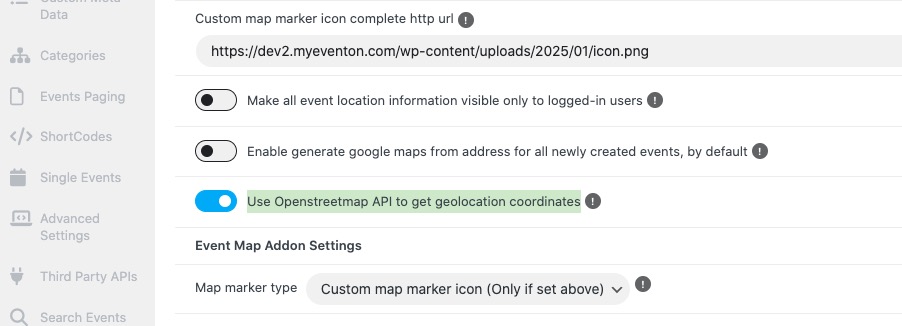
We are sorry for the delay. EventON 4.8+ now has EventON > Map API > Use Openstreetmap API to get geolocation coordinates:
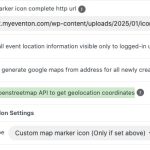
So you can separate Google Map API key and Lat/Long coordinates generation. Could you try and let us know?
Again sorry for the delay, just added the new functionality.
-
Feb 8,2025 AT 9:17AM -
Posted 1 year ago
- #378219
I am impressed! Love it…
Do not need to switch the google API anytime when importing new locations. This is really a big improvement!
-
Mar 5,2025 AT 2:36PM -
Posted 1 year ago
- #380615
Perfect! We are glad your issue is resolved, if you have any further questions or concerns please create a new ticket.
-
Feb 23,2024 AT 2:00PM -
Posted 2 years ago
- #341970