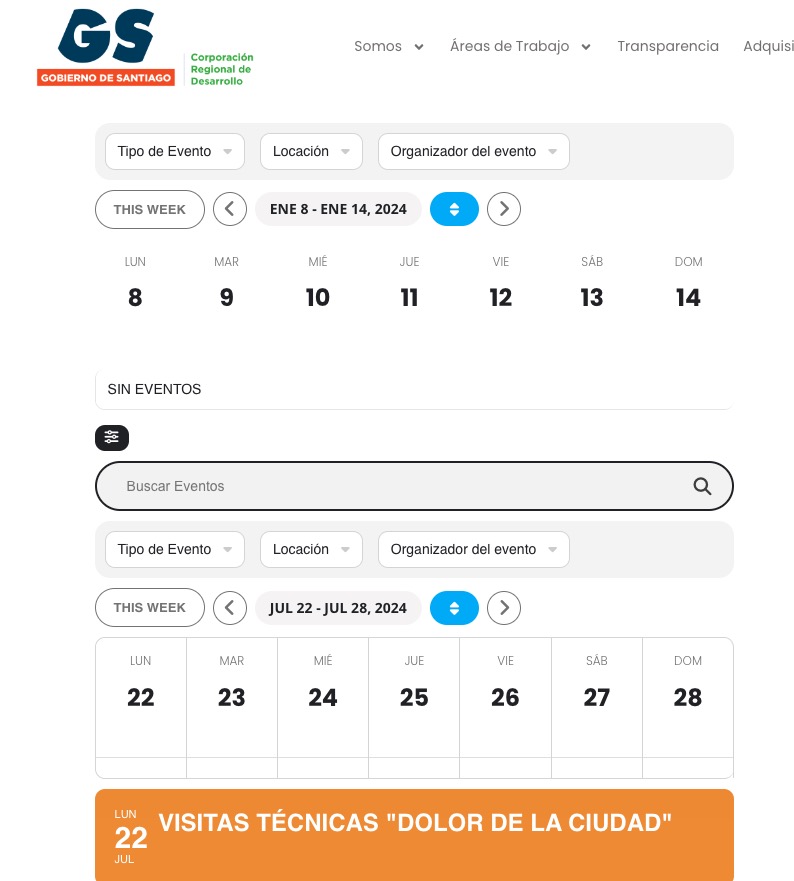
fix month on weekly view isn't working
Hi, I just purchase EventOn and the weekly view addon to have a fixed week showing for an specific event that lasts a week. I'm doing different tests, but the weekly view test is showing me the current week not the one I chose. The main calendar does shows the fixed week. I also want to have on the weekly view the filters shown by defalut as I have set on the main calendar, but it is not working either. Please let me know what I'm doing wrong, thanks
- May 1,2024 AT 10:13AM - 1 year ago-
-
May 1,2024 AT 12:28PM -
Posted 1 year ago
- #352590
Hello,
Please check this page with test shortcodes:
https://corporacionrm.cl/test/
Fixed week only works when you use fixed_year=”” fixed_month=”” fixed_week=”” together in a shortcode.
In order to show the filter bar please add exp_so=”yes” to the shortcode. Check the test page.
-
May 2,2024 AT 11:54AM -
Posted 1 year ago
- #352714
Great thanks!
-
May 2,2024 AT 12:54PM -
Posted 1 year ago
- #352751
We are glad your issue is resolved, if you have any further questions or concerns please create a new ticket.
If you have a moment, we would greatly appreciate if you could kindly leave us a review at Codecanyon. By going to your account > Downloads. We are very grateful for your kind review!
-
May 13,2024 AT 8:25AM -
Posted 1 year ago
- #353703
Hi!
I’m not sure why, but I received the real dates now, so I edited the month and fixed week of the calendar and the test page you created and it is not showing it as it was, as week style 1 so I can have the events under their day column and open them as popups. I tried to create it again but I’m confused on how to use the shortcode generator. The user I created for you is still available: https://corporacionrm.cl/wp-admin/post.php?post=8030&action=edit
I hope you can help, thanks
-
May 14,2024 AT 1:49AM -
Posted 1 year ago
- #353819
Hello,
Could you elaborate more?
Calendars show correct Week Month Year:
Are you having troubles showing events in the first calendar?
-
May 14,2024 AT 9:32AM -
Posted 1 year ago
- #353860
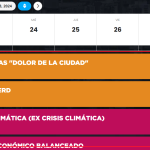
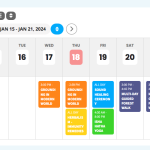
Sure, yes its showing the correct information, but not displaying as it was. It was like screenshot1.png with the events for monday, under monday’s column, events for tuesday under tuesday’s column, and so on. Now I changed the month and week and it’s showing the week with the days as columns but the events full width, not under each day’s column, screenshot2: https://corporacionrm.cl/innovacion/santiago/
The first calendar is the test you made. Don’t worry about that
-
May 14,2024 AT 9:33AM -
Posted 1 year ago
- #353862
I see that I can’t upload 2 images, here is the screenshot1.png one, as I want the calendar to display the events.
Thanks
-
May 14,2024 AT 2:11PM -
Posted 1 year ago
- #353927
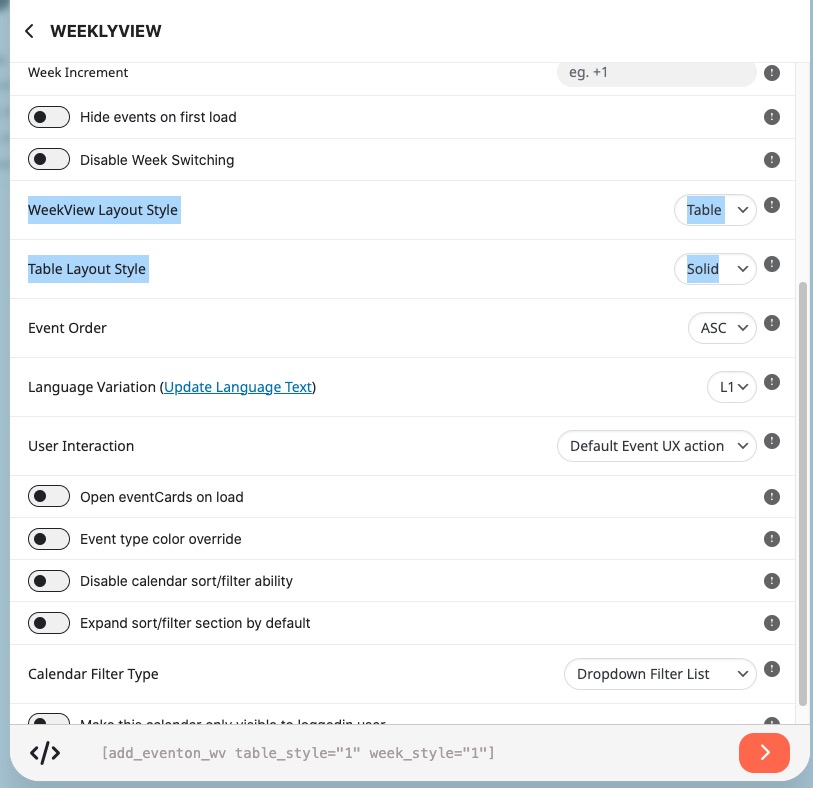
Please go to Shortcode Generator and select these two:
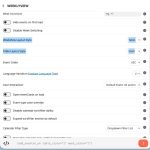
I am also going to include the shortcode here:
[add_eventon_wv table_style=”1″ week_style=”1″]
-
May 14,2024 AT 4:26PM -
Posted 1 year ago
- #353968
Thanks, but these are the codes I tried and the events still look full width, not under the day’s column:
https://corporacionrm.cl/innovacion/santiago/
[add_eventon_wv event_type=”31,32,34,” event_location=”29,33,35,36,” event_organizer=”30,” fixed_week=”4″ fixed_month=”7″ fixed_year=”2024″ week_style=”1″ table_style=”1″]
[add_eventon_wv table_style=”1″ week_style=”1″]
I did selected both options form your screenshot, I don’t know what I’m doing wrong, please help.
-
May 15,2024 AT 2:24AM -
Posted 1 year ago
- #354000
Could you update EventON to 4.6.4?
Can we try installing https://wordpress.org/plugins/health-check/ and check the issue in Troubleshooting Mode?
-
May 16,2024 AT 3:31PM -
Posted 1 year ago
- #354243
Hi,
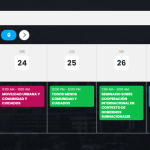
I updated EventOn which didn’t help, but then I edited one of the events and it showed it correctly, so I did the same with all of them to fix them. Open “edit” something ansd save again. That worked.
It’s strange and hopefully it doesn’t happen again when I have all the events loaded (100) 🙁
-
May 17,2024 AT 12:26AM -
Posted 1 year ago
- #354261
Please let us know if the same issue happens again.
If you have any further questions or concerns please create a new ticket.
-
May 1,2024 AT 12:28PM -
Posted 1 year ago
- #352590